

As your construction projects grow in volume, you naturally have more team members and tasks to manage, which opens up opportunities to achieve higher profit margins.
But scaling up comes with a double-edged sword. On one hand, you can expand your profits, but if you lose visibility, face miscommunication, encounter document version errors, or deal with slower reporting, your progress can stall.
Success can quickly turn into a liability, but you can avoid the chaos by streamlining your workflow with the right Construction Management software.
It powers your entire workflow from a single platform, giving you total control of your job sites and supporting every action to help you grow in size and earnings.
Construction Software for Contractors: Best Platforms for Growing Teams in 2026
The best construction software for growing teams are those with advanced features to manage multiple projects and larger teams with AI-powered automation.
It automates repetitive administrative tasks, allowing team members to focus on strategic and analytical work that drives business growth.
The software must include key features such as centralized document control, project management, scheduling, estimations, proposal generation, real-time field-to-office communication, compliance monitoring, and financial management.
This article explains why growing constructiFon businesses outgrow manual systems and how software helps manage multiple projects, teams, and workflows without chaos.
It shows how the right construction software improves visibility, reduces errors, and enables contractors to scale efficiently while maintaining control over operations and finances.
Key Takeaways
- As construction contractors grow in size and take on more users and projects, replacing slow, error-prone manual systems with a digital platform becomes essential.
- Growing construction firms need a simple, cloud-based solution that keeps projects, teams, documents, and budgets in sync, without operational chaos.
- With the right platform, you can scale confidently without disrupting how your business already works.
- The best platform is one that fits your workflow, budget, and business size.
See What a Connected Construction Workflow Actually Looks Like
If your projects are growing but your systems still feel disconnected, it’s time to experience how a unified platform works in real scenarios.
Book a quick demo to see how you can manage projects, teams, documents, and finances in one place—without the usual confusion slowing you down.
Why Growing Contractors Outgrow Manual Systems?
1. More Construction Projects are Running at the Same Time
Construction sites have multiple moving parts, such as multiple job sites, moving materials, subcontractor schedules, permits, and safety checks all need to align.
Manual systems simply cannot keep up with this level of activity, leading to bottlenecks and constant firefighting.
2. Increased Administrative Work Across the Office and the Site
The exponential growth in project volume places an increasing burden on managers who still rely on manual processes.
They spend countless hours on payroll management, invoice checks, inventory ordering, manual job costing, and job tracking, that creates operational strain instead of enabling strategic oversight.
3. Spreadsheets Can’t Manage Documents, Costs, and Schedules Together
The use of colour-coded spreadsheets and scattered files keeps you juggling multiple documents and creates confusion, leading to project delays, missed follow-ups, rework, and budget overruns.
Scaling operations becomes harder with each project, as spreadsheets do not update themselves, and even one wrong Excel formula can cause cost errors.
Spreadsheets may suit small teams handling a few projects, but they fail once you manage more than 10–15 projects at a time.
4. Communication Gaps Reduce Project Success
When you rely on phone updates or spreadsheets, there is no single source of truth. It can significantly increase coordination errors between office and field members on daily schedules or plan changes.
The direct impact of miscommunication leads to reworks, delays, compliance violations, bringing hefty fines and safety hazards.
To scale your construction management company, you have to fix these problems with the right tools and technologies to grow consistently without friction and build real assets.
What Growing General Contractors Need From Construction Software?
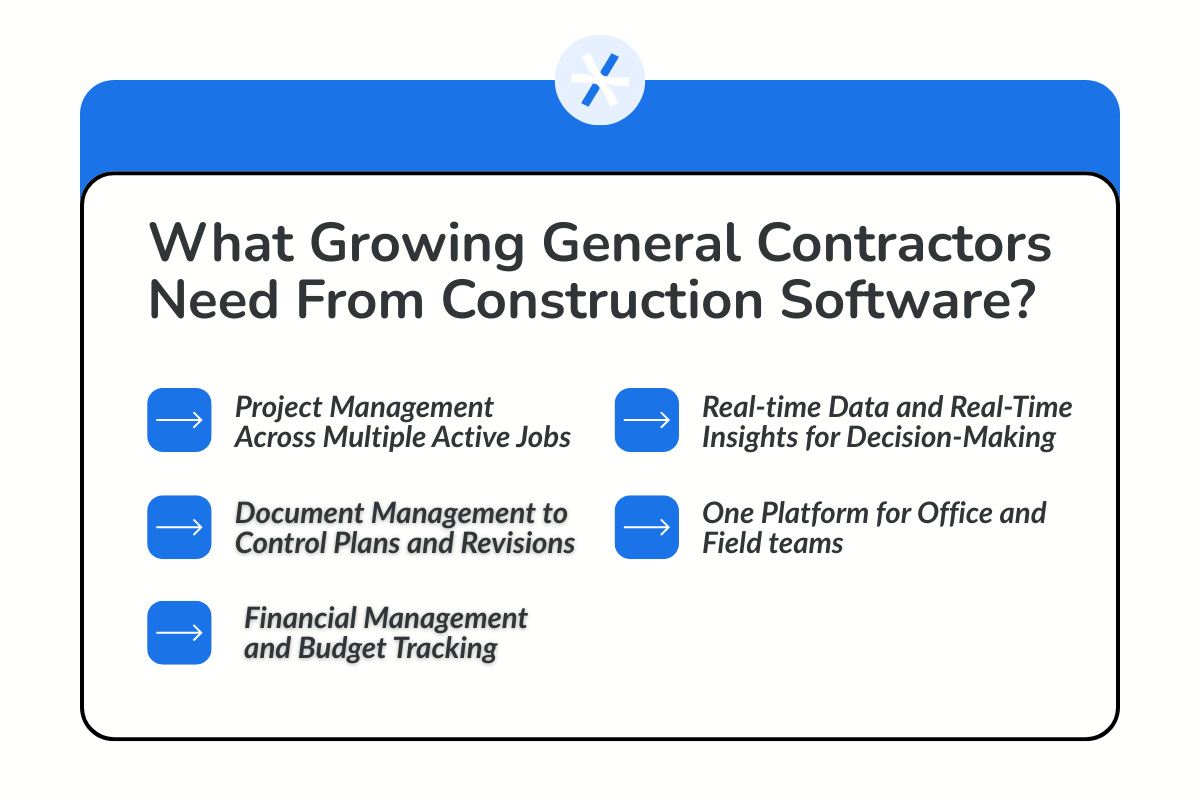
1. Project Management Across Multiple Active Jobs
With multiple projects active across varied locations, it is important to coordinate client requests, blueprints, job updates, inspection reports, and budgets to avoid mistakes and confusion.
Team members need to stay in sync in real time, and managers need clear visibility across projects to perform without errors. A single cloud-based platform is the ultimate solution to manage simultaneous projects, eliminating chaos.
2. Document Management to Control Plans and Revisions
A centralized storage for drawings, documents, paper records, blueprints, and other files is essential to avoid information silos.
Construction businesses often face last-minute design changes due to client requirements, cost changes, external factors stalling projects, delayed timelines, and other modifications while work is still underway.
Construction software with real-time visibility supports better decision-making and cost control, ensuring a smoother workflow.
3. Financial Management and Budget Tracking
As construction companies grow, the accounting system needs to keep pace. Margins in construction projects are tight, and without live cost visibility, small overruns can place constraints on finances.
Job costing, billing, payroll, and inventory need real-time budget tracking to spot financial glitches early on and act at the right time to prevent significant cash flow challenges.
Construction software has embedded financial management to gain clarity on where the money is credited, debited, and profit-making spots, enabling better decision-making.
4. Real-time Data and Real-Time Insights for Decision-Making
Insights drawn from real-time data are useful in the construction business for every stakeholder involved.
General contractors use it for project tracking and optimized resource allocation, construction owners need insights to understand operational efficiency, and managers leverage it for improving workflow and identifying bottlenecks that create operational friction.
A fully scalable construction technology stack provides real-time data and AI-powered analytics for performance insights.
5. One Platform for Office and Field teams
The biggest hurdle in scaling a construction firm is the use of multiple tools. The field teams are implementing projects or making sales, while office teams are planning, billing, and coordinating with clients.
If updates are not live, critical information can be missed, or instructions can be misunderstood, leading to safety issues, budget overruns, project delays, and team burnout.
Good construction software has an advanced mobile app where every piece of information is updated in real time, ensuring no team member is misaligned.
When you evaluating a Construction Software, a wise choice is to choose a software that will resolve your pain points and support multiple projects without chaos, silos, and obstacles.
What are The 5 Best Construction Software Platforms for Growing Contractors?
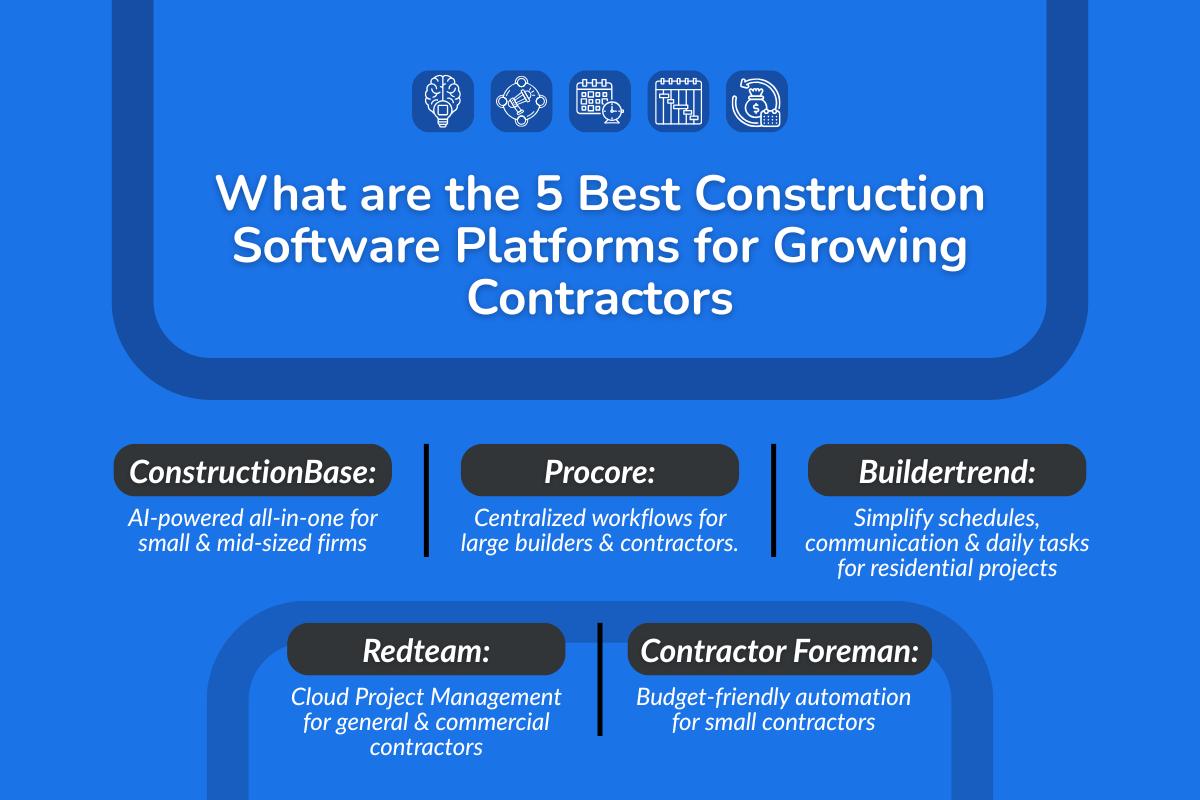
Let's look at the top software options for your construction business that are helping thousands of firms in the world to take control of their workflow and scale with confidence:
1. ConstructionBase
About: It is a cloud-based software designed for growing construction businesses, enabling teams to seamlessly manage the entire project using the integrated mobile-first digital platform.
Best For: Small and medium-sized construction firms seeking an all-in-one, AI-powered platform to streamline operations on an easy-to-use interface.
Pros:
- Easier Adoption: User-friendly interface with a minimal learning curve, suitable even for non-technical users.
- Mobile Support: Mobile-friendly app compatible with both iOS and Android devices.
- Seamless Integrations: Works with third-party tools at no extra cost, including QuickBooks, Google Drive, MailChimp, and Google Calendar.
- Custom Workflows: Can be tailored to match specific project needs rather than following a standard workflow.
- AI-Powered Estimating: Integrates with AutoCAD to view and analyze complex design files, automatically generating estimates based on live pricing to accelerate bidding.
- Unified Dashboard: Combines scheduling, cost tracking, and documentation in one secure, easily accessible location for all team members.
- API configuration: This permits developers and administrative teams to clearly define protocols and parameters for consistent and reliable integration with third parties.
Cons:
- Integration Challenges: May face difficulties connecting with older legacy software.
- Limited Analytics: A lightweight digital tool, so very deep analytics may not be available.
- Customization Limits: Offers less customization compared to tools designed for larger enterprises.
Pricing Plan: Pricing is not publicly available. A customized subscription quotation must be requested based on your specific needs.
2. Procore
About: It is a comprehensive, cloud-based construction management platform that creates a single source of truth for all project collaborators, including owners, general contractors, and specialty contractors. Designed to manage the entire construction lifecycle.
Best For: Builders, contractors, and project managers of larger organizations looking to centralize workflows across multiple locations and projects.
Pros:
- Multi-Site Project Handling: Manages a large number of projects across multiple locations with centralized document management.
- Strong Integrations: Connects seamlessly with design, financial, and field management tools.
- Mobile-Friendly: Supports iOS and Android devices, enabling field teams to collaborate securely in real time.
- Scalable: Easily adds new users and projects without extra costs.
Cons:
- Steep Learning Curve: Users may require extra time to fully understand and use the software, increasing onboarding time and IT support needs.
- High Pricing: Costs may be too expensive for contractors with limited investment budgets.
Pricing Plan: No standard pricing plans are publicly available. A subscription plan must be requested based on specific business needs.
3.Buildertrend
About: Cloud-based digital solution for construction projects that streamlines business operations, manages finances, and projects with a centralized communication portal.
Best For: Residential builders and remodelers seeking to simplify workflows, manage schedules, enhance real-time communication, and automate daily repetitive administrative tasks.
Pros:
- Unified Dashboard: Centralizes key functions for client communication, scheduling, and invoice processing to fasten workflow and enhance collaboration between contractors and clients.
- Digital Collaboration: Provides customers and subcontractors with e-signatures for proposals and built-in real-time messaging, keeping all stakeholders in sync without daily office visits.
- Transparent Financial Tracking: Enables all project members to view finances, with instant payment processing that strengthens client trust and accelerates the billing cycle for contractors.
Cons:
- Limited Customization: May not fully meet the needs of larger construction teams managing multiple projects.
- Non-Intuitive Interface: Can be complex to set up and use by most people, leading to slower onboarding and difficulties in usage, especially for non-technical users.
- Fewer Integrations: Supports fewer third-party tools compared to enterprise platforms, especially for accounting systems.
Pricing Plan: Buildertrend uses a custom pricing mode. Most customers pay between $8,000 and $10,000 per year. This cost includes access to all platform features and unlimited users under a single company license.
4. Redteam
About: RedTeam is a cloud-based construction management platform built for general and commercial contractors. It connects project management, financial tracking, and field operations into one system, helping teams manage projects from preconstruction to closeout.
Best For: General and commercial construction contractors of all sizes who need a cloud-based project management tool for financial and field management.
Pros:
- Comprehensive Platform: Provides an end-to-end solution for project management, scheduling, financial tracking, and document control.
- Customer Support: Provides instant in-chat responses during onboarding to help teams get started quickly.
- Robust Accounting Integrations: Seamlessly integrates with QuickBooks Online, Sage 100 Contractor, and Sage Intacct, allowing smooth financial data flow.
Cons:
- Not Very Intuitive Interface: Extensive features and workflows can feel overwhelming and require significant training time.
- Interface Can Feel Complex: Navigation may not feel intuitive initially, especially for teams used to simpler tools.
Pricing Plan:
RedTeam does not publicly publish standardized pricing on its official website. All plans are typically customized based on company size, number of users, and required features.
5. Contractor Foreman
About: It is an all-in-one construction management software designed to handle project management, estimating, scheduling, safety tracking, and financial workflows in a single platform.
Best For: Smaller contractors with a limited budget to invest in automation software to streamline project management.
Pros:
- Customer Support: Highly responsive to enquiries and issues during software onboarding and ongoing usage.
- Built-In Resource Management: Centralized storage, access, and updates to project files and inventory data to optimize usage.
- Integrated Safety and Compliance Tools: Built-in safety logs, incident tracking, and compliance features that are often missing in lower-cost tools.
Cons:
- Mobile Experience Needs Improvement: The mobile app is usable but not as smooth or powerful as desktop functionality, which can affect field usage.
- Interface Can Feel Dated or Cluttered: The UI is functional but not as modern or intuitive as newer platforms, which can slow down user adoption.
Pricing Plan:
It has the following five-tiered plans:
- Basic ($49 monthly): 1 user with essential features (invoice, estimation, and project scheduling)
- Standard ($105 monthly): 3 users with the billing and compliance feature addition
- Plus ($166 monthly): 8 users with all basic features of basic and standard
- Pro ($221 monthly): 15 users with all advanced features
- Unlimited ($332 monthly): Unlimited user access with access to all features
Comparison Snapshot For Best Construction Management Software
| Software | Best For | Project Management | Financial Management | Document Control | Ease of Use |
|---|---|---|---|---|---|
| ConstructionBase | Small to mid-size construction contractors | Live job tracking with a single source of job records and updates | Integration with accounting tools to track budgets, and payments processing | Centralized document management with quick sharing | Highly intuitive interface that is easy to adopt |
| Procore | Large enterprises in the construction industry | Task boards and appointment tracking | Live visibility into project profits and overall financial health | Centralized document storage, sharing, and access with version control | User-friendly interface |
| Buildertrend | Established home builders, remodelers, and specialty contractors | Drag-and-drop scheduling with real-time insights | Real-time budget tracking with integration to accounting tools | Centralized document storage and sharing through a single portal | Steep learning curve for non-tech-savvy users |
| RedTeam Go | Small to mid-size commercial construction contractors | Clear task boards and live job tracking | Synchronization with major accounting platforms for budget tracking and invoice handling | Central repository for important documents such as contracts, daily reports, and drawings | Very easy to use |
| Contractor Foreman | Small to mid-size construction contractors handling residential and commercial projects. | Scheduling, assigning, and tracking jobs with real-time communication | Clear overview of financial transactions | Customizable access to centrally shared files for all team members | Simple interface that improves ease of use |
How to Choose Construction Software as You Scale?
1. Match Software to Your Project Volume
As your business grows, your software must be able to handle multiple projects, users, and locations without slowing down. If the system struggles with performance or data handling as volume increases, it will become a bottleneck instead of a support system.
2. Evaluate Document Management Depth
With more projects comes more drawings, permits, compliance documents, and CAD files. Without proper document control, teams risk working on outdated information.
The software should support version tracking, centralized storage, and quick search functionality so teams can access the right documents instantly and avoid delays or rework.
3. Check Financial Management and Accounting Integrations
A strong connection with accounting tools like QuickBooks is essential for smooth financial operations. Without proper integration, teams end up duplicating work and increasing the risk of errors.
Good software ensures accurate financial tracking, faster billing cycles, and better cash flow visibility. This becomes critical, especially when delayed payments can disrupt operations and planning.
4. Test Field Adoption before Commitment
The best software is the one your team actually uses. If field teams struggle to adopt it, even the most advanced platform will fail in practice.
Always test the tool through a demo or trial to see how easily your team can use it in real scenarios. A system that fits your workflow will save time, while the wrong one will create friction and slow down operations.
5. Consider Long-Term Scalability Features
Your software should grow with your business, not limit it. As you add more projects, users, and complexity, the system should continue to perform without requiring frequent changes or replacements.
Look for a platform that supports scalability in terms of users, data, integrations, and features, so you don’t outgrow it in the next phase of growth.
Final Takeaway
You will start to fail as you scale if your software is not built to support more projects and users without technical complexity or dollar crunch.
The right construction software must strengthen cost control, improve visibility, reduce errors, provide deep analytics, and streamline operations, allowing construction firms to scale smoothly as project volume and team size grow, without operational hiccups.
Let us focus on building projects and not fighting workflow chaos.
Grow with ConstructionBase
Talk to our experts for a quick personalized demo and see how our unified, cloud-based platform aids construction contractors to scale to the next level smoothly!
Frequently Asked Questions (FAQs)
1. Which is the most popular construction management software?
The top five options for construction management software are ConstructionBase, Procore, Buildertrend, RedTeam, and Contractor Foreman. Each platform offers built-in features designed to meet construction company needs, enabling seamless workflows that support smoother project management, efficient field communication, and accurate financial processing. They all offer robust solutions, but vary in pricing, feature depth, and suitability for small, medium, or large construction enterprises.
2. How quickly can my team adopt new construction software?
The adoption of ConstructionBase software is very quick, often within a few days, as it offers a smooth onboarding process with a training support team and a highly intuitive interface that is easier to adopt and learn.
3. Does construction software support multiple projects and teams simultaneously?
Yes, modern construction management software like ConstructionBase is a cloud-based software and has the capability to support multiple projects and teams across varied locations with mobile app accessibility. It has a centralized document management system, a real-time communication platform, and allows the addition of new users and projects to the system without add-on costs, improving efficiency and communication among multiple teams working on varied projects.
Have questions or need personalized advice?
Talk to an Expert Today and let our construction specialists guide you to success.
Related Posts
Building Construction Project Software: Key Integration Points You’re Missing





