

Choosing construction management software in 2026 feels a bit like standing in front of a giant menu when you’re already starving, everything looks good, everything claims to be “the best,” and you’re not sure what will actually work for your team, your project managers, and your growing project timelines.
With construction projects getting more complex, margins tightening, and younger construction teams expecting mobile-first tools, the pressure to pick the right platform has never been higher.
And with so many vendors pushing endless feature lists, it’s easy to feel overwhelmed before you even start comparing options. That’s why a simple, research-backed, 2026-ready construction management checklist matters, something that cuts through the noise and highlights the core features that truly keep multiple job sites running smoothly.
What Does a Complete Construction Management Software Feature Checklist Look Like for 2026?
Construction has entered a new era. Job sites depend on mobile access, clients expect real-time updates, and project managers are handling more documents, deadlines, and cost control tasks than ever.
At the same time, younger construction professionals want simpler, cleaner, automation-ready tools, not the bulky software older teams fought with.
Modern construction management software has become the operational backbone. The right platform keeps teams aligned, centralises project data, streamlines document control, improves progress tracking, and prevents budget overruns. The wrong one creates extra work, confusion, and costly delays.
This guide cuts through the noise. Instead of another generic “feature list,” this 2026-ready checklist focuses on what actually matters, real job-site challenges, today’s workforce expectations, and the features that truly impact performance.
You’ll find a clear breakdown of essentials: budgeting and cost tracking, field collaboration, mobile capabilities, real-time updates, automation workflows, AI insights, sustainability metrics, and integrations that eliminate double work across accounting and project files.
Key Takeaways
- A future-ready construction management software in 2026 must offer strong mobile capabilities, real-time collaboration, and seamless document control to keep multi-site teams aligned.
- Cost control and integrated budgeting tools are no longer optional. They directly prevent overruns, reduce job-cost blind spots, and keep project finances stable.
- Automation and practical AI features help construction teams cut admin work, forecast delays, and make faster, data-backed decisions without overwhelming field staff.
- Sustainability tracking and compliance tools are becoming essential as clients, younger professionals, and regulatory bodies expect better reporting and environmental accountability.
- The best software platforms integrate smoothly with accounting systems, BIM tools, and procurement workflows, eliminating double data-entry and costly communication gaps.
Before You Compare Another Tool, Compare What Actually Matters
Feature lists are easy to skim, but costly mistakes aren’t. Use this 2026-ready checklist as your filter before sitting through demos, sales calls, or glossy brochures. If a platform can’t meet these essentials in real job-site conditions, it’s not built for your future projects.
Bookmark this guide. Share it with your PMs. See how ConstructionBase supports real construction workflows—start with a walkthrough.
Why Choosing the Right Construction Management Software in 2026 Feels Overwhelming?
Rapid tech changes and new task management features make it hard for construction managers to know which tools truly support progress tracking and financial management across multiple job sites. The main challenges include:
- Too many vendors, overlapping features: Everyone promises real-time visibility and project control, but few tools actually help teams track progress or manage documents without extra work.
- Pressure to future-proof: Construction companies need software that supports budget management, improves cash flow visibility, and scales with complex projects.
- Higher project demands, tighter margins: Rising labor and job costs mean teams need simpler tools for project budgets, cost tracking, and streamlined workflows.
- Why a checklist matters: A focused, research-backed 2026 checklist helps construction managers choose features that genuinely improve collaboration, financial management, and project timelines.
What Construction Teams Expect From Software in 2026 (Based on Current Industry Data)?
Younger construction professionals and project managers expect tools that make progress tracking easier, support financial management, and help track progress across multiple job sites, without increasing admin work. Key expectations include:
- Mobile-first project management: Field teams need quick access to project documents, dashboards, and schedules so everyone can track progress and stay aligned on-site.
- Automation that reduces admin load: Automated workflows, approvals, and reporting help construction managers focus on core tasks instead of manual progress tracking.
- Stronger accounting and financial integrations: Most teams prefer software that connects cost tracking, budget management, and cash flow monitoring, keeping project budgets under control.
- Sustainability + cost control tools: Features that monitor job costs, labor efficiency, and environmental metrics help construction companies deliver more responsible, profitable projects.
The 2026 Construction Management Feature Checklist (Broken Into Clear Pillars)

This checklist breaks down the 2026 essentials into clear pillars: core project management features, cost control and budget tracking, collaboration tools, mobile capabilities, automation workflows, AI insights, and sustainability and compliance metrics.
Each pillar highlights the key features that improve project performance, streamline project tracking, and keep construction teams aligned, without the overwhelm.
1. What Core Project Management Features Should Every 2026 Construction Software Must Have?
For project managers, construction teams, and contractors, core features keep complex projects on track, budgets in check, and teams communicating smoothly.
Here’s what truly matters:
- Real-time task management: Field teams can update tasks, mark milestones, and track project progress instantly. This keeps everyone on the same page and avoids wasted hours chasing updates.
- Scheduling and resource planning: Allocate human resources, track labor costs, and plan project schedules efficiently to prevent delays and budget overruns.
- Document control & version tracking: All project files and project documents are in a central location so project managers and site teams can access the latest versions anytime.
- Field-to-office communication: Mobile access allows project teams to collaborate in real-time, share updates, and maintain smooth client communication across multiple sites.
With these core features, software stops being just a tool; it becomes the hub that keeps your projects running smoothly, your construction teams aligned, and your project performance on track.
2. How Strong Cost Control & Budget Tracking Prevent Surprises Later?
Keeping costs steady has become one of the hardest parts of the construction industry. If budgets aren’t tracked properly, even the same project can drift off course without anyone noticing until it’s too late.
The right software gives construction firms the financial clarity they need to stay grounded through every stage of the project lifecycle.
Here’s how modern platforms help:
- Real-time cost data: All expenses, from materials to subcontractors, are updated instantly, giving teams the financial depth they need to make smarter decisions.
- Accurate cost estimation: Better estimates mean fewer surprises, smoother planning, and more predictable spending throughout changing construction environments.
- Clear financial reports: With strong reporting capabilities, managers can review historical data, compare trends, and monitor progress without digging through spreadsheets.
- Built-in compliance: Automated checks help ensure regulatory compliance, especially for specialty contractors handling complex or high-risk tasks.
- Milestone tracking that actually helps: Each phase of the build links directly to costs, making project planning more transparent and improving overall customer satisfaction.
- Productivity insights: Teams can track productivity and see how delays or changes impact the financial side of the project.
With clear costing, reliable tracking, and smarter insights, construction teams can make confident decisions that protect budgets and keep the entire project on course.
3. What Collaboration Tools Actually Reduce Delays and Rework?
Most delays don’t come from bad planning; they come from miscommunication. When site teams, subcontractors, and office staff aren’t aligned, even small updates get lost, leading to rework, confusion, and wasted hours.
Here’s what actually makes a difference on real job sites:
- A centralised project dashboard everyone trusts: One place where teams can see progress, check tasks, review changes, and avoid working on outdated information, especially when version control matters.
- Role-based access that keeps things organised: Custom permissions ensure the right people see the right information, improving clarity without overwhelming your project team or disrupting document management.
- Subcontractor portals that reduce constant back-and-forth: Instead of chasing updates, specialty crews can upload photos, reports, or approvals directly through simple online tools, keeping workflows smooth and transparent.
- Real-time updates for field teams: Site workers get instant notifications about plan changes, approvals, or schedule shifts, helping them monitor progress without delays or guesswork.
- Information that reduces financial surprises: Clear communication means fewer errors, fewer corrections, and fewer unexpected costs, protecting both timelines and the financial aspects of the project.
With these collaboration features in place, construction teams spend less time chasing updates and more time actually building, which is exactly how modern projects stay fast, coordinated, and frustration-free.
4. Which Mobile Features Matter Most in 2026?
Nowadays, mobile isn’t a “nice-to-have”; it’s the default. Younger construction professionals expect fast, simple tools they can use directly on-site without digging through complicated menus or desktop-style screens.
And when teams across the construction industry are spread across multiple locations, mobile features become the glue that keeps the same project aligned.
Here are the mobile capabilities that truly matter in 2026:
- An offline mode that never leaves field teams stuck: Connectivity drops all the time on construction sites. Offline access ensures daily tasks, notes, and files still load smoothly, keeping work moving even in remote or unstable areas.
- Daily logs, site photos, and digital signatures in one place: Teams can capture updates instantly on-site, improving accuracy, document management, and reducing back-and-forth. No more messy uploads or missing files.
- Quick RFIs and punch lists that speed up decision-making: Mobile-first RFIs mean questions reach the right people faster. Punch lists can be created, assigned, and reviewed instantly, which boosts customer satisfaction and keeps work accountable.
- A mobile-first UX designed for real job sites: Simple buttons, fast loading, large touch targets, and clear navigation make a huge difference when teams work with gloves on or under time pressure. Speed and clarity matter more than anything.
- Smooth handling of site photos and version control: Teams can upload images, mark changes, and ensure everyone is working from the latest information, preventing rework and helping leaders track productivity in real time.
Mobile tools with these capabilities don’t just “support” field teams; they keep entire construction firms connected, efficient, and confident while navigating fast-moving project lifecycle changes.
5. How Automation Cuts Manual Work Without Distracting the Team?
For most construction businesses, the goal isn’t fancy tech, it’s fewer repetitive tasks. Automation helps teams save time without adding complexity, especially when projects move fast and documentation piles up.
Here are the practical automations that matter now:
- Auto-generated reports that save hours every week: Whether it’s daily summaries, cost updates, or compliance notes, automated reporting keeps project data organised without extra effort.
- Approval workflows that happen on their own: No more chasing signatures. Automated workflows help teams move documents through the right steps, speeding up decisions and improving document management.
- Smart reminders for code and regulatory compliance: Simple notifications prevent delays and ensure teams stay aligned with local requirements, especially useful for specialty contractors juggling multiple tasks.
- Safety checklists triggered by real activity: When field teams log an update or finish a milestone, the system prompts the next safety checklist automatically, helping leaders track productivity while reducing risk.
Automation isn’t about replacing people. It’s about reducing busywork so teams can focus on actual construction instead of admin.
Cut admin time and keep teams focused on real work. Explore How You Can Boost productivity with ConstructionBase automation.
6. Why AI Analytics Will Become Standard in 2026 Tools?
AI in construction is no longer hype; it’s practical. Modern tools use past data, site activity, and patterns from similar jobs to support smarter decisions, especially in tight-budget environments.
Here’s what AI truly brings to the table:
- Predictive cost analysis using real cost data: AI models learn from historical data to show where budgets may shift, helping teams stay ahead of overruns.
- Delay forecasting before problems hit the schedule: The system picks up early warning signs so construction firms can act fast instead of reacting late.
- Quality analysis based on project lifecycle data: AI reviews patterns in site logs, photos, and updates to highlight quality risks before they spread.
- Risk identification signals for decision-makers: These insights help construction businesses plan better, allocate resources smartly, and protect both time and money, improving overall financial aspects of the project.
In 2026, AI becomes a quiet partner in project planning, supporting humans, not replacing them.
7. What Sustainability and Compliance Features Are Becoming Essential?
Younger professionals and modern clients now expect construction firms to show environmental responsibility, not just good results. Tools that track sustainability make it easier to measure impact without adding more admin or spreadsheets.
The features gaining importance in 2026:
- Carbon footprint tracking tied to on-site activity: Teams can see how equipment, material deliveries, and site operations contribute to emissions, all inside the same project dashboard.
- Energy efficiency dashboards that monitor progress: These insights help construction companies plan smarter, choose better materials, and improve long-term performance.
- Waste reporting made simple with online tools: Digital logs and automated forms reduce paperwork and give leaders clarity on material use, waste volume, and recycling efficiency.
- Local regulation compliance checklists: Easy checklists ensure teams stay compliant throughout the build, reducing risks and protecting customer satisfaction.
Sustainability tracking isn’t just a trend; it’s becoming a standard expectation across the construction environment.
Also read: Implementing Construction Management Software: A Step-by-Step Guide
What Integration Capabilities Matter Most for Construction Companies in 2026?
In 2026, construction companies don’t just need powerful software; they need tools that talk to each other. When systems stay disconnected, teams end up entering the same data twice, losing documents, or relying on outdated files. Strong integrations create a smooth, future-proof tech ecosystem that reduces errors and keeps every project moving confidently.
Here are the integrations that matter most:
- Accounting system integrations: Seamless syncing ensures job costs, budgets, and other financial aspects stay accurate across the entire construction business. No more mismatched numbers or missing cost data.
- BIM compatibility: Integrating BIM with everyday field and office online tools improves coordination, reduces clashes, and gives teams the context they need to make fast decisions.
- Procurement platform connections: Linking procurement with project planning helps track materials, deliveries, and expenses in real time, keeping schedules on track and avoiding costly delays.
- Document management system integrations: When all drawings, contracts, and site documents stay in one place with proper version control, teams always work on the right file, especially when multiple teams touch the same project.
Why these integrations matter:
Because integrations are what finally eliminate double work, reporting mistakes, and missing information. They centralize data, strengthen collaboration, and make it easier for construction firms to monitor progress throughout the entire project lifecycle.
When everything connects, projects simply run smoother, across every site, every team, and every phase.
How to Compare Construction Management Software Without Getting Lost in Vendor Claims?
Evaluating construction management software in 2026 can feel overwhelming, especially when every vendor promises “end-to-end workflows” and “AI-powered efficiency.” What really matters is how well the tool fits your project types and how easily your teams can use it on-site.
Start by filtering tools based on your work, residential, commercial, or infrastructure. This alone removes options that aren’t built for your scale.
Then focus on the core essentials: strong scheduling, reliable document management, real-time reporting, and features that support your project lifecycle.
Everything else is optional.
The most important test? Use it on a real job site. Open drawings, submit an RFI, and upload photos. If the mobile app struggles in the field, the software won’t support daily site work.
Finally, choose vendors who are transparent. Look for:
- Clear pricing
- Real product screenshots
- Honest feature limitations
- Security certifications
- Fast, human support
This simple comparison approach cuts through the noise, helping you pick software that actually works on job sites, not just in sales demos.
Take a look at: How to Scale Your Contracting Business with Construction Software
Construction CRM Comparison Table (2026)
| Feature / Criteria | ConstructionBase | Procore | Buildertrend | CoConstruct |
|---|---|---|---|---|
| Best For | End-to-end construction CRM + field coordination | Large firms & general contractors | Residential builders & remodelers | Small-to-mid residential builders & remodelers |
| CRM Strength | Advanced, construction-specific CRM with client communication tools | Limited CRM; relies on integrations | Strong CRM for residential | CRM tailored for home builders & remodelers |
| Mobile Experience | Fast, mobile-first, field-friendly | Strong, robust | Good | Strong mobile for field teams |
| Document Management | Centralised + version control + quick sharing | Strong | Good | Centralised + easy file sharing |
| Task & Project Tracking | Clean dashboards + milestone tracking | Advanced | Good | Good |
| Cost Tracking / Budgeting | Integrated budgeting + cost estimation | Advanced | Good | Integrated budgeting + estimates |
| Integrations | Accounting, BIM, procurement, approvals | Broad ecosystem | Accounting-focused | Accounting, project scheduling, and design tools |
| AI & Automation | Predictive insights + smart workflows | Growing | Limited | Limited AI & automation |
| Compliance & Sustainability | Built-in compliance checklists + sustainability tracking | Good | Limited | Basic compliance features |
| Ease of Use | Simple, modern, low learning curve | Medium | Easy | Easy to use |
| Pricing | Mid-range, high-value, but not published standard pricing plans. Need to request. | Not published standard pricing plans. Need to request. | From: ($499/month); Advanced: ($799/month) Complete: ($1,099/month). (Source: Jibble) | Standard:($99/month) and Plus: (starting at ~$399/month) (Source: G2) |
| Best For Teams That Want… | A future-proof tool balancing CRM + field ops | Full project control at scale | Simple residential workflows | Residential-focused project management & CRM |
Feature Gaps That Cost Construction Businesses the Most (And How to Avoid Them)
Even strong construction teams lose money when their software leaves critical gaps. These issues quietly inflate job costs, slow progress tracking, and frustrate managers and field crews. Here are the gaps that hurt most, and how modern tools prevent them:
1. Hidden costs from poor scheduling
Weak scheduling breaks sequencing, causing idle crews, wasted materials, and delayed contractors. Modern tools fix this with real-time schedule updates, resource visibility, and accurate milestone tracking.
2. Budget overruns from weak cost control
Without tight cost tracking, overruns appear fast. Missing change orders and scattered financial data worsen cash flow. Integrated budgeting and automated updates help maintain budget discipline.
3. Rework caused by communication gaps
Outdated drawings, unclear instructions, and missing documents force teams to redo work. Centralized communication and version control ensure everyone follows the correct plan.
4. Delays from missing automation
Slow RFIs, manual approvals, and heavy admin drag timelines. Automation speeds decisions, cuts admin hours, and keeps project progress on track.
How ConstructionBase Helps Teams Get a 2026-Ready Feature Set Without the Confusion?
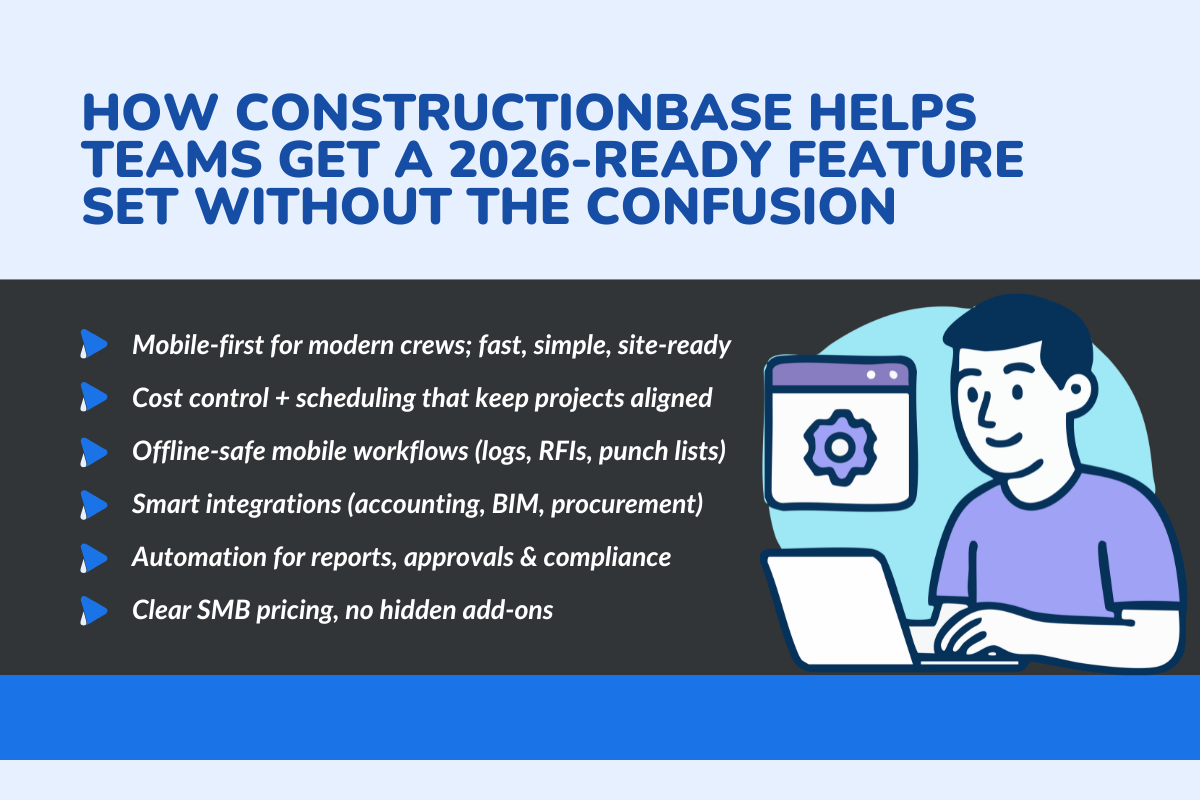
Most construction tools are overloaded and confusing. ConstructionBase gives modern teams the features they need, clean, simple, and built for real job sites.
- Built for the modern 18–35 workforce: A clean, mobile-first interface makes it easy for field crews and project managers to track progress, access documents, and manage schedules without complexity.
- Strong cost control, scheduling & coordination: Integrated budgeting, real-time schedules, and clear field communication keep projects moving smoothly without dashboard overload.
- Mobile workflows that prevent delays: Daily logs, RFIs, punch lists, and photos sync quickly, even in low-network zones, keeping site reporting consistent.
- Smart integrations, no messy tech stack: Plugs into accounting systems, document tools, BIM, and procurement platforms to reduce double work and improve financial management.
- Practical automation & reporting: Automated approvals, instant reports, and compliance reminders cut admin time and speed up decisions.
- Simple, transparent pricing: SMB-friendly plans give companies enterprise features without unpredictable add-ons.
The ROI Perspective: How the Right Tool Pays Back Fast
Construction software is ultimately a financial decision. The right tool pays for itself by reducing delays, preventing rework, and giving teams clear, accurate project data.
Centralized document management and real-time updates eliminate lost information and manual searching. Automated reporting and strong cost visibility help project managers catch issues early, protect margins, and maintain healthy cash flow.
Better communication, cleaner schedules, and accurate forecasting lead to faster project delivery, boosting client satisfaction and repeat business.
In short: the right platform strengthens financial depth, protects your margins, and turns project chaos into predictable progress.
Conclusion
Choosing the right construction management software in 2026 comes down to one thing: picking a tool that actually makes projects easier, not harder.
When your platform simplifies document management, improves team communication, prevents rework, and keeps costs under control, every project runs smoothly, and your margins stay healthier.
The right software doesn’t just organise tasks; it reduces delays, cuts manual work, supports your field teams, and gives you the real-time visibility needed to keep clients confident. In a fast-changing construction environment, that kind of clarity pays back quickly, in time saved, projects delivered on schedule, and a team that finally feels in sync.
About ConstructionBase
ConstructionBase is a modern, easy-to-use construction management platform built for today’s fast-moving job sites. It brings scheduling, cost control, mobile workflows, and team collaboration into one clean, simple system, without the clutter most tools come with.
It is designed for construction firms that want reliability, speed, and real-time visibility. ConstructionBase helps teams deliver projects on time and within budget.
Ready to see how ConstructionBase can streamline your 2026 projects? Try it today and experience simpler, faster construction management.
FAQs
1. Which is the most important feature in construction management software in 2026?
The top priority in 2026 is real-time visibility, a tool’s ability to show live updates on schedules, costs, documents, and field activity across job sites. With projects moving faster and margins tighter, platforms that centralize information and reduce delays (especially through mobile access) deliver the highest impact.
2. How does AI improve construction project outcomes?
AI helps teams make smarter decisions by analyzing project data to predict delays, cost risks, quality issues, and productivity dips before they happen. Instead of reacting late, project managers get early warning signals, automated insights, and trend-based recommendations that directly reduce rework, overruns, and timeline slip.
3. Which features help prevent budget overruns?
Strong cost control, live cost data, integrated budgeting, and automated tracking of labor, materials, and change orders are the biggest safeguards. Tools that connect schedules, financials, and field updates also make overruns easier to catch early, usually through dashboards, alerts, and real-time reporting.
4. What integrations do construction companies need first?
The most valuable integrations include accounting systems, BIM tools, digital procurement platforms, and modern document management systems. These reduce double entry, eliminate mismatched reports, and keep financials synced with field activity. For fast-growing firms, these integrations save huge amounts of admin time.
5. How do I evaluate if a tool is future-ready?
A future-ready platform offers reliable integrations, mobile-first design, automation, AI insights, and the ability to adapt to new regulations and workflows. The easiest test? See if the tool supports real-time collaboration, reduces manual work, and fits the way construction teams now operate across multiple sites.
Have questions or need personalized advice?
Talk to an Expert Today and let our construction specialists guide you to success.
Related Posts
Building Construction Project Software: Key Integration Points You’re Missing





