Somewhere in your market right now, a competitor just submitted the first credible bid on a job you're still measuring. Their estimate is out, branded and precise, while yours is half-built in a spreadsheet. They didn't win the head start with better estimators - they won it with a workflow where measurement data flows into the estimate, and the estimate flows into a proposal, with nobody re-keying numbers in between.
In 2026, that gap quietly kills win rates. Spreadsheets are still slow, static, and error-prone, and in a market where the first accurate bid sets the benchmark, slow estimating loses jobs that have nothing to do with price. The right construction estimating software closes that gap. This guide gives you the evaluation framework, the must-have features, the questions to ask vendors, and an honest comparison of the platforms worth shortlisting.
Construction Estimating Software Buyers Guide: Ditch Manual Grind to Win Bids Quicker
Spreadsheets are still widely used as traditional estimating software, where contractors manually measure quantities, check cost databases, and build estimates step by step.
The result is slow, repetitive work that keeps high-value teams stuck behind desks instead of being on the job sites.
Manual estimating traps everything in spreadsheets, while proposals are often copied from Word documents and reworked repeatedly, leading to hours lost in administrative tasks.
In contrast, AI-powered tools act as a true business asset by integrating accounting and project management systems, generating accurate estimates in minutes, and delivering branded proposals instantly, which improves win rates.
These intelligent systems also reduce underbidding and overbidding by producing precise, profitable estimates quickly, allowing contractors to focus on building rather than calculating.
Key Takeaways
- Spreadsheets aren't built for modern construction projects, which change dynamically and demand faster, more accurate output
- The right tools use real-time pricing and automated takeoffs to improve accuracy and create a competitive edge
- A strong platform adds collaboration, historical-data insight, and end-to-end project management to win more bids
- Run any tool against the 8-feature checklist below, then compare on budget fit and workflow suitability before you buy
Why Excel and Generic Tools Cost Contractors More Than They Realize
Excel is the most familiar tool in construction estimating, but familiar doesn't mean effective. Here's where it breaks your business:
1. Broken-cell liability. A single misplaced decimal in a $2M bid can sink the job, not just dent the margin. Spreadsheets have no automated audit trail and no error alerts - just a silent formula failure with outsized consequences.
2. Speed-to-market gap. While you're scaling drawings, zooming into PDFs, and counting every outlet and fixture, your competitor already has approval. In a fast-moving market, the first credible bid wins the race.
3. Hidden time tax. Estimators can burn 8–12 hours per bid on manual takeoff alone - time that could go to client relationships or site work that actually grows the business.
The real takeaway: Excel was built for accountants, not construction teams. It's a minor tool trying to do a major job.
The 4 Structural Failures of Spreadsheets for Construction
A spreadsheet's real costs surface over time. Here are the four structural failure points:
1. A static tool for a dynamic market. Spreadsheets don't sync with live material, equipment, or labor costs. You enter every detail manually and constantly look up cost databases, raising the risk of missing price updates that erode margins. As project volume and complexity grow, version control breaks down - team members work on different copies, leading to data-integrity issues, accidental overwrites, and wasted reconciliation time.
2. Zero historical intelligence. Even the most advanced Excel formulas give only a surface view. Deep analytical reporting - historical cost tracking, trend analysis - is limited, making it harder to sharpen future bids.
3. Broken formulas, broken margins. Complex formulas break when cells move, rows are deleted, or edits cascade. The errors often go unnoticed until they've cost real money.
4. Security risk from shared access. Spreadsheets shared by email or unsecured drives offer weak protection for sensitive project data, leaving it vulnerable to breaches and phishing.
The Software Fix for Each Failure Point
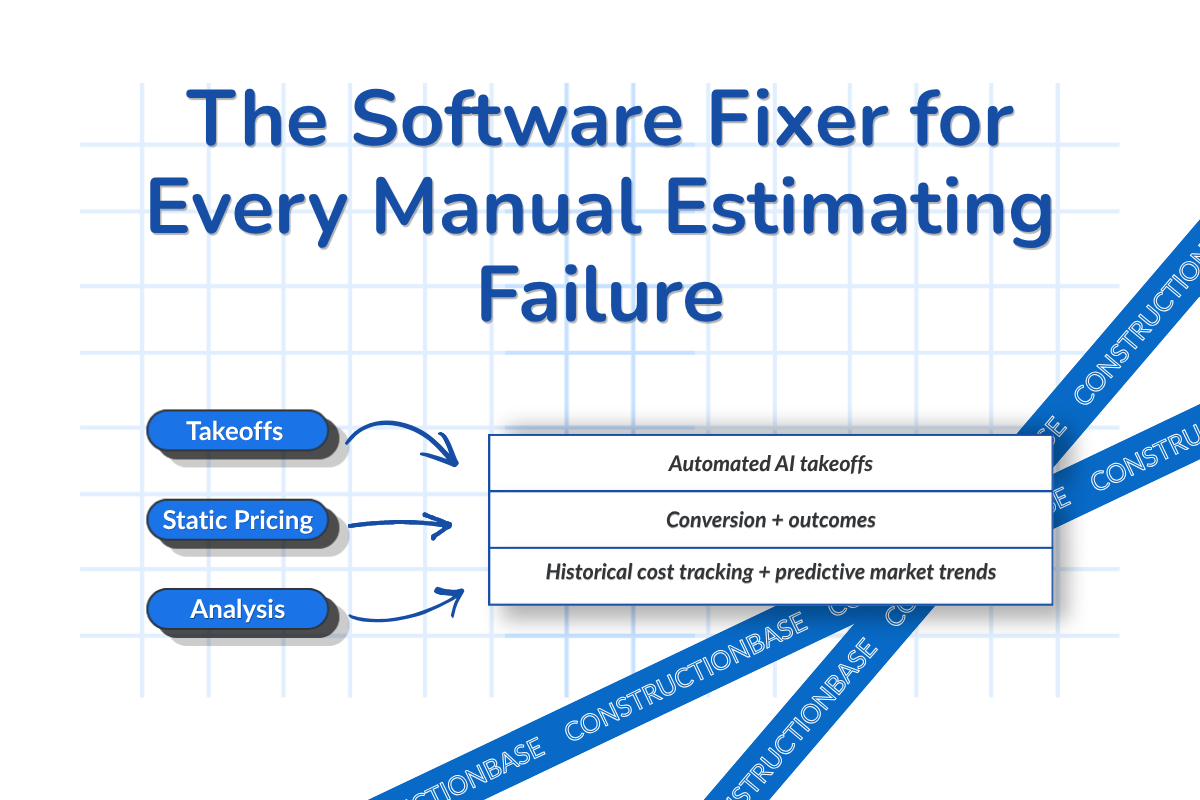
- Manual measurement errors disappear with AI-powered takeoff that calculates quantities from live data in minutes.
- Static cost databases are replaced by real-time supplier pricing, so every bid reflects current market rates.
- Version-control chaos ends with unified software where teams work from one centralized repository and updates sync instantly.
- Historical job tracking enables analytical reporting that flags bidding and performance red flags - so each decision is smarter than the last.
What Is Construction Estimating Software (And What Must It Do)?
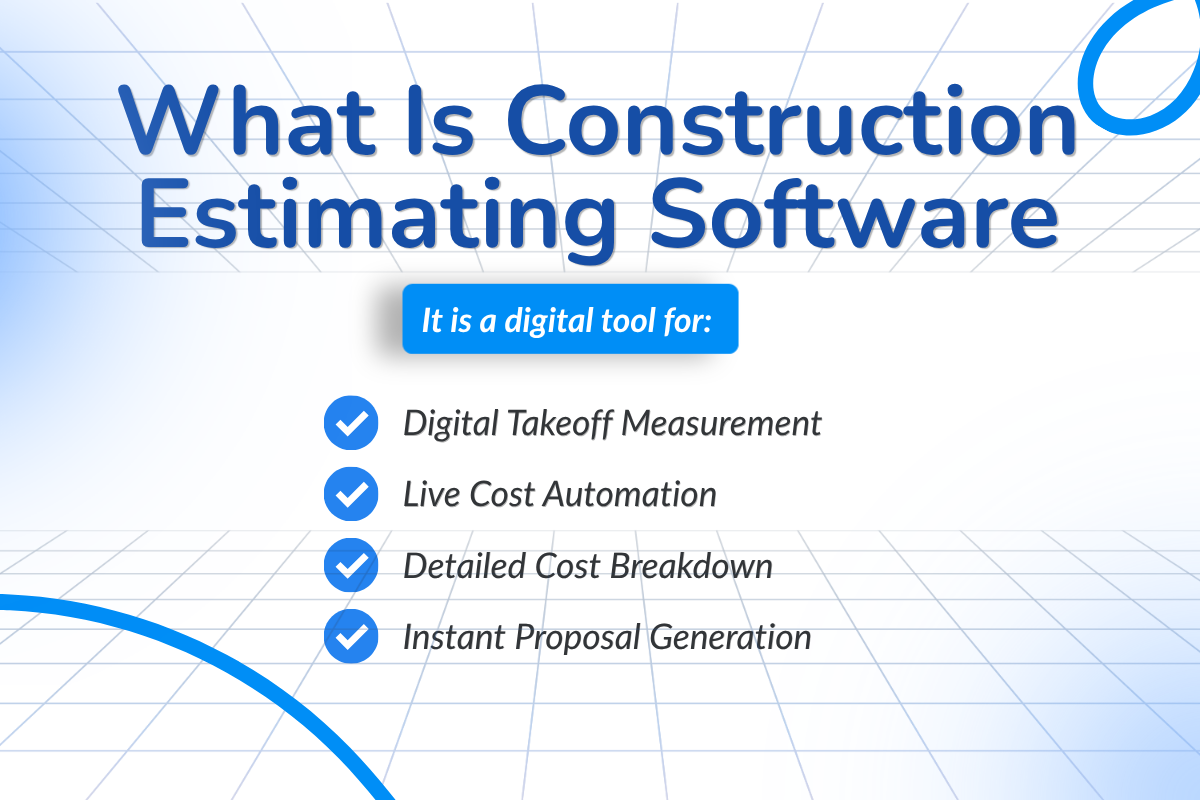
Construction estimating software is a digital tool that helps contractors build accurate bids with speed and precision. It:
- Measures square footage and performs takeoffs from digital blueprints
- Automates calculations with live material, equipment, and labor pricing
- Provides a detailed line-item breakdown across the entire project
- Links cost estimates to project timelines for resource availability
- Generates professional, client-ready proposals in minutes
Types of Estimating Software
- Takeoff-only tools: Focus on measurements and quantities from plans. They calculate areas and volumes but don't build full cost estimates or proposals.
- Full estimating platforms: Use takeoff data to create detailed cost estimates and convert them into branded proposals, streamlining the bidding process.
- All-in-one preconstruction suites: Connect estimating with proposals, document management, compliance, scheduling, budget monitoring, invoicing, and payments in a single platform.
Who Needs What
General contractors need full-workflow platforms that handle every project phase in one tool, eliminating the juggle between systems. Specialty contractors need trade-specific takeoff software tuned to their scope - electrical, mechanical, concrete, and earthwork each measure and price differently - for accurate, efficient bidding.
A quick definition, since it's used throughout: assembly-based estimating means pricing pre-built "assemblies" (e.g., a wall section with its studs, drywall, fasteners, and labor bundled) rather than entering each component individually - it's what makes consistent, minutes-not-hours estimates possible.
The 8 Essential Features Every Construction Estimating Tool Must Have in 2026
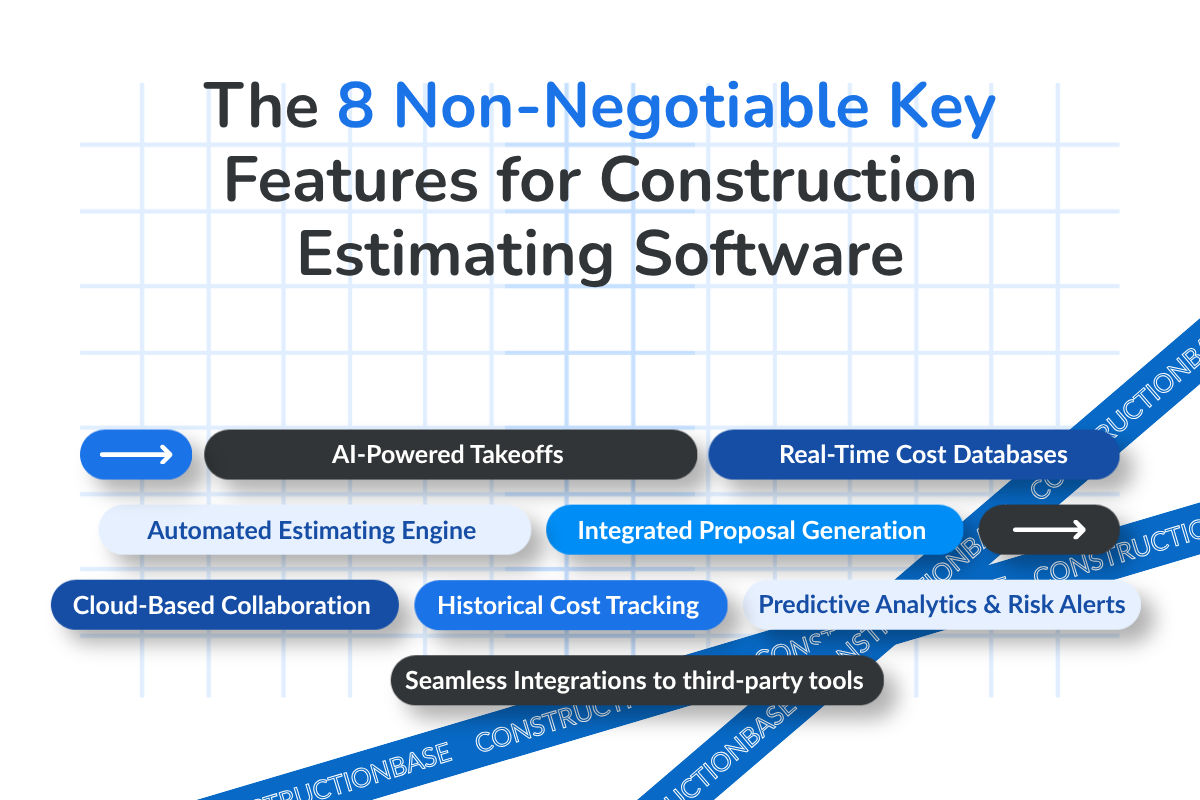
This is the non-negotiable checklist. If a tool misses these, eliminate it.
- Automated quantity takeoffs (AI-powered). Upload digital blueprints; the tool measures and calculates exact material quantities and costs in minutes.
- Real-time cost databases. Live, region-specific supplier costs for precise quotes that account for local price differences.
- Assembly-based estimating. Pre-built cost structures that generate estimates fast and keep them consistent across projects.
- Integrated proposal generation. One-click conversion of an estimate into a branded, client-ready proposal - no manual formatting.
- Cloud-based collaboration. Multiple estimators working the same project in real time, with no email lag or version conflicts.
- Integration with project management & CRM. A connected bid-to-bill workflow that eliminates duplicate entry and reduces admin errors. See how project management and CRM tie into estimating.
- Historical cost tracking. Every past job becomes a learning asset, feeding analytical reports and predictive insight that sharpen the next bid.
- AI insights for risk detection. Flags underbidding, overbidding, and margin risk by suggesting optimal bid ranges from current market data and historical trends.
Buyer Warning Checklist
Before choosing, request a live demonstration to verify every "AI-powered" and "integration" claim. Confirm:
- Real-time automated takeoff with no manual input
- Supplier integration with live, region-specific pricing
- Cloud collaboration with multiple simultaneous users
- Automated proposal generation with no manual entry errors or missing scope
- Historical-data insights for predictive, smarter bidding
- Seamless integration with your project management and accounting software
If a vendor can't confidently answer "yes" to each, it may not be the right fit.
How Rapid Estimating Wins More Contracts
Speed and accuracy aren't just operational goals - they're competitive advantages.
1. The "first responder" edge. Contractors who submit the first credible bid become the benchmark. Early bidders define expectations and build trust before competitors arrive.
2. Volume drives wins. More bids submitted means more contracts won. Software increases bid volume and speed without overloading the estimating team.
3. Precision protects margin. Accurate estimates defend profit, win more work, and strengthen cash flow.
Best Construction Estimating Software in 2026: Ranked and Compared
1. ConstructionBase
Overview: A cloud-based, all-in-one construction management platform for scaling residential and commercial teams, with full mobile functionality to manage end-to-end workflows from a single login.
Core features:
- Project management: Centralizes blueprints, contracts, and permits with real-time access and version control; tracks progress, financial health, and compliance for data-driven decisions.
- Estimating & takeoff: Live supplier cost databases with dynamic market adjustments, automated digital takeoff that calculates quantities and costs, and white-label proposals.
- Automated scheduler: Drag-and-drop scheduling with real-time notifications and resource allocation tied to takeoff data.
- Operational CRM: Unified lead tracking, automated follow-ups, and white-label proposals with e-signatures.
- Communication & financial tools: Centralized messaging and documents, a client portal, QuickBooks integration for job costing and progress invoicing, plus automated payment reminders and online payments.
Where ConstructionBase isn't the right fit: As a newer, SME-focused platform, it's built for small-to-mid residential and commercial contractors who want estimating, takeoff, CRM, and project management in one system. It is not positioned for the largest multi-region enterprises needing Procore-level reporting depth or deep BIM/VDC workflows - if that's you, an enterprise suite will serve you better.
Ideal for: Small and mid-sized firms wanting lightweight, AI-powered tools that automate core workflows and provide real-time visibility across the project lifecycle.
Pricing: Custom subscription on request. Book a demo for a quote matched to your team size.
2. Procore
Overview: An enterprise platform for managing large, complex projects - budgeting, scheduling, and compliance in one place.
Core features: Centralized drawings, RFIs, submittals, and reports with version control; real-time mobile scheduling and field updates; real-time budget and cost tracking with QuickBooks integration; customizable dashboards with AI-supported reporting and forecasting.
Ideal for: General and specialty contractors managing high job volumes and complex projects.
Limitations: Steep learning curve and higher pricing make it less accessible for smaller teams (G2).
Pricing: Custom quote on request.
3. Autodesk (Construction Cloud + Autodesk Takeoff)
Overview: Best understood as the BIM/design option rather than a standalone estimator. Autodesk's strength is 2D/3D design, AutoCAD/Revit modeling, and BIM coordination; Autodesk Takeoff is the estimating-adjacent module that pulls quantities from 2D sheets and 3D models.
Core features: Precise 2D/3D modeling and annotation; collaborative DWG review with change tracking and version control; AI-assisted import of PDF markups into CAD; automation of repetitive design tasks; API access via the Autodesk App Store.
Ideal for: GCs and design-build firms doing model-based (5D BIM) estimating who already work in the Autodesk ecosystem.
Limitations: Steep learning curve, complexity in advanced features, and relatively high cost (Gartner Peer Insights). More design tool than purpose-built estimator.
Pricing: Per-user subscriptions or bundles - see Autodesk's pricing page.
4. ProEst
Overview: A cloud-based estimating platform that streamlines digital takeoff and bid analysis, helping contractors create accurate bids and reduce takeoff time.
Core features: Automated cost calculation from digital-blueprint takeoff data with subcontractor cost analysis; remote field access to view and update estimates; customizable reports and proposals; built-in CRM with third-party integrations.
Ideal for: General contractors and subcontractors needing dedicated estimating for bidding and preconstruction budget planning.
Limitations: Less project-management depth than all-in-one suites; some users cite a higher cost and a complex interface (G2).
Pricing: Reported starting around $5,000/year (G2) - confirm current pricing with ProEst directly.
5. PlanSwift (a Trimble product)
Overview: Desktop-based digital takeoff and estimating software that measures quantities directly from blueprints and generates quick estimates.
Note: It's not cloud-native - a key consideration for field-based teams.
Core features: Precise area, linear, and count takeoff; assemblies that auto-calculate material, waste, and labor; Excel export and customizable templates.
Ideal for: SMEs and specialty contractors wanting affordable, accurate manual-style takeoff.
Limitations: Desktop-only with a dated interface; users cite a learning curve and limited updates.
Pricing: Commonly cited at ~$1,595–$2,000 per license/year, with a 14-day free trial; confirm current Trimble pricing.
6. STACK
Overview: A cloud-based preconstruction, takeoff, estimating, and project-management platform built to speed up bidding and sync field and office teams.
Core features: Fast, accurate digital takeoff; AI tools that auto-count doors, windows, and symbols and generate linear measurements; document management with automated reminders; visual progress and budget reporting.
Ideal for: Small and mid-sized estimators and contractors wanting fast, accurate cloud takeoff.
Limitations: Manual setup can be time-consuming; fewer advanced enterprise features.
Pricing: Subscription starting around $2,599–$3,999 per user/year by plan; confirm current rates.
7. Buildertrend
Overview: An all-in-one, cloud-based platform for residential construction, managing the full project lifecycle in one system. (Buildertrend acquired CoConstruct in 2021 and fully merged it by 2022 - if you've seen CoConstruct on older lists, you're now evaluating Buildertrend.)
Core features: Advanced scheduling with live tracking and voice-to-text updates; bidding, budgets, estimates, and invoicing with two-way QuickBooks sync; a client portal with e-signatures and photo sharing; GPS-enabled field tracking.
Ideal for: Residential contractors and remodelers needing integrated office-and-field tools.
Limitations: Steep learning curve, higher cost, and occasional mobile-app usability issues (G2).
Pricing: Subscription, quote-driven by company size and features; positioned mid-to-high.
8. Sage Estimating
Overview: A long-established estimating tool strong for commercial GCs and subs already running Sage accounting, with deep cost databases and assembly-based estimating. (Replaces CoConstruct, which is no longer sold as a standalone product. If you'd prefer to feature an AI-native takeoff entrant instead, Togal.AI or Kreo are the credible current options - and naming one also closes the gap of discussing "AI in 2026" without naming a single AI-native tool.)
Core features: Extensive prebuilt cost databases, assembly and model-based estimating, and tight integration with Sage accounting/ERP for a connected estimate-to-job-cost workflow.
Ideal for: Commercial contractors who want estimating that plugs directly into an existing Sage financial stack.
Limitations: Enterprise-oriented setup and learning curve; less suited to small residential teams.
Pricing: Subscription, quote-driven by company size and features; positioned mid-to-high.
How the Platforms Compare
| Platform | Best Fit | Core Strength | AI Capability | Main Limitation |
|---|---|---|---|---|
| ConstructionBase | SMEs wanting one AI-powered all-in-one | Automation, speed, unified workflow, full mobile | High - auto takeoff, AI measurement, analytics | Newer platform; built for scaling SMEs, not large enterprises |
| Procore | Large/complex multi-site enterprises | Enterprise PM ecosystem & integrations | Advanced analytics & forecasting | Expensive; steep setup and learning curve |
| Autodesk | Architects/engineers, BIM/design-build | 2D/3D design + BIM intelligence | BIM-based, advanced | Design tool, not a purpose-built estimator; costly |
| ProEst | GCs/subs needing detailed estimates | Reliable, accurate cloud estimating | Automated calculations | Less project-management depth; higher cost |
| PlanSwift (Trimble) | Small contractors, manual takeoff | Accurate takeoff, simple UI | Limited - mostly manual | Desktop-only legacy tool; dated UI |
| Buildertrend | Residential builders & remodelers | Client communication, end-to-end residential PM | Automated scheduling | Higher cost; learning curve; mobile gripes |
| STACK | Contractors needing fast cloud takeoff | Fast takeoff, real-time collaboration | AI-assisted takeoff | Fewer advanced enterprise features |
AI in Construction Estimating: Reality vs. Expectations
AI isn't replacing estimators - it's removing the manual, error-prone steps so estimators can focus on judgment. It's a powerful assistant, not a magic button, and human expertise still validates every output.
1. AI takeoffs. Computer vision detects and measures material quantities from digital blueprints in seconds - work that takes hours by hand. Since takeoff is the long-standing preconstruction bottleneck (made worse by frequent design iterations), automating it frees teams to evaluate scope and risk instead of recounting fixtures.
2. Predictive costing. Machine learning analyzes historical data, market trends, and project parameters to forecast costs more accurately than static spreadsheets, reducing the risk of overruns.
3. Error detection. AI flags discrepancies and structural conflicts automatically, cutting costly rework and delays.
Apply your own AI test. This guide told you to validate AI claims - so apply it to every tool here, including ours: ask the vendor to run your blueprint live and show the takeoff it produces. Marketing "AI" can't survive that demo; real AI can. For practical, small-builder examples, see our deep dive on AI in construction estimating.
Buyer's Checklist: Questions to Ask Vendors
Get clear answers before you sign:
- Is pricing per user or per company? Per-user models get expensive as you scale - calculate total cost by team size, not the base plan.
- Are cost databases included or charged separately? Some platforms advertise a low base price, then add fees for integrations or cost data.
- What are the onboarding costs? Implementation, training, and data migration are often billed separately - evaluate the fully loaded cost.
- Is there contract lock-in? Watch for auto-renewal clauses, early-termination fees, and price-escalation terms in the fine print.
A quick TCO example: a 5-estimator GC on a per-seat platform at ~$200/user/month is $12,000/year in seats alone - before a cost-database subscription (often $1,000–$3,000/year) and one-time onboarding ($1,500–$5,000). The headline subscription is rarely the real number; the question that matters is how many additional jobs the tool helps you win against that fully loaded cost.
Common Mistakes Buyers Make
The best tool is the one your team actually uses, and that fits your existing stack - not the one with the flashiest demo.
- Choosing on price alone. The most expensive software isn't always best; fit and freedom from hidden fees matter more.
- Ignoring workflow integration. Software that won't connect to your critical systems creates duplicate entry and operational chaos.
- Taking AI claims at face value. Ask for real case studies or run a pilot on your actual workflows before investing.
Implementation Guide: Moving From Spreadsheets to Software
Switching doesn't require a big IT lift or a long rollout. It's a four-step process:
Step 1 - Audit your current workflow. Have a strong estimator run a real bid start to finish, then map the bottlenecks and workarounds so you know exactly what the software needs to solve.
Step 2 - Centralize cost databases. Standardizing your cost data is the foundation of a clean migration - do it before you build on top.
Step 3 - Train estimators. Frame the tool as a digital assistant, not a replacement; estimator judgment still rules when conditions shift. Set aside a few days to trial it on real projects alongside the vendor's onboarding team.
Step 4 - Run parallel estimates (old vs. new). Running both systems side by side for one bid cycle builds trust and surfaces gaps before you fully switch.
Conclusion
Most contractors know the spreadsheet grind - manual entry, version chaos, and the one wrong formula that quietly eats time and margin. The fix is an automated, connected platform; the real challenge is choosing the one that fits your business.
No platform is perfect, but the right one fits your needs. If you want faster bids, accurate pricing, and an all-in-one system without enterprise pricing or complexity, ConstructionBase is a strong fit for SMEs - run your own workflow through a free demo to see for yourself.
What's the best construction estimating software in 2026?
It depends on your size and trade. Procore suits large, complex enterprises; Buildertrend fits residential builders; ProEst and STACK serve cloud-based estimating and fast takeoff; PlanSwift covers desktop takeoff for smaller teams; and ConstructionBase is an all-in-one option built for scaling SMEs that want estimating, takeoff, CRM, and project management in one platform.
How much does estimating software cost in the U.S.?
It varies widely - from desktop licenses around $1,600–$2,000/year (PlanSwift) to per-seat cloud subscriptions of $2,500–$4,000/user/year (STACK) and enterprise tools priced by custom quote (Procore). Always calculate total cost (seats + cost-database fees + onboarding), not just the base plan.
Can estimating software fully replace Excel?
Yes. A centralized platform automates calculations, pulls digital takeoff directly from drawings, provides real-time version control, and handles complex multi-user projects - eliminating the manual errors Excel invites.
Is AI estimating reliable?
AI meaningfully improves takeoff speed and accuracy by automating measurement and analyzing historical data, but it's an assistant, not a replacement - estimator review still validates every output.
How long does implementation take?
Often a few days to configure workflows, migrate data, and train - though complex enterprise platforms take longer. Running old and new systems in parallel for one bid cycle smooths the transition.
What's the difference between takeoff and estimating software?
Takeoff software measures and counts quantities from blueprints. Estimating software uses those quantities to calculate total project cost - materials, equipment, labor, and overhead. Takeoff comes first; estimating builds the final bid.
Have questions or need personalized advice?
Talk to an Expert Today and let our construction specialists guide you to success.
Related Posts
Building Construction Project Software: Key Integration Points You’re Missing