If you have already Googled "Procore vs Buildertrend" and felt like neither answer quite fit, this guide is for you.
The construction software market is dominated by enterprise platforms built for large general contractors managing hundred-million-dollar portfolios. The features are impressive, but so is the price tag, the learning curve, and the multi-month implementation timeline. None of that makes sense for a small construction business running a dozen projects.
There is now a middle category: purpose-built platforms for small and mid-size contractors that combine scheduling, documentation, budgeting, and field communication without enterprise overhead. This guide breaks down the top five, with a clear framework for picking the right one based on where your business is today and where it is headed over the next year.
Key Takeaways
- Enterprise tools like Procore and Autodesk Build are built for large general contractors. For teams under 50, they are often too expensive and too complex.
- Spreadsheets and messaging apps work on one to five projects. After that, things break: missed deadlines, lost documents, and no visibility.
- The right software depends on your growth stage, not just a feature checklist.
- Features like automated reporting, AI-assisted workflows, and real-time tracking are increasingly available outside enterprise platforms.
- ConstructionBase is built for small and mid-size contractors, covering scheduling, estimating, takeoffs, and field coordination in one system without enterprise-level complexity.
Best Construction Project Management Software for Small Contractors
The best construction project management software for small contractors depends on team size, project volume, and how your current system is holding up.
Enterprise tools like Procore and Autodesk Build offer deep functionality but are often too complex, admin-heavy, and expensive for many teams under 50 employees. On the other end, spreadsheets and messaging apps break once you’re managing multiple projects.
Modern construction project management software for small contractors now combines scheduling, document management, budgeting, and field coordination in one platform, without enterprise-level overhead.
The right choice is the one that fits your current growth stage while supporting how your team actually works in the field.
If You Are Managing Projects Like This, Your System Is Already Breaking
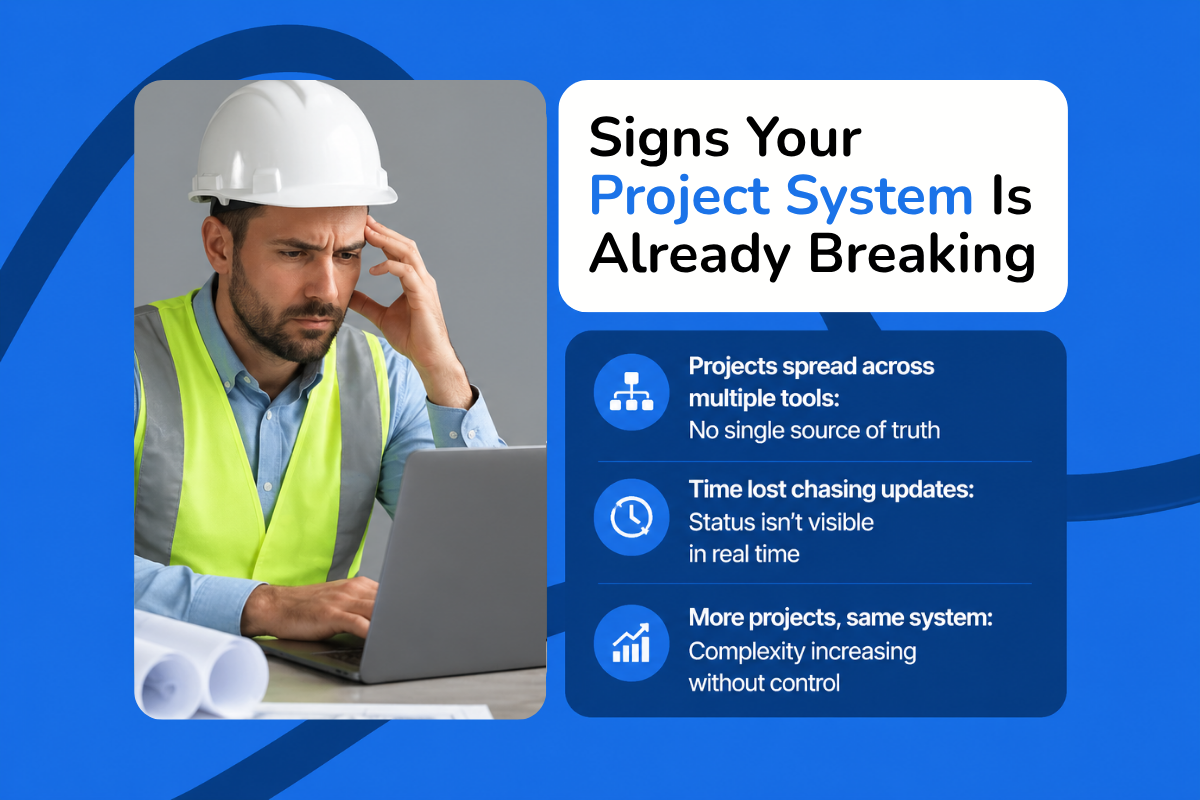
Most small contractors do not hit a single, obvious breaking point. The shift is gradual. As project volume rises, coordination gets harder, updates take longer to track, decisions slow down, and more time goes into managing information than moving work forward. At that stage, the problem is usually not execution. It is the system behind it.
1. You are tracking projects across four or more tools
Budgets live in Excel, crew communication happens in a messaging app, drawings sit in Google Drive, and status updates happen by phone. This works at low volume. As jobs are added, information fragments, and there is no single place to check progress, approvals, or the latest version of a document. Teams fall back on memory and manual coordination to stay aligned.
2. You are losing time chasing updates
A large part of the day goes into follow-ups: checking whether a task was completed, confirming a file was updated, or working out the current status of a job. The information usually exists, just not in a form that is easy to access or verify. That creates decision delays and miscommunication, and small coordination gaps start showing up as missed deadlines or rework.
3. You are scaling projects, not systems
More projects mean more dependencies, more communication, and more moving parts, not just more work. If the underlying system stays the same, the team is forced to manage higher complexity without better visibility. That is where most teams start to lose control, when they can no longer see timelines, document status, and task progress in one place.
Why Most Construction Software Fails Small Contractors
The challenge is not a lack of options. It is that most tools are built for a different kind of business. On one end are enterprise platforms for large general contractors. On the other are spreadsheets and messaging tools that work only up to a point. Small teams end up stuck in between.
1. The enterprise trap
Platforms like Procore and Autodesk Build are designed for large, multi-stakeholder projects with dedicated admins and long implementation cycles. For small contractors, the issue is not capability but fit. These systems are often overbuilt for daily work, so updating a schedule, managing drawings, or coordinating crews takes more steps than it should. Pricing compounds the mismatch, since costs often scale with project volume or advanced feature tiers, frequently faster than the value a small team can extract.
2. The spreadsheet ceiling
Spreadsheets and messaging apps are usually the starting point, and they work well on a handful of projects. The limits show up as complexity grows. Managing subcontractors, tracking RFIs, coordinating schedules, and keeping drawings current across teams becomes hard without a central system. Information scatters, and small gaps turn into delays or rework once several jobs run at once.
3. The real need
Small contractors do not need more features. They need the right level of structure. The practical shift is toward tools that balance simplicity with scalability: faster onboarding, clear workflows, and scheduling, documents, and communication in one place. Automated reporting, real-time tracking, and workflow automation are increasingly available in non-enterprise platforms, so the goal is no longer the most advanced system, but one that delivers value quickly and supports how the team actually works.
How to Choose Construction Management Software: An SMB Buyer Framework
Most construction project management tools look similar on paper. The difference shows up in how quickly your team can start using them and how well they support multiple active projects.
Must-have features
Scheduling and task tracking. Scheduling is where operational issues surface first. You need a clear view of what is planned, what is delayed, and what needs attention across every active job, plus the ability to update timelines and dependencies without rebuilding schedules from scratch each time something changes. This is the core of any construction scheduling system.
Document management. RFIs, drawings, and approvals should live in one system where teams can find the latest version without digging through drives or chats. When documents scatter, coordination slows, and mistakes become more likely.
Budget tracking. Job costing should happen in real time, not after the project closes. You need visibility into costs, including labor, as work progresses, so you catch overruns early. Without it, small cost-control issues compound.
Communication and coordination. For small contractors, communication is part of the workflow, not a separate layer. The system should keep office, field, and subcontractors aligned without relying on scattered messages and calls.
SMB-specific requirements
Fast onboarding and usable support. Most SMB teams do not have a dedicated admin. The software should be usable within days, with clear onboarding and accessible support during setup.
Mobile-first usability. Most updates happen on-site. Teams should be able to log updates, access documents, and track progress from the field. If the mobile experience is weak, adoption drops quickly.
Transparent pricing. Pricing should be clear and predictable as you grow. You should understand what you pay for and how costs scale with more projects or users. Complex pricing and stacked add-ons tend to become a problem over time.
Scalability without admin overhead. As volume rises, the system should absorb more complexity without more manual effort or a dedicated person just to maintain it.
Automation for small teams
Automation is becoming a practical part of construction software for small teams. Automated logs, reporting, and scheduling support reduce manual updates. The value is not the technology itself but the workload it removes: faster visibility into progress, fewer missed updates, and better coordination without extra steps.
The expectation now is not just to track projects, but to manage them with less manual effort.
Match Your Software to Your Stage
Most small contractors choose the right software at the wrong time. A tool that works on three projects starts breaking at ten, and jumping too early into a complex platform slows teams down instead of helping them scale. The goal is to match software to your current stage and upgrade when the system itself becomes the bottleneck.
Stage 1: Early growth (1 to 5 projects)
At this stage, the priority is basic organization, not full project management. Teams are small, communication is direct, and the main challenge is keeping tasks, updates, and responsibilities from slipping through the cracks.
Lightweight tools work best here. General project management tools like Trello or Asana are often enough to centralize tasks and cut down on scattered messages. Some entry-level construction apps help too, but simplicity is the point. Overbuilt tools create more friction than value at this stage. Ease of use is the deciding factor: if the team cannot start immediately, adoption fails. Keep cost low and setup to days, not weeks.
Stage 2: Scaling operations (5 to 15 projects)
This is where most contractors start actively looking for construction project management software. Multiple jobs introduce coordination gaps: schedules get harder to track, documents scatter, and teams lean heavily on follow-ups.
Builder-focused platforms fit here. Tools like Buildertrend and Buildxact are designed largely for residential builders and remodelers, bundling scheduling, budgeting, and client-facing workflows in one system. Contractor Foreman offers broad feature coverage at a lower price point for teams that want more functionality without enterprise pricing.
Fieldwire is more field-focused, strong on on-site coordination, task tracking, and plan management rather than full project oversight. The right tool starts reducing missed deadlines because schedules are visible, structures documentation in one place, and moves teams from reactive coordination to defined workflows.
Stage 3: Multi-project management (15+ projects)
Here the problem shifts from coordination to visibility and control. With multiple teams, subcontractors, and parallel timelines, tracking progress, cost, and performance across projects gets harder.
All-in-one platforms that combine scheduling, financial tracking, document management, and reporting in one system become necessary. This is where broader platforms like Contractor Foreman, or a purpose-built all-in-one such as ConstructionBase, start to make sense, as long as implementation stays manageable.
Avoid jumping straight to enterprise platforms like Procore or Autodesk unless your operations genuinely require that level of complexity, since the overhead usually outweighs the value for small and mid-size teams. The better goal is full visibility across projects without slowing the team down.
Which tool fits your stage
| Stage | Team situation | Best tool type | Example tools |
|---|---|---|---|
| 1 to 5 projects | Small team, basic coordination | Lightweight PM tools | Trello, Asana |
| 5 to 15 projects | Growing workload, coordination gaps | Builder-focused construction software | Buildertrend, Buildxact, Contractor Foreman |
| 15+ projects | Multiple teams need visibility and control | All-in-one construction platforms | ConstructionBase, Contractor Foreman (advanced use) |
Top 5 Construction Project Management Platforms for Small Contractors
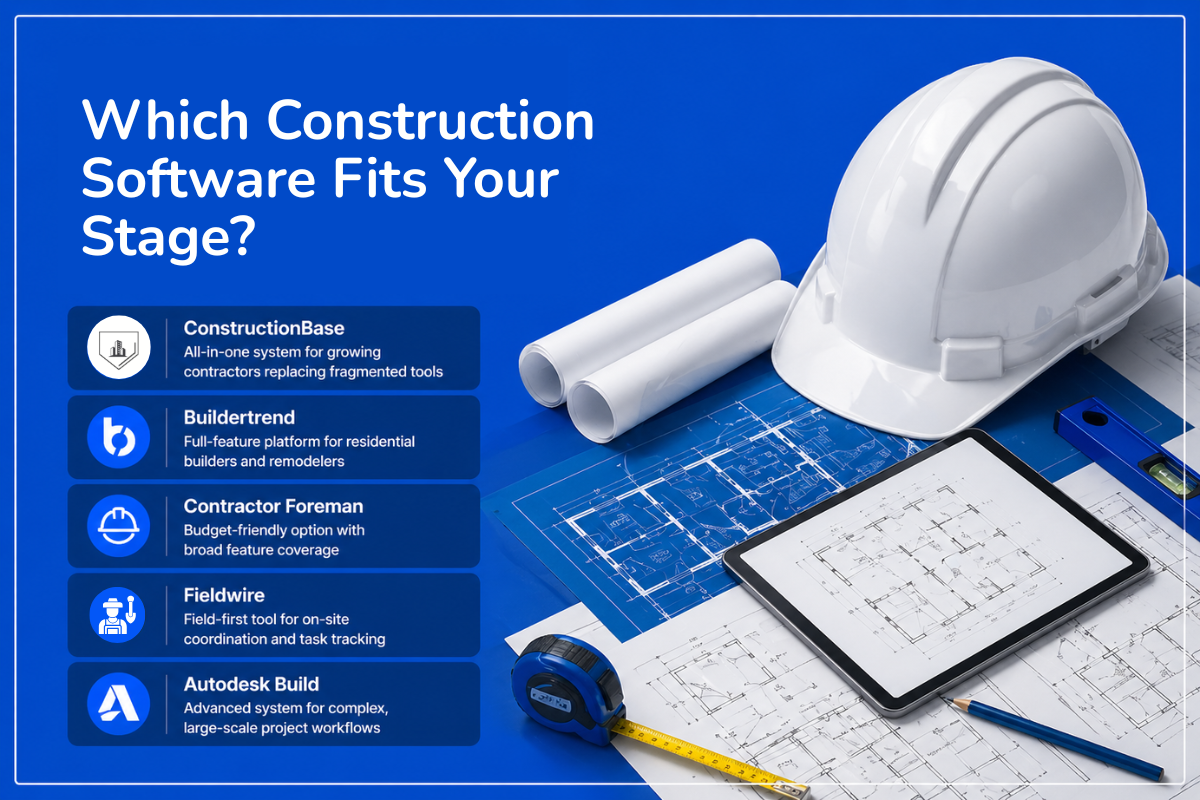
Some tools are too lightweight and break as volume rises. Others are built for enterprise teams and add cost and complexity a small contractor will not use. The goal is a platform that fits your current stage and stays usable as you scale. Confirm current pricing with each vendor before deciding, since plans change often.
1. ConstructionBase: strong fit for growing contractors
ConstructionBase is a construction management platform for small and mid-size contractors, built to bring scheduling, estimating, takeoffs, and field coordination into a single system.
Key features
- Project scheduling and task tracking across multiple jobs, with real-time progress so delays surface early
- Budget and cost tracking against actual spend, to catch overruns before they hit margins
- Document management for drawings, RFIs, and approvals in one place
- A multi-project dashboard for status, timelines, and key issues across all active jobs
- Field coordination workflows that connect field and office and cut reliance on calls and scattered messages
Why it stands out: the platform is built for smaller contractors rather than adapted down from enterprise workflows, with a focus on reducing tool fragmentation and simplifying daily operations.
Ideal for: small and mid-size contractors moving from basic tools to a more structured project management system.
Strengths: focused on SMB workflows, simpler than enterprise tools, and covers core project management needs in one platform.
Limitations: as a newer platform, it has fewer public third-party reviews than long-established competitors, so it is worth validating fit through a demo or reference calls.
Pricing: not publicly listed; available as a custom quote based on your team size and project needs. Book a demo to get specifics.
2. Buildertrend: best for residential and remodelers
Buildertrend is one of the most established platforms for residential builders and remodelers, combining scheduling, budgeting, and client communication in one system.
Key features: scheduling and task management, a client communication portal, estimating and budgeting tools, document and file sharing, and subcontractor coordination.
Strengths: its client communication layer is a standout, giving homeowners real-time visibility into progress and approvals, and its feature set spans pre-sales, project management, financials, and client communication.
Limitations: it can feel heavy for smaller teams, requires onboarding and training to use fully, and cost rises as you move up tiers.
Pricing: Buildertrend has moved away from flat published tiers toward custom, volume-based quotes, so you generally get a price only after contacting sales. Third-party estimates put it roughly in the range of $339 to $1,099 per month depending on plan and construction volume. All plans include unlimited users rather than per-seat fees, and there is no traditional free trial.
3. Contractor Foreman: best budget-friendly option
Contractor Foreman is a widely used SMB construction platform known for a large feature set at a low price point.
Key features: scheduling and task tracking, budgeting and invoicing, document management, time tracking and reporting, and safety and compliance tools.
Strengths: strong value for money, with broad coverage that commonly includes scheduling, estimates, document workflows, and accounting integration, plus QuickBooks Online sync across plans.
Limitations: the interface is less modern than newer tools, the feature depth can feel complex, and reporting and analytics are more basic.
Pricing: starts around $49 per month on the entry tier and scales up toward roughly $332 per month for the top tier on annual billing, with internal-user caps that rise by plan. It includes a 30-day free trial with no credit card required.
4. Fieldwire: best for field collaboration
Fieldwire is a field-first tool focused on task tracking, plan viewing, and on-site coordination.
Key features: task management and checklists, plan viewing and markups on mobile, issue tracking and reporting, mobile-first workflows, and real-time field updates.
Strengths: built for field teams, with strong mobile usability, widely used for jobsite coordination and task tracking.
Limitations: limited financial and budgeting features, not a full end-to-end project management platform, and often used alongside other tools.
Pricing: a free plan is available for small teams and limited projects, with paid plans roughly in the range of $39 to $64 per user per month and custom enterprise pricing above that.
5. Autodesk Build: best for advanced workflows, but overkill for most SMBs
Autodesk Build, part of Autodesk Construction Cloud, is built for large teams managing complex workflows.
Key features: advanced document management with version control, RFI and submittal workflows, project tracking and reporting, integration with the Autodesk and BIM ecosystem, and advanced analytics.
Strengths: strong document control and design-tool integration make it suitable for large, complex projects.
Limitations: complex implementation, real training and setup requirements, and pricing and structure geared toward larger organizations.
Pricing: priced per user or by module and oriented toward larger organizations, commonly in the tens of dollars per user per month at list, with effective minimums that push annual cost into the thousands. Most figures come by custom quote.
Quick comparison
| Software | Best for | Ease of use | SMB pricing fit | Setup time | Starting price |
|---|---|---|---|---|---|
| ConstructionBase | SMB scaling | High | High | Fast (1 to 2 days) | Custom quote |
| Buildertrend | Residential | High | Moderate | Medium (about 1 week) | Custom quote (est. $339+/mo) |
| Contractor Foreman | Budget teams | Medium | High | Fast (about 1 day) | From $49/mo |
| Fieldwire | Field teams | High | Moderate | Fast (hours) | Free tier; paid from ~$39/user/mo |
| Autodesk Build | Enterprise-lite | Low | Low | Slow (2+ weeks) | Custom, per user |
Why ConstructionBase Is Built for This Segment
Most construction software is either too basic to scale or too complex to adopt. ConstructionBase sits in that gap, built for contractors who have moved beyond spreadsheets but are not set up to run enterprise systems. The value is not just feature coverage but how scheduling, estimating, budgeting, document management, and field coordination connect in a single platform.
Designed for contractors under 50 employees
At this size, the core problem is fragmentation, with budgets in one tool and document control in another, which creates delays and limited cross-project visibility. ConstructionBase centralizes scheduling, cost tracking, document management, and reporting into one system. That matters most for lean teams where the same people handle planning, execution, and coordination.
Built for operational teams, not software admins
Field and office staff can adopt it without a steep learning curve, with scheduling, document access, reporting, and updates in a single interface rather than split across modules. For small contractors without a dedicated admin, the software needs to fit existing workflows rather than add a layer of overhead.
Faster time to value than enterprise tools
Automated quantity takeoffs, real-time budget tracking, drag-and-drop scheduling, and integrated reporting reduce the manual updates that usually eat the day, and bring CRM, estimating, and scheduling together in one place.
A practical example
Consider a ten-person contractor managing 10 to 15 active projects. Coordination is the bottleneck: schedules live in spreadsheets, drawings move through drives, and updates happen by call and message. The information exists, just not in one place. With a centralized system, schedules, documents, budgets, and updates are tracked together. Teams see progress across jobs, access the latest information, and spend less time chasing updates. Instead of managing tools, they manage projects.
Why Procore and Enterprise Tools Do Not Fit Small Contractors
Tools like Procore are built for large organizations managing many stakeholders, formal workflows, and greater operational complexity. Procore connects field and office teams, supports full project lifecycle management, and unifies budgets, contracts, and site progress. That is valuable, and also heavier than what small contractors need day to day.
Pricing misalignment
A large cost structure makes sense for firms running bigger portfolios and more complex projects. For smaller contractors, it often means paying for platform depth they will not fully use. Reviewers on Capterra frequently describe Procore as better suited to larger general contractors and expensive enough to strain a smaller budget. The deeper issue is that the pricing scales around a level of complexity many SMBs are still growing into, which makes the return harder to justify on a tight budget.
Complexity and learning curve
Enterprise platforms standardize complex workflows across teams, trades, and stakeholders, which usually means more configuration, process structure, and training before the software feels easy. Review aggregators and competing vendors consistently note a steeper learning curve than lighter-weight alternatives, often with ongoing training on larger projects. For a small contractor, that adoption burden falls on operating staff rather than dedicated software owners, and a heavy rollout can mean the team spends more time managing the software than benefiting from it.
Overbuilt feature sets
Procore is built around unified lifecycle management, cost and resource management, and cross-stakeholder collaboration. That depth is useful when a business actually operates that way. For many small contractors, the immediate need is narrower: schedule jobs, keep documents current, track budgets, and keep field and office aligned. When the platform is built for a more complex operating model than the contractor has, the extra functionality does not create leverage; it adds steps and setup the team does not need.
For a growing small contractor, the better question is not whether Procore is powerful, because it is. The question is whether that power matches the size, budget, and reality of the business today. If your team is lean, your workflows are still evolving, and your biggest problems are visibility, coordination, and cost control across a growing number of projects, enterprise software solves the wrong problem at the wrong price. That is usually when smaller contractors start looking for tools built for faster adoption, lower overhead, and simpler day-to-day execution.
What Small Contractors Actually Want
Across review platforms and contractor forums, the same patterns show up. The most common sentiment about heavy tools is that they are too much for smaller jobs, with cost and complexity cited repeatedly. Contractors note that powerful platforms can be hard to learn and expensive, and that smaller teams often pay for features they do not fully use while still carrying the overhead of setup and maintenance.
When you look at what they ask for instead, the requirements are practical rather than feature-driven. The first is simplicity: tools that work without extensive onboarding or ongoing management. The second is visibility: clearer scheduling and better tracking so they can see what is happening, what is delayed, and what needs attention without chasing updates across tools. In short, SMB buyers prioritize ease of adoption, clear scheduling and visibility, and minimal operational overhead over advanced capabilities designed for larger, multi-stakeholder environments. That leaves a consistent market gap: tools powerful enough to manage growing operations yet simple enough to use without friction.
Implementation and Adoption: What to Expect
Choosing the right software is only part of the decision. How quickly your team adopts it and starts seeing value matters just as much. For small contractors, the biggest risk is not choosing the wrong tool, but choosing one the team never fully adopts.
Time to onboard
Lightweight tools can be set up in a few days, with teams assigning tasks and centralizing communication almost immediately. SMB construction platforms usually take a little longer but stay practical, with core workflows like scheduling, documents, and budgeting moving into the system within a few days to a couple of weeks depending on how much data needs migrating. Enterprise tools involve configuration, workflow setup, and formal onboarding that can run several weeks or more, especially with multiple stakeholders and integrations.
Training
Simpler tools need little or no formal training. SMB platforms usually need some guidance but are designed to be learned through use. Enterprise tools are built for standardized workflows, so training is part of the process, often with dedicated sessions, documentation, and ongoing support. For small teams, that is the trade-off: more structure means more control but more effort to learn and maintain.
Common mistakes when switching
Most implementation issues are operational, not technical. The first is migrating everything at once, which tends to create confusion; a phased rollout starting with active projects works better. The second is over-configuring early, replicating complex enterprise workflows even when simpler processes would serve better, which slows adoption. The third is failing to involve field teams early, since adoption drops fast when the daily users are not comfortable with the system.
Final Buyer's Checklist
Before choosing a tool, step back and evaluate fit, not just features. Two questions matter most:
- Can my field team use this easily? If it does not work well in the field, adoption will be inconsistent. Mobile ease of use often matters more than feature depth.
- How fast will I see a return? Value comes from how quickly the tool reduces coordination effort and improves visibility. Long onboarding cycles delay that return.
Choose Based on Your Growth Stage
The best construction project management software is not the one with the most features. It is the one that fits your stage and where you will be over the next year.
- Just starting (1 to 5 projects): you need basic organization, task tracking, and communication. Use simple tools and prioritize ease of use and quick setup over long-term scalability.
- Scaling (5 to 15 projects): this is where systems start breaking. You need structured workflows, better scheduling, and centralized visibility, which is where SMB-focused construction software becomes necessary.
- Managing multiple projects (15+ projects): the challenge is visibility and control. You need one system to manage schedules, budgets, and documents across many jobs without adding complexity.
Think about where you are going, not just where you are. Staying small means simple tools are enough. Scaling fast means adopting structure early. Managing multiple teams means prioritizing visibility without enterprise overhead.
If you are scaling beyond a few projects and your current setup is starting to fall short, it is worth seeing how a purpose-built platform fits your workflow. Book a demo to walk through your own projects and see where it can streamline day-to-day operations.
For a closer look at one part of the workflow, the construction estimating software buyer's guide breaks down features, pricing, and vendor questions in more detail.
Frequently Asked Questions
What is the best construction management software for small contractors?
The best fit is one that balances usability with structure, helping teams manage scheduling, documents, budgets, and daily coordination without complex setup or a dedicated admin. The right choice depends on your project volume and how well the tool supports multiple active jobs.
How do small construction companies manage multiple projects efficiently?
Most move from spreadsheets and messaging apps to centralized software as volume grows. A structured system lets teams track timelines, manage documents, and coordinate across jobs without relying on manual follow-ups.
What features should small construction firms prioritize?
Scheduling, document management, and cost visibility have the most direct impact on how well projects run. Ease of use and mobile access matter just as much, since they drive adoption across field and office teams.
Can construction software help with project plans and scheduling?
Yes. Most platforms let teams create and manage plans, assign tasks, and adjust schedules as work progresses, which improves visibility and reduces delays from miscommunication or outdated timelines.
Do construction management tools include invoicing?
Many include built-in invoicing or integrate with accounting software, so contractors can track expenses, generate invoices, and manage financial workflows without switching between systems.
How do I choose software that will support future growth?
Consider whether the system can handle more users, more jobs, and more complexity over time. The goal is a platform that keeps working as your project volume increases, so you are not forced into a full switch as the business grows.
Have questions or need personalized advice?
Talk to an Expert Today and let our construction specialists guide you to success.
Related Posts
Building Construction Project Software: Key Integration Points You’re Missing