
At a small scale, a spreadsheet can function as a perfectly reasonable project management system, but when a construction firm starts adding more projects, field crews, subcontractors, and project managers, that same spreadsheet can stop being enough.
Mid-sized firms don't outgrow spreadsheets because the files get too big; they outgrow the manual process required to keep those files accurate.
This article breaks down exactly where that coordination model fails, why the failure often goes unnoticed, and what construction project management software does differently.
Construction Project Management Software: Why Mid-Sized Firms Outgrow Spreadsheets Faster Than They Think
The cost of staying on spreadsheets rarely shows up as one clear expense. It shows up as hours spent reconciling versions, change orders that get recorded late, and decisions that wait on information nobody can fully trust yet.
None of that looks like a software problem from the inside but like a busy week. Below, we break down what spreadsheet dependence actually costs a growing firm, why common fixes only delay the problem, and what changes when construction project management software takes over coordination.
Key Takeaways
- As construction firms add projects, teams, and subcontractors, coordination complexity grows faster than project volume.
- Spreadsheet-based project management begins failing through version conflicts, delayed field updates, disconnected workflows, and manual reporting.
- The real cost appears in administrative time, late change orders, delayed decisions, budget leakage, and avoidable rework.
- Construction project management software centralizes project data and connects tasks, documents, schedules, costs, and communication.
- Firms should switch based on recurring coordination problems and introduce software through a controlled pilot.
Still coordinating projects through spreadsheets? See how ConstructionBase centralizes schedules, documents, tasks, and field updates in one platform.
Explore ConstructionBase Project Management Software →
Why Does Mid-Sized Growth Create Complexity Faster Than Expected?
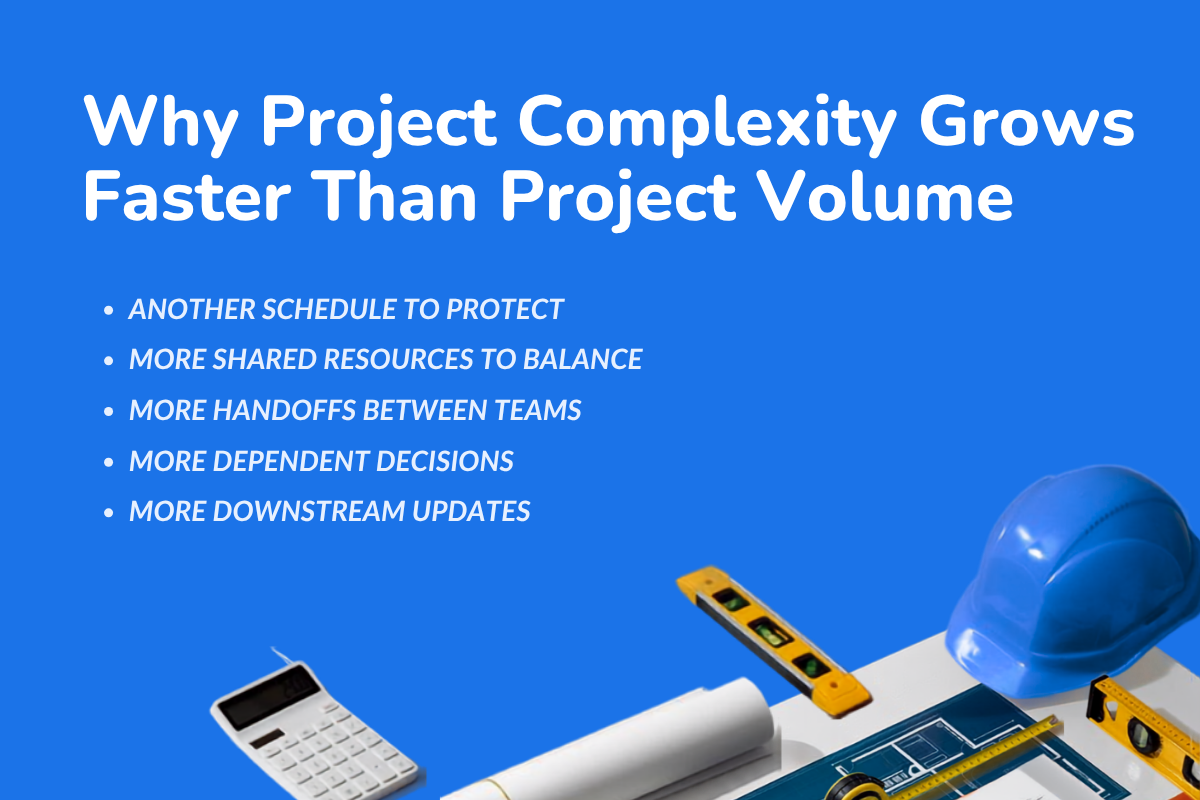
1. More projects create more coordination points. Adding a job means more than adding another schedule. It creates another stream of updates moving between field crews, project managers, subcontractors, accounting, and clients.
2. One change can trigger several others. A material delay may shift the schedule, move a crew, increase costs, and require new instructions. With spreadsheets, someone must update every affected file and notify each person manually.
3. That workload grows faster than the project count. Moving from five to ten construction projects creates more competition for labor, equipment, cash, and management attention, not simply twice as many rows. Once coordination relies on people remembering every downstream update, the spreadsheet becomes the bottleneck.
Where Spreadsheet-Based Construction Project Management Starts to Break
Spreadsheet-based construction project management usually breaks at the connections between workflows. A file may remain accurate in isolation, while the wider operation relies on delayed or inconsistent information.
1. There Is No Single Source of Current Project Data
The office may maintain the master budget while a project manager downloads the schedule and a supervisor receives drawings by email. Once those copies change independently, the team cannot confirm what is current without tracing each file back to its owner.
Moving spreadsheets into cloud storage makes them easier to access, but access is not the same as document control. A shared folder alone does not define who approves revisions, which version is valid, or when an outdated project document should be removed.
2. Field and Office Teams Fall Out of Sync
Daily logs, jobsite photos, and task updates often reach the office hours or days after the work occurs. Office teams are then making decisions from the last submitted update rather than the current project status.
Field teams face the opposite risk when revised schedules or documents do not reach them promptly. These information delays slow decisions and increase the chance of conflicting instructions or avoidable rework.
3. Tasks, Schedules, Documents, and Costs Become Disconnected
A task tracker, project schedule, document folder, and budget spreadsheet may each be accurate while still disagreeing with one another. The problem is that a change recorded in one place does not automatically update the others.
For example, an approved change order may be entered into the budget without reaching the schedule or the assigned crew. Project managers must manually carry that decision across every affected workflow and confirm that each update was completed.
4. Project Tracking Depends on Manual Follow-Up
Spreadsheets can display a task status, but they do not automatically request updates or escalate overdue work. Project managers must contact employees, verify completion, and then enter the information themselves.
Without clear ownership and automated reminders, an unchanged status becomes ambiguous. As project volume grows, managers spend more time collecting project data and less time resolving the problems it reveals.
5. Processes Become Inconsistent Across Projects
Project managers often modify spreadsheets to suit their individual working styles. Over time, different projects develop their own structures, calculations, and reporting cycles.
That inconsistency makes it difficult to compare project outcomes or move employees between jobs. It also creates key-person risk when a critical tracker can only be maintained or interpreted by the employee who built it.
6. Leadership Loses Visibility Across Multiple Projects
Leadership typically receives reports compiled from several project files rather than live portfolio-level information. By the time those reports are consolidated, they may already be describing conditions that have changed.
Comparing project progress, costs, risks, and resource needs also requires manual reconciliation. This delays intervention and makes it harder to direct labor, equipment, or cash toward the construction projects that need them most.
An occasional version error or late update does not mean a firm has outgrown spreadsheets. The tipping point is reached when several of these failures become recurring aspects of normal project management.
Why Firms Keep Using Spreadsheets After the Tipping Point?
Firms continue using spreadsheets because employees absorb most of their limitations before management sees them. The system appears functional even when keeping it functional requires increasing amounts of manual work.
- Clean reports hide the cleanup behind them: Leadership sees an organized summary, not the hours spent locating updates, correcting entries, and reconciling different versions before that report was produced.
- Experienced employees compensate for the system: They remember undocumented processes, identify unusual numbers, and chase missing information, making their individual effort look like normal project management.
- The cost arrives in small pieces: A late change order, duplicate entry, or delayed decision may appear insignificant on one job, while the combined impact across multiple projects remains unmeasured.
- Another tracker appears cheaper than new software: Its cost is distributed across employee time, project delays, and financial risk rather than appearing as one visible management software expense.
Why Common Spreadsheet Fixes Only Delay the Problem
- More spreadsheet controls improve the file, not the workflow: Templates, formulas, macros, and locked cells may make data entry more consistent, but they do not connect tasks, documents, schedules, and costs.
- Shared access does not create document control: Cloud storage helps employees find files, but it does not ensure that an approved change reaches every affected person, project document, and tracker.
- More administration moves the work instead of removing it: Hiring someone to reconcile project data keeps reports moving, but that employee simply becomes the manual link between disconnected systems.
- Generic tools solve only part of the problem: A generic project management tool may support tasks and reminders but often lacks construction workflows for RFIs, submittals, drawings, change orders, daily logs, and jobsite updates.
These fixes can make spreadsheet-based project management temporarily easier to maintain. They do not remove the manual coordination that caused the firm to reach the tipping point.
What Spreadsheet Dependence Actually Costs?
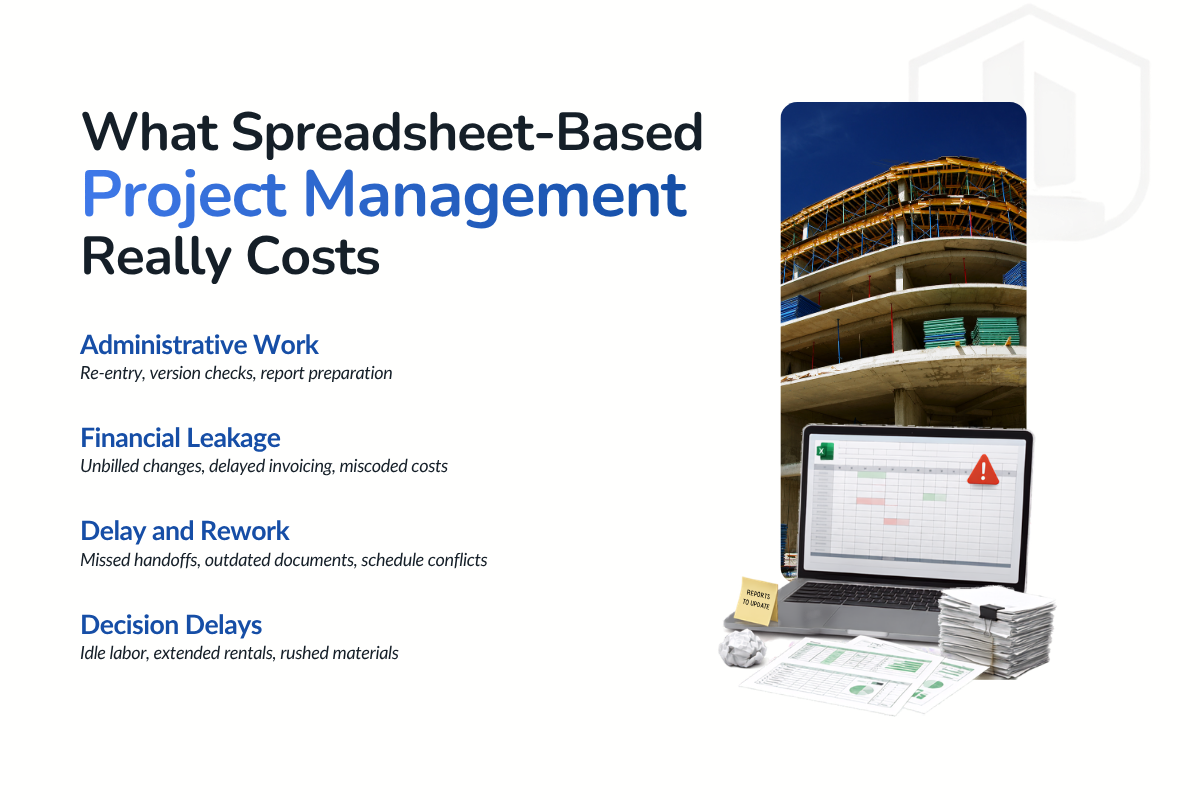
A spreadsheet’s subscription cost is easy to see; the work required to maintain it is not. To measure that hidden cost, audit a representative 30-day period across several active projects using payroll, change-order, invoice, and job-cost records.
1. Administrative Cost
Track time spent re-entering information, requesting updates, reconciling versions, preparing reports, and transferring data into accounting tools. Count only the work created because project information is duplicated, disconnected, or unreliable.
Monthly administrative cost = avoidable hours × fully loaded hourly cost
The fully loaded rate should include wages and other employment costs. This converts “a few hours here and there” into a visible monthly expense.
2. Financial Leakage
Compare approved field changes with invoiced change orders, then check whether expenses reached the correct projects and cost codes. Also identify budget overruns that became visible too late for corrective action.
Financial leakage = unbilled changes + unrecovered costs + cost of delayed invoicing
Do not treat every overrun as a spreadsheet failure. Count only the losses that earlier or more reliable project data could reasonably have prevented.
3. Delay and Rework Cost
Review delays and rework caused by missed handoffs, outdated instructions, scheduling conflicts, slow approvals, or incorrect documents. For each incident, calculate the direct labor, material, equipment, and subcontractor cost.
Direct rework cost = labor cost + materials + equipment + subcontractor charges
Track lost schedule days separately so they are visible without being counted twice. This also shows which information failures have the greatest effect on project delivery.
4. Decision-Delay Cost
Choose recurring decisions involving schedules, labor, costs, or project status. Measure the time between when an issue was first known and when managers received enough reliable information to act.
Then calculate the costs incurred during that avoidable waiting period. These may include idle labor, extended equipment rentals, expedited materials, or downstream rescheduling.
5. Calculate the Total Cost
Add the four categories to estimate the monthly cost of spreadsheet dependence. Annualize that figure to estimate the real ROI of construction project management software after implementation, integration, and training costs
Not every spreadsheet-related cost will disappear after adopting management software. Even a conservative estimate, however, can show why an inexpensive tool may support an expensive operating process.
How Does Construction Project Management Software Change the Operating Model?
The change is not simply replacing one tracking tool with another. Construction project management software shifts coordination from people manually synchronizing files to a shared system that connects project activity.
1. Centralized Project and Document Management
Construction project management software brings schedules, tasks, contracts, drawings, photos, and communication into one controlled environment. Instead of searching across inboxes and folders, construction teams can access information from the project record.
Document management features establish which version is current and who can view or change it. Permissions, version history, and activity records also make it easier to trace when a document changed and who made the update.
2. Real-Time Coordination Between the Field and Office
Field teams can submit daily reports, upload jobsite photos, update tasks, and flag issues from the site. Office teams receive those updates without waiting for a spreadsheet to be completed and emailed.
Information can also move in the opposite direction. Revised instructions and project documents reach the field faster, reducing the time teams spend working from outdated information.
This real-time coordination gives project managers a more current view of progress and emerging problems. Issues can be addressed while options are still available rather than after they appear in a weekly report.
3. Connected Task, Schedule, and Approval Workflows
In a connected system, a task is not simply a row with an owner and due date. It can be linked to the relevant project timeline, document, RFI, submittal, change order, or quality-control activity.
When responsibility or timing changes, the system can notify the affected users and retain a record of the decision. Automated reminders and escalation rules reduce the need for project managers to request every update manually.
The result is clearer ownership throughout the workflow. Teams can see what requires action, who is responsible, and which project activities are waiting on that action.
4. Real-Time Cost and Budget Visibility
Construction management software can connect expenses, commitments, change orders, and job costs with the work producing them. Real-time expense tracking helps managers identify cost movement before it appears in an end-of-month report.
Integrations with construction accounting software or enterprise resource planning systems can transfer approved financial data between platforms. This reduces duplicate entry while helping project and accounting teams work from consistent numbers.
Earlier cost visibility does not prevent every overrun. It gives managers more time to investigate the cause, adjust spending, or update the forecast before the variance becomes harder to control.
5. Multi-Project Reporting and Resource Allocation
Centralized dashboards allow leadership to compare schedules, costs, risks, and project outcomes across multiple projects. Managers can move from assembling reports to reviewing which construction projects require attention.
Cross-project visibility also supports better resource allocation. Teams can identify competing demands for workers and equipment before they create schedule conflicts or leave another project understaffed.
Not every construction management platform provides the same depth across these workflows. The right project management software supports the firm’s actual processes, users, reporting needs, and existing tools—not simply the platform with the longest feature list.
Spreadsheet vs. Construction Project Management Software: How Information Flows
| Workflow | Spreadsheet-Based Process | Construction Project Management Software |
|---|---|---|
| Project updates | Updates are entered manually across multiple files. | Updates sync automatically across the project. |
| Document management | Multiple versions make document control difficult. | One source of truth with version control. |
| Schedule changes | Changes require manual updates and notifications. | Changes automatically notify relevant teams. |
| Field-to-office communication | Updates are shared through calls, emails, or spreadsheets. | Field updates are shared in real time. |
| Task management | Managers manually track task progress and follow up. | Tasks, reminders, and ownership are tracked automatically. |
| Budget and cost tracking | Budgets and costs are updated separately. | Budgets, costs, and change orders stay connected. |
| Reporting | Reports are compiled manually from multiple files. | Live dashboards provide real-time insights. |
| Decision-making | Decisions rely on manually verified information. | Decisions are based on real-time project data. |
When and How to Move From Spreadsheets
Most firms do not replace spreadsheets the moment the first problem appears. The system still works well enough; employees know how to use it, and moving active projects to new software would be disruptive.
The decision becomes unavoidable when keeping the spreadsheets accurate starts taking more effort than managing the work itself.
1. Use Operational Strain as the Time to Switch
Mid-sized firms do not all reach the tipping point at the same revenue, headcount, or project count. A company managing complex commercial builds across several locations may feel the strain much earlier than one running similar projects with a stable team.
A useful test is to look at what happens when a new job comes in. If it requires another tracker, more reporting time, and more manual follow-up, the current system is not scaling with the business.
The best time to switch is before the next major growth phase. Waiting for a delayed project or reporting failure leaves the team trying to implement software while also managing a crisis.
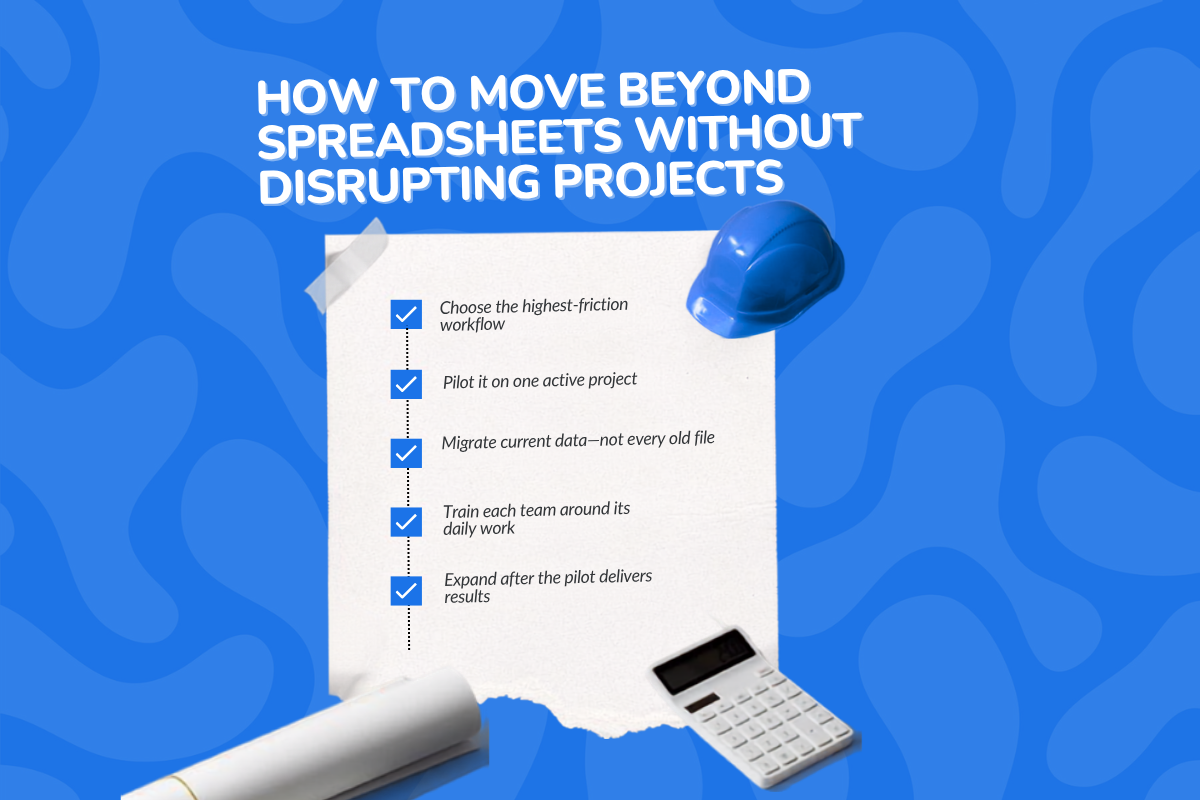
2. Start With the Workflow Causing the Most Friction
Do not begin by trying to replace every spreadsheet. Start with the workflow that creates the most repetitive work or risk, whether that is scheduling, change orders, document control, or project reporting.
Map how information currently moves through that process and note where it gets re-entered, delayed, or lost. This gives the firm a real problem against which to evaluate construction project management software.
3. Test the Software on Real Work
A polished demo can make almost any platform look capable. Ask the vendor to show how the software would handle one of your actual RFIs, schedule changes, approvals, or reporting processes.
Then pilot the platform on one representative project or with one construction team. Make it clear that the new platform will be the source of truth during the test.
4. Move What the Team Still Uses
Not every historical spreadsheet needs to be carried over into the new system. Migrate active project data, current documents, and templates the team will use again, then archive the rest.
This is also the point to connect essential accounting, takeoff, scheduling, and third-party tools. The aim is to reduce duplicate entry, not recreate the same disconnected system with newer software.
5. Train People Around Their Daily Work
A site supervisor, project manager, and accounting employee do not need the same training. Show each person how the platform changes the tasks they already perform and make ownership clear.
The team should know what it is expected to update, when that update is due, and who can approve or change the information. Without those expectations, even good management software can become another incomplete system.
6. Expand Only After the Pilot Works
Before adding more projects, check whether reporting takes less time, project data is more complete, and fewer handoffs are being missed. Also ask field and office teams where the new workflow is still creating friction.
Fix those problems while the rollout is small. Once the process holds up under real project conditions, expand it across the rest of the business.
How ConstructionBase Helps Growing Firms Move Beyond Spreadsheets
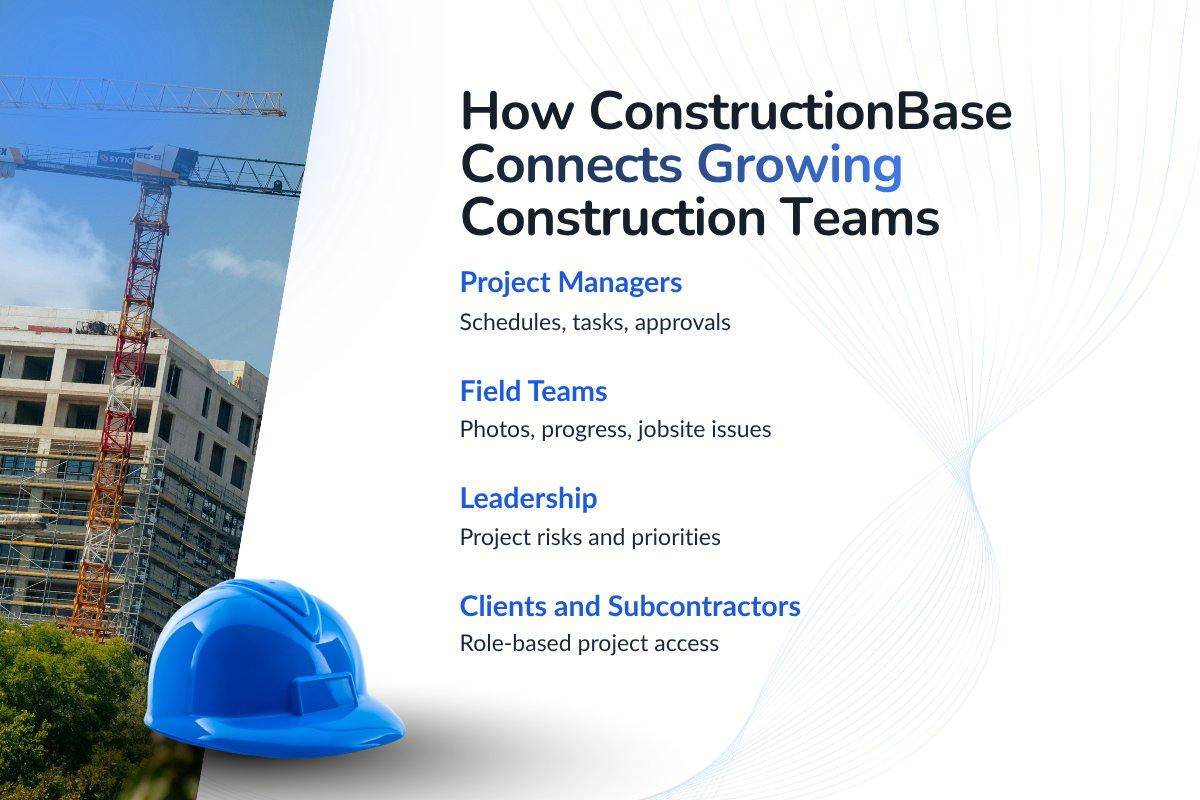
ConstructionBase replaces disconnected trackers with one system for managing projects from planning through closeout.
- Centralized project records: Keep schedules, tasks, drawings, contracts, photos, notes, and communication attached to the correct project.
- Real-time project visibility: View progress, overdue work, pending approvals, and project risks across active jobs without assembling reports manually.
- Faster schedule changes: Update timelines through drag-and-drop scheduling and immediately show teams what has changed.
- Clear task ownership: Assign work, set deadlines, track completion, and notify the people responsible for the next action.
- Mobile jobsite updates: Let field teams upload photos, report progress, and flag issues without waiting to return to the office.
- Controlled access: Give employees, clients, and subcontractors access based on their roles while protecting sensitive project information.
- Connected communication: Keep comments, instructions, and client updates with the relevant task or project document instead of scattering them across calls and emails.
Choose one workflow currently managed through spreadsheets and test it inside ConstructionBase.
The Bottom Line
Spreadsheets often help construction firms reach the mid-sized stage. The problem begins when maintaining those spreadsheets requires more coordination than managing the construction projects themselves.
Recognizing this point early allows firms to implement construction project management software before manual work, disconnected information, and delayed decisions restrict further growth.
Ready to Move Beyond Spreadsheets?
Your next project should not require another spreadsheet to stay under control. See how ConstructionBase connects project data, field updates, schedules, tasks, and documents in one system.
Schedule Your ConstructionBase Demo →
FAQs
Can Excel Be Used for Construction Project Management?
Yes. Excel can manage schedules, budgets, and task lists for a few simple projects, but it becomes difficult to control as teams, documents, and active projects increase.
When Should a Construction Company Stop Using Spreadsheets?
Switch when teams regularly reconcile versions, enter data twice, chase updates, or cannot access reliable project information quickly. These are signs that spreadsheets are limiting operations.
What Software Do Construction Project Managers Use?
Construction project managers use platforms such as ConstructionBase, Procore, Autodesk Construction Cloud, and Buildertrend. Compare construction project management software for mid-sized firms based on workflow fit, complexity, and budget
What Is the Difference Between a Generic Project Management Tool and Construction Management Software?
Generic tools primarily manage tasks, deadlines, and team collaboration. Construction management software also supports industry-specific workflows such as RFIs, submittals, drawings, change orders, daily logs, job costs, and field reporting.
Does Construction Project Management Software Replace Accounting Software?
Usually not. It manages project operations and can integrate with accounting software to synchronize expenses, job costs, invoices, and other financial data.
Does Moving to Management Software Require Migrating Every Historical Spreadsheet?
No. Firms should migrate active project data and reusable records, then archive older files that are not needed for current operations.
Have questions or need personalized advice?
Talk to an Expert Today and let our construction specialists guide you to success.
Related Posts
Building Construction Project Software: Key Integration Points You’re Missing