

Construction management software often decides whether a project stays on track or falls apart.
Most failures start small, with missed updates, unclear ownership, and limited visibility. Without a unified system, those small gaps grow into delays and costly overruns.
Many teams still rely on fragmented project management tools that weren’t built for real job-site complexity. And as projects grow, scheduling gets messy, financial accuracy slips, and document control becomes harder to maintain.
Best Construction Management Software for Preventing Delays and Budget Overruns
Construction management software prevents project failure by integrating planning, tracking, and execution into a single system. Teams get clear visibility into timelines, tasks, and costs, rather than having to manage disconnected tools.
With the right construction project management software, teams can reduce delays, improve coordination, and make better decisions as projects scale. Here, we explore common breakdown points in construction projects to help teams maintain control and deliver projects successfully.
In this blog, we explore why these breakdowns occur, how poor systems compound risks, and what construction teams should look for to regain control before small issues turn into costly failures.
Key Takeaways
- Construction management software centralizes planning, tracking, and execution to reduce delays and cost overruns.
- The right construction project management software improves visibility across project timelines, tasks, and job costing.
- Real-time cost management and budget tracking help teams maintain stronger cost control on active jobs.
- Managing labor, tasks, and collaboration in a single system reduces reliance on external tools.
- Choosing the best construction management software enables teams to plan ahead and deliver projects with fewer risks.
Ready to stop projects from slipping through the cracks?
Schedule a demo to see how ConstructionBase helps you prevent delays, control costs, and keep every construction project running smoothly.
Understanding Construction Project Failures in the Construction Industry
Construction projects often struggle when teams rely on guesswork instead of real-time data. Without a system that tracks costs, labor, and tasks as they happen, small miscalculations quietly compound into bigger problems.
And as the saying goes, “What you can’t see, you can’t control.” Without the right construction management software, small gaps quickly turn into costly delays and overruns.
Common causes include:
- Communication gaps between crews and the office can quietly derail timelines, even when everyone is working hard.
- Manual tracking of budgets, timelines, and job costing leads to errors
- Difficulty managing large projects or complex builds with basic tools
- Teams not working from one platform, causing misalignment and rework
As project volume grows, these gaps make it harder to manage tasks, track time, and maintain cost control across multiple jobs.
How Lack of Construction Management Software Impacts Results
Without modern construction management software, projects become harder than they should be. Information spreads across too many places, forcing teams to rely on assumptions instead of clear direction.
As discussed above, most construction delays stem from communication gaps, not from on-site work. Juggling spreadsheets and scattered tools only adds more manual errors and reduces visibility across jobs.
Modern, cloud-based construction project management software addresses this by providing teams with real-time alerts on schedule risks, unusual job-cost trends, and budget changes.
Whether you're a general contractor or a small business, smarter tools help you manage jobs confidently and support your field teams without losing control.
Why Spreadsheets and Legacy Construction Software No Longer Work?
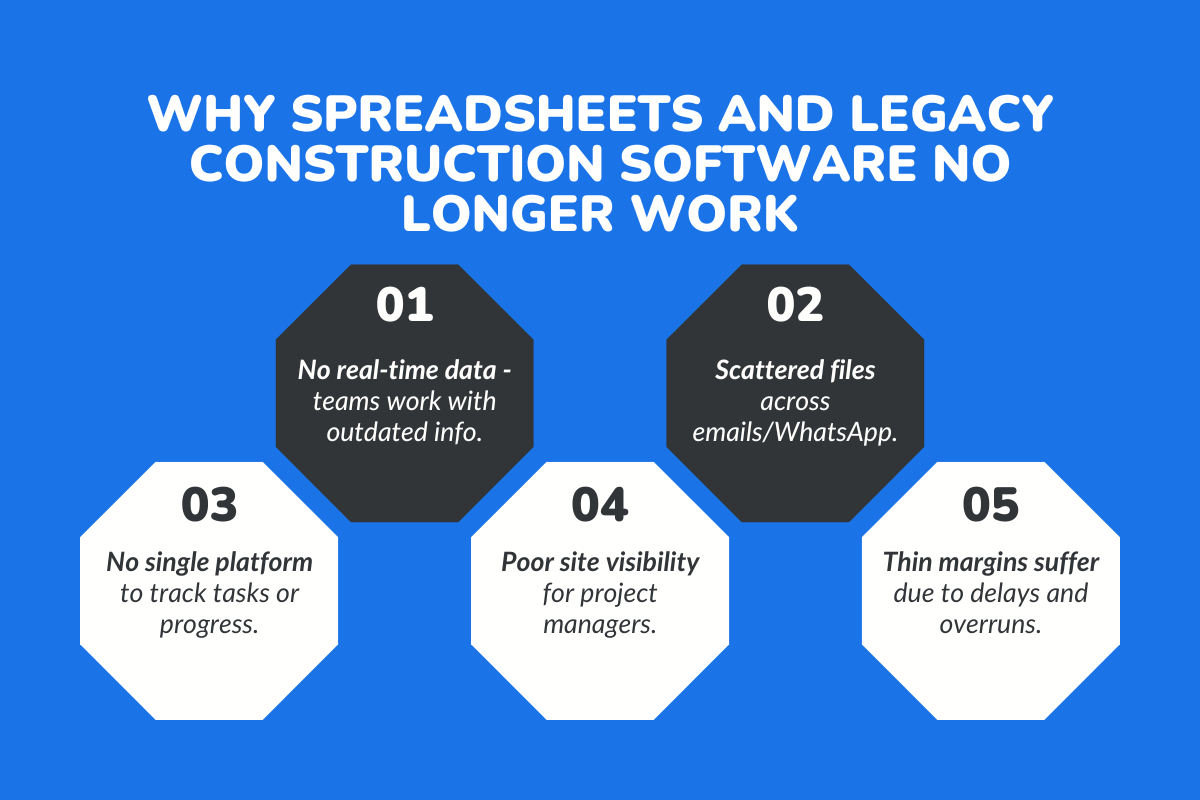
Small construction businesses face tight margins, rising client expectations, and pressure to complete projects faster. The right tools can be game-changers, especially when budget overruns and timeline delays are common.
Yet many companies still rely on spreadsheets or outdated tools that can’t support modern construction demands.
1. Lack of Real-Time Data Leads to Costly Mistakes
Without instant access to updated plans, budgets, and field progress, teams make decisions based on outdated information.
Common issues construction teams face include:
- Schedules are stuck in spreadsheets while field teams work off old versions
- Drawings, documents, and updates are buried in emails or WhatsApp groups
- No unified platform to track changes, approvals, or job progress
- Teams are spending more time searching for information than executing
These gaps hit small construction businesses the hardest because they don’t have extra labor or budget to absorb delays.
2. Limited Real-Time Visibility for Project Managers
Ask any project manager what slows them down the most, and they’ll tell you it’s the lack of visibility.
When teams rely on legacy tools, there’s no live view of what’s happening on-site, who showed up, which tasks are complete, what materials are delayed, or where risks are emerging.
For small businesses with thin margins, that lack of clarity leads to missed deadlines, unhappy clients, and cost overruns that quickly stack up.
How Construction Management Software Prevents Delays and Cost Overruns?
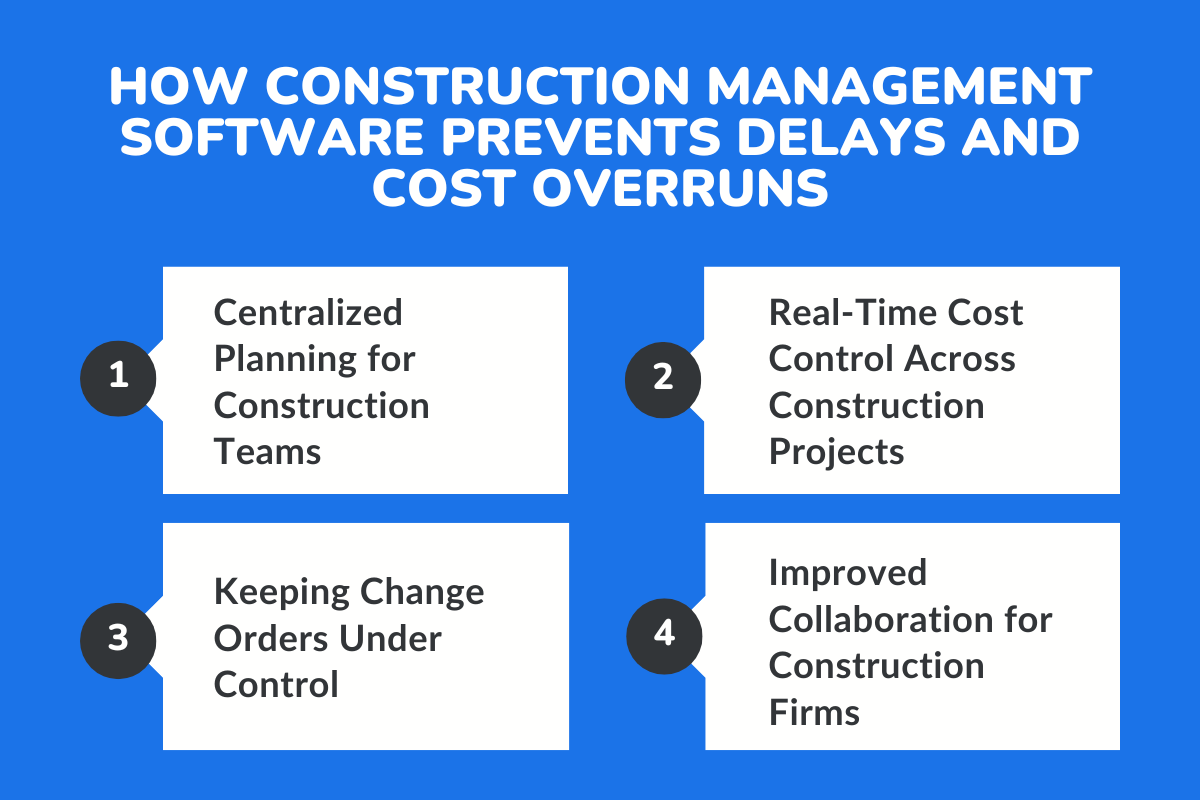
Delays and cost overruns don’t start with one big mistake; they start with small gaps. A missed update, a forgotten task, or a budget adjustment no one notices in time.
Modern construction management software solves this by providing teams with a single platform to plan, track, and manage construction projects, without relying on scattered tools or slow manual processes.
1. Centralized Planning for Construction Teams
When schedules, tasks, and punch lists live across multiple tools, coordination breaks down fast. A centralized system keeps the entire construction team, from senior PMs to field crews, aligned on what needs to happen and who’s responsible.
It helps teams:
- Stay connected with real-time job-site updates
- Reduce miscommunication between office and field teams
- Coordinate schedules and responsibilities more efficiently
This alignment saves hours of back-and-forth and prevents avoidable delays.
2. Keeping Change Orders Under Control
Change orders are unavoidable in construction; what matters is how quickly they’re captured and approved. Without a structured system, changes get buried in emails, text messages, and paper forms, leading to confusion and delays.
Software makes it easier by providing a structured workflow for capturing change orders, tracking approvals, and updating costs in real time, so nothing gets missed, duplicated, or delayed.
- Tracking scope revisions
- Managing approvals and documentation
- Showing cost and timeline impact instantly
This keeps projects moving without disputes or miscommunication.
3. Improved Collaboration for Construction Firms
How do you make the right call when project conditions change every day?
Construction teams need more than gut feeling; they need real-time data and modern construction project management software gives exactly that, offering instant visibility into budgets, schedules, and performance so decisions aren’t made in the dark.
Dashboards highlight risks early, forecasting tools show where costs may rise, and AI now flags anomalies long before they turn into delays.
As the saying goes, “Better data leads to better decisions.” And in construction, better decisions lead to smoother, more predictable projects.
How Poor Visibility Leads to Delays and Cost Overruns?
When project managers can’t see what’s happening on-site in real time, delays multiply quietly, budgets drift off course, and teams end up reacting instead of staying ahead.
This is exactly why modern construction management software has become essential for contractors managing growing workloads.
1. Missed Updates Cause Schedule Slippage
When progress updates are delayed or incomplete, small issues quickly snowball into full schedule disruptions.
Common visibility failures that lead to delays:
- Tasks marked as “in progress” when nothing has started
- Materials are delayed but not communicated to the field teams
- Updated drawings or RFIs stuck in email threads
- Subcontractors working off outdated documents
- No real-time view of job-site activity
These gaps are why platforms like ConstructionBase emphasize real-time syncing across schedules, documents, and task updates, giving you a unified view of every job so issues are caught early and projects stay on track.
2. Unclear Ownership Creates Bottlenecks On-Site
When no one knows exactly who is responsible for a task, work comes to a stop. This is one of the biggest contributors to slowdowns on construction projects.
Common ownership failures include:
- Tasks without assigned owners or deadlines
- Subcontractors unsure of next steps
- Crews are waiting for approvals that no one claimed
- Office teams are assuming field teams “already handled it.”
- Decision-making spread across too many informal channels
Modern project management software fixes this by assigning tasks with clear owners, due dates, and automated reminders, so bottlenecks never go unnoticed.
Who Should Use Construction Management Software?
Construction management software is not just for large enterprise contractors. It is most valuable for teams that are managing growth, juggling multiple jobs, or struggling with coordination between office and field. The right system brings structure where complexity is increasing.
Below are the types of construction businesses that benefit most:
1. General Contractors Managing Multiple Active Projects
General contractors handling several projects at once need centralized oversight across schedules, subcontractors, budgets, and documentation. Without a unified platform, information becomes fragmented, making it difficult to track progress or control costs across jobs.
Construction management software provides consolidated visibility so project managers can monitor timelines, assign responsibilities clearly, and maintain financial control across all active sites.
2. Growing Construction Firms Scaling Operations
As firms expand, informal processes and spreadsheets begin to break down. What once worked for five projects becomes unmanageable at fifteen. Scaling requires standardized workflows, clear ownership, and reliable reporting.
Software introduces repeatable systems for scheduling, budgeting, and change management, allowing growth without operational chaos.
3. Residential Builders and Remodelers
Residential construction teams often manage high client involvement, frequent scope adjustments, and tight timelines. Managing client approvals, design changes, and financial tracking manually increases risk.
A structured platform helps residential teams maintain organized communication, track selections, and keep homeowners informed without losing internal control.
4. Construction Teams Transitioning From Spreadsheets
Many firms rely heavily on spreadsheets and messaging apps to manage projects. While workable at a small scale, these tools lack version control, centralized tracking, and structured workflows.
For teams ready to move beyond manual systems, construction management software provides automation, better reporting, and fewer errors without increasing administrative burden.
The Real Impact of Unmanaged Change Orders on Construction Projects
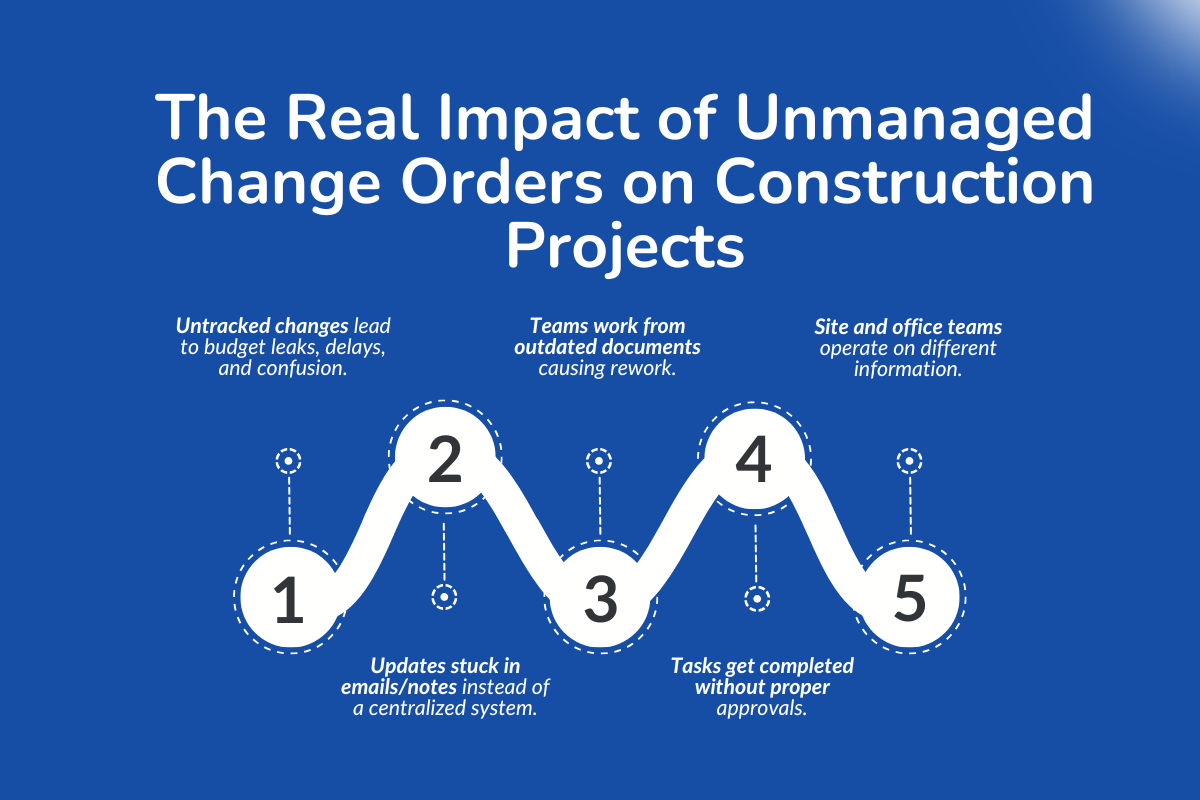
Change orders are part of construction. What causes real damage isn’t the change itself; it’s what happens when those changes aren’t tracked, communicated, or approved properly.
For contractors managing multiple teams, tools, and stakeholders, unmanaged change orders quietly eat into budgets, timelines, and trust. When there’s no clear system to manage change orders, small scope updates turn into big business problems.
> Change Orders That Slip Through the Cracks
On most construction sites, changes happen fast. A client request, a design tweak, or a site condition update can trigger a chain reaction across tasks, costs, and schedules. Without a centralized platform, these changes often live in emails, text messages, or handwritten notes.
That lack of control creates problems like:
- Teams working from outdated documents
- Tasks are being completed without updated approvals
- Site teams and office teams are operating on different information
Construction-specific platforms are designed to handle jobsite workflows and change orders together, so updates flow through the entire process instead of stopping at the site.
Choosing the Best Construction Management Software for Your Business
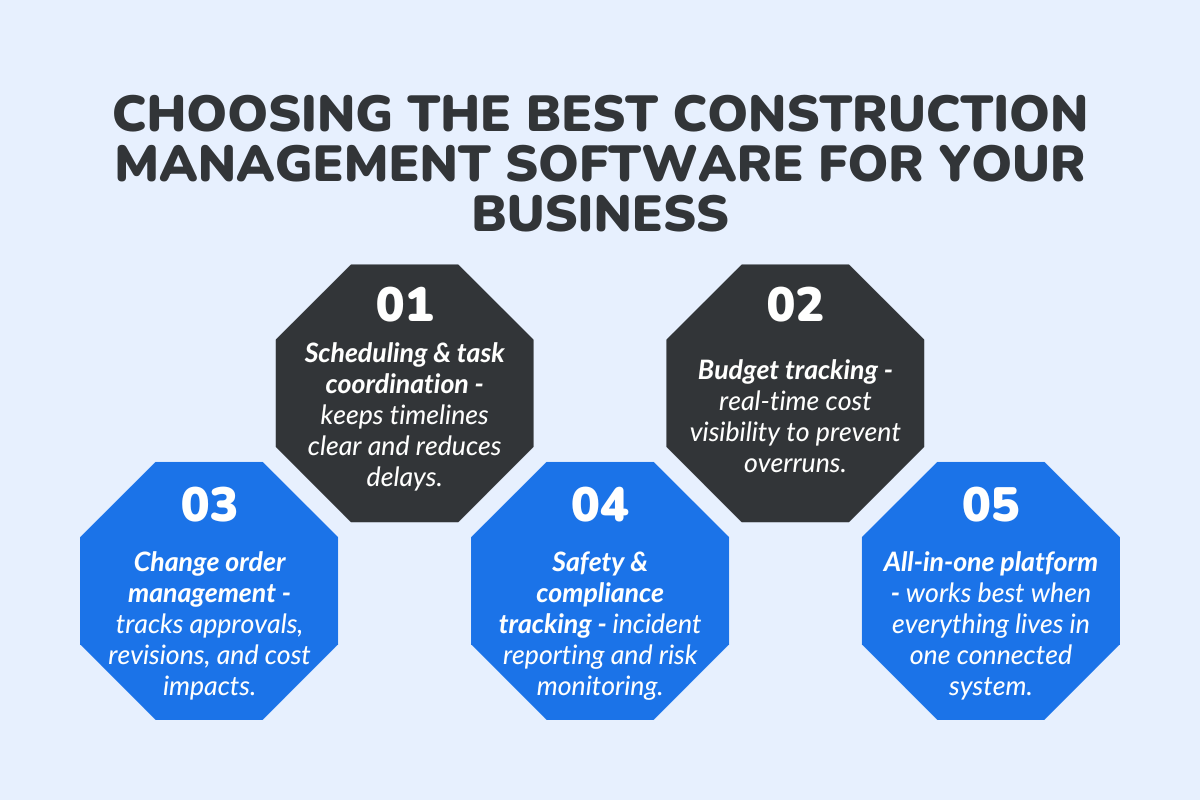
Picking the right construction management software is about choosing a system that actually supports how your construction projects run day to day.
The right tools simplify planning, improve coordination, and help teams stay in control as work scales.
Features That Matter Most
When evaluating the best construction management software, a few core capabilities consistently make the biggest difference:
- Scheduling and task coordination: Strong project management software keeps timelines visible, helps teams manage tasks clearly, and reduces delays caused by missed updates.
- Budget tracking and cost control: Real-time budget tracking enables teams to spot overruns early, rather than react after costs escalate. This visibility is key to protecting margins across construction projects.
- Change order management: Change orders are inevitable. Software that tracks approvals, revisions, and cost impacts prevents scope creep from becoming financial surprises.
- Safety tracking and compliance: Modern platforms increasingly include automated safety tracking and incident reporting, helping teams improve safety compliance through real-time monitoring and risk assessment.
- Reporting and Performance Analytics: Leadership needs more than raw data. Dashboards and analytics tools help firms evaluate project profitability, timeline adherence, labor productivity, and cost trends. Consistent reporting enables better forecasting and strategic decision-making.
- Integration With Accounting and ERP Systems: Construction management software should connect seamlessly with accounting platforms to synchronize budgets, invoices, and financial reporting. Strong integration eliminates duplicate data entry and ensures financial records remain accurate across systems.
These features work best when they live on a single, connected platform rather than across multiple external tools.
Construction Management Software Recommendations for Growing Teams in 2026
As construction firms scale, the right software becomes the backbone of smooth operations. It brings order to complex project flows, improves visibility across jobs, and prevents information from slipping through the cracks.
Whether you're a small team looking for your first system or a growing company replacing outdated tools, these are the top construction management software options worth considering, each designed for different workflows, budgets, and team sizes.
1. ConstructionBase
Best for: Mid-to-large construction teams replacing fragmented tools
Why it stands out:
ConstructionBase centralizes scheduling, job tracking, budgeting, crew coordination, and document management into one intuitive platform. Instead of juggling spreadsheets, WhatsApp groups, and disconnected systems, teams get a real-time operational hub built for modern construction sites.
Core Advantages:
- Unified lead + job tracking for consistent visibility: Tracks projects from enquiry to completion in one system, ensuring no deal or job stage gets lost between teams.
- Automated follow-ups and task reminders: Automatically assigns and reminds teams of pending tasks, reducing delays caused by missed updates or forgotten responsibilities.
- Job costing and budget oversight in real time: Continuously compares projected vs. actual costs so managers can spot overruns early and protect margins.
- Strong support for field teams and subcontractors: Provides mobile-friendly access to schedules, updates, and documentation, keeping site crews aligned with office planning
- Integrated change order workflows to avoid cost surprises: Captures scope revisions formally and updates budgets instantly, preventing undocumented changes from affecting profitability.
ConstructionBase Pricing:
For accurate pricing, ConstructionBase requires a demo-based quote tailored to the company's workflow and team size.
2. Procore
Best for: Large construction firms managing complex, multi-site projects
Why it stands out:
Procore is widely considered the industry standard for large-scale construction projects. It centralizes drawings, RFIs, submittals, budgets, and quality/safety workflows into a cloud-based system, making it easy for field teams and PMs to stay aligned.
What makes Procore a top choice:
- Deep document control + blueprint hosting: Centralizes drawings, revisions, and project files with version tracking to prevent teams from working off outdated plans.
- Strong financial tools for budget control: Offers detailed cost tracking, forecasting, and contract management suited for high-value, multi-site projects.
- Excellent field management features: Enables real-time site reporting, inspections, and issue tracking to improve coordination across locations.
- AI-assisted insights for risk forecasting: Uses predictive data to flag potential schedule or budget risks before they escalate.
- Robust integrations with ERPs and accounting systems: Connects seamlessly with enterprise financial platforms, ensuring accurate data flow across departments.
Procore Pricing Estimates:
Procore does not list standard pricing publicly and requires a demo and tailored quote based on company needs and project volume.
3. Buildertrend - Best for Residential Contractors & Mixed Trades
Best for: Remodelers, home builders, and residential project teams
Why it stands out:
Buildertrend blends CRM features with construction scheduling, client communication, and financial tracking. Teams get an end-to-end workflow that keeps office and field teams on the same page.
Highlights:
- Client portals for updates + approvals: Allows homeowners to view progress, approve selections, and communicate directly within the system
- Job costing and financial reporting: Tracks expenses and profitability per project, giving residential contractors clearer financial control.
- Document management + blueprint storage: Stores contracts, plans, and change documents centrally to reduce confusion and version conflicts.
- Mobile-friendly for field teams: Lets crews update tasks and upload progress from job sites without returning to the office.
- Great for small teams adopting software for the first time: Offers a user-friendly interface that simplifies the transition from manual tools.
Buildertrend Pricing:
Buildertrend offers a flexible pricing module. You can reach out to their official site for more details
4. CoConstruct
Best for: Custom home builders and high-touch project workflows
Why it stands out:
CoConstruct excels in pre-construction, estimating, and client management. For teams that rely heavily on selections, custom specs, and design coordination, this tool simplifies the chaos.
Key Strengths:
- Advanced estimating tools: Provides detailed cost breakdowns tailored to custom builds and unique specifications.
- Client selection + approval workflows: Organizes product choices, finishes, and upgrades with structured approval tracking.
- Integrated financial + budget tracking: Links estimates directly to budgets, helping prevent misalignment between sales and execution.
- Task coordination for field + office teams: Keeps both design and construction teams aligned throughout pre-construction and build phases.
CoConstruct Pricing Features (Based on 2026 Data):
- Pricing Structure: Monthly subscriptions are tiered based on the volume of active, open projects.
- Cost Range: Plans span from around $49 to $499/month, making it flexible for growing companies.
5. Smartsheet
Best for: Teams transitioning from spreadsheets who want more control
Why it stands out:
Smartsheet offers flexibility with construction-ready templates, automation, and workflows while keeping the spreadsheet feel teams already know.
Where it shines:
- Easy onboarding for small teams: Feels familiar to spreadsheet users, reducing resistance during software adoption.
- Automated alerts + reminders: Triggers notifications for deadlines and task updates without complex setup.
- Customizable dashboards and Gantt charts: Provides flexible reporting views suited for teams needing adaptable workflows.
- Integrates with the most popular external tools: Connects easily with email, cloud storage, and collaboration platforms to extend functionality.
Smartsheet Pricing Plans:
- Pro Plan: $9 per user per month (billed annually)
- Business Plan: $19 per user per month (billed annually)
- Enterprise Plan: Custom pricing. Tailored for larger organizations requiring advanced controls, governance, security, and integrations beyond the Business tier.
- Advanced Work Management: Custom pricing. Built on top of Enterprise with more capabilities for portfolio-level work management and cross-system integration (pricing available on contact).
Wrapping Up
Construction projects fall apart when alignment disappears. If crews, subcontractors, and office teams aren’t working from the same information, even minor miscommunication can trigger major delays, rework, and unnecessary costs.
A missed spec change or outdated drawing can derail an entire workflow long before anyone notices. A modern construction management platform closes those gaps by giving you real-time visibility, stronger cost control, and a single workflow everyone can rely on.
With the right software in place, contractors can plan smarter, manage jobs with confidence, and prevent minor issues from becoming expensive setbacks.
In the end, it’s not just about working faster, it’s about protecting every project from avoidable
Ready to Keep Every Construction Project On Track?
See how ConstructionBase unifies scheduling, budgeting, job tracking, and team coordination, helping you prevent delays, control costs, and handle growing workloads with ease.
Book a demo today to see ConstructionBase in action and start running your construction projects with clarity, accuracy, and zero chaos.
FAQs
1. How do I know if it’s time to switch from spreadsheets?
If you are managing more than a few active jobs, experiencing budget surprises, missing document updates, or relying heavily on manual coordination, it is likely time to upgrade. Spreadsheets rarely scale effectively as project complexity increases.
2. What is the difference between project management software and construction management software?
General project management tools focus on tasks and timelines, while construction management software includes industry-specific features like job costing, change order workflows, document version control, subcontractor management, and compliance tracking.
3. Why are construction projects difficult to manage?
Construction projects involve multiple teams, constantly changing conditions, shifting schedules, and strict cost controls. Coordinating labor, materials, subcontractors, approvals, documents, and budgets manually is challenging, which is why modern construction management tools are essential for staying organized and avoiding delays.
4. What is construction management software?
Construction management software is a digital platform that helps contractors plan, track, and manage construction projects by centralizing scheduling, budgeting, documents, and team collaboration in one system.
5. Can construction management software integrate with accounting tools like QuickBooks?
Most modern platforms offer integrations with accounting systems such as QuickBooks, Xero, or enterprise ERPs. Integration ensures job costing, invoicing, and financial reporting remain synchronized without duplicate data entry.
Have questions or need personalized advice?
Talk to an Expert Today and let our construction specialists guide you to success.
Related Posts
Building Construction Project Software: Key Integration Points You’re Missing





