

By 2026, most mid-sized construction firms aren’t short on work. They’re short on time, visibility, and margin.
Projects are bigger. Clients want faster updates. Construction teams are spread across multiple sites. And yet, many contractors are still relying on a mix of spreadsheets, emails, and disconnected tools to manage construction projects. That “make it work” approach used to be fine. Today, it’s expensive.
Industry data shows mid-sized contractors now manage 30–40% more project data than they did just three years ago: more documents, more tasks, more cost tracking, more people involved.
When outdated construction management software can’t keep up, manual errors creep in, decisions slow down, and costs quietly rise.
How Construction Mgmt Software Is Helping Mid-Sized Contractors Scale Faster in 2026
Construction mgmt software in 2026 is cloud-based project management software designed for construction teams to plan, track, and control jobs from one platform. It helps mid-sized contractors create tasks, assign tasks, manage jobs, and track time without relying on multiple other tools.
This matters because outdated systems limit visibility, slow decision-making, and reduce profitability. Modern construction management software recommendations focus on real-time coordination, cost control, and task management, helping general contractors keep project teams on the same page.
This guide breaks down why mid-sized contractors are upgrading construction management software in 2026, what’s changed in the construction industry, and how the right software supports growth without adding chaos.
Key Takeaways
- Outdated construction management software limits scalability, increases manual errors, and weakens cost control as project volume grows.
- Mid-sized contractors need a single platform to manage construction projects, budgets, documents, and teams without relying on multiple tools.
- Real-time visibility across jobs, costs, and timelines is essential for faster decision-making and better project outcomes in 2026.
- The best construction management software supports growth with clarity and automation, not unnecessary complexity or enterprise bloat.
- ConstructionBase offers a practical, cloud-based alternative built specifically to help mid-sized firms scale efficiently and stay in control.
Explore the ConstructionBase construction management software that helps mid-sized contractors manage projects, budgets, and teams smarter.
Why Outdated Construction Management Software Can’t Be Scalable in 2026?
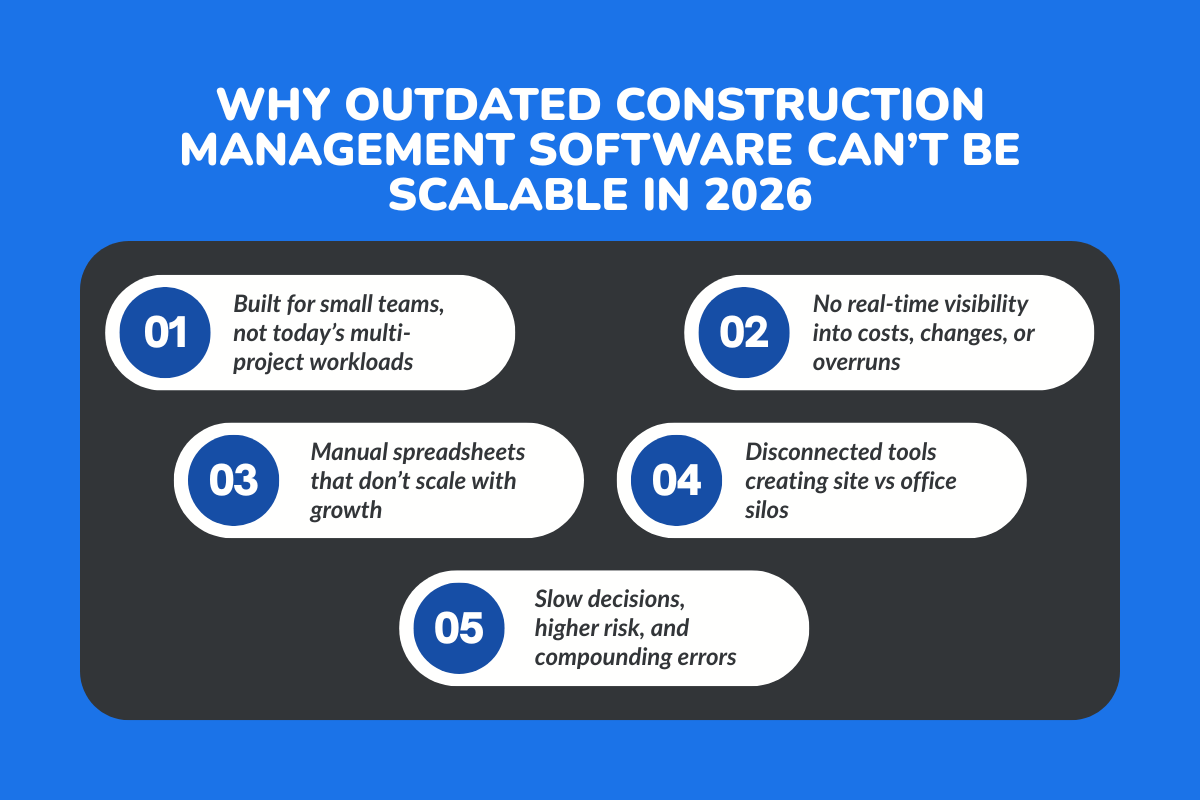
1. Legacy Construction Software Wasn’t Built for Today’s Project Volume
Many construction software tools were designed when teams were smaller and projects were simpler. Fast forward to 2026, and mid-sized contractors are juggling multiple jobs, larger crews, tighter schedules, and more compliance requirements.
Manual processes don’t scale, spreadsheets don’t update themselves, and when project teams grow, tracking tasks, documents, and costs across different tools becomes risky. What worked for five projects doesn’t work for twenty.
2. Cost Overruns in 2026 Are Largely Caused by Lack of Real-Time Visibility
Cost overruns are rarely caused by one big mistake. They happen because small issues go unnoticed. Delayed budget updates, missed change orders, and inaccurate job costing. When financial management isn’t connected to project tracking, teams don’t see problems until it’s too late.
Poor data integration continues to contribute to double-digit budget overruns across construction projects. Real-time budget tracking is no longer a “nice to have”; it’s basic cost control.
3. Disconnected Systems Create Silos Across Construction Teams
When project management, document management, cost management, and communication live in separate tools, teams fall out of sync. Site teams work from one version of the plans. Office teams use another. Senior PMs wait for updates. Decision-making slows, and mistakes multiply.
In 2026, construction teams need to stay on the same page, working from a single platform that connects the site and office in real time.
What Changed in Construction Project Management Between 2023 and 2026?
1. Construction Projects Are Larger and More Data-Heavy
Mid-sized contractors are managing bigger projects than ever. More stakeholders, more subcontractors, and more site teams mean more documents, approvals, and updates at every stage, from bid management to punch lists.
Every form, drawing, and approval now generates data, and trying to track it all manually is not just time-consuming, it’s risky. Missed updates or lost documents can cause delays, rework, or budget overruns, even on projects that otherwise run smoothly.
2. Clients Expect Real-Time Transparency in 2026
Gone are the days when weekly status reports satisfied clients. Today, owners, developers, and investors want real-time visibility into project timelines, budgets, and progress.
Any delay in communication or lack of clarity immediately erodes trust, even if the work is excellent. Construction project management software now plays a direct role in client confidence, ensuring everyone sees progress as it happens and reducing costly misunderstandings.
3. Compliance, Safety, and Documentation Have Gone Digital
Paper checklists, binders, and spreadsheets can’t keep up with modern audits, safety reviews, or compliance requirements. Digital tools for daily reports, document control, and cloud-based records aren’t just convenient, they’re essential.
Firms that fail to adopt these tools risk compliance gaps, slower approvals, and disputes that could have been avoided with real-time, organized data.
Also read: Construction Management Software Trends 2026: AI, Mobile, Sustainability & What It Means for You
Why Mid-Sized Contractors Are Actively Upgrading Construction Management Software in 2026?
By 2026, most mid-sized contractors aren’t upgrading software because it’s trendy. They’re doing it because their current systems are quietly holding them back.
More projects don’t automatically mean more profit. Without the right construction management software, growth usually brings more admin work, more confusion, and more stress. This is where outdated tools start to show cracks.
1. Scaling Construction Projects Without Adding Admin Work
Hiring extra staff just to chase updates, reconcile spreadsheets, or prepare reports isn’t sustainable. Many contractors reach a point where the office team grows faster than the project volume, and margins shrink as a result.
Modern construction management software helps firms manage more jobs with the same core team by reducing manual work. Task creation, task assignment, job updates, and reporting happen in one system instead of across emails and files.
When data is centralized, project managers spend less time managing paperwork and more time managing jobs. That balance is what allows mid-sized firms to scale without burning out their teams.
2. The Shift Toward Unified Construction Project Management Platforms
For years, contractors made do with “best-of-breed” tools, one for scheduling, another for job costing, another for documents. In reality, this created gaps.
Information lived in different places, teams stopped trusting the data, and senior PMs had to ask for updates instead of seeing them.
In 2026, firms are moving toward one platform that brings together:
- Project scheduling and timelines
- Job costing and budget tracking
- Document management and drawings
- Team collaboration and communication
- Real-time project tracking
A unified platform doesn’t just reduce tool sprawl. It creates accountability. Everyone, from field teams to leadership, works from the same information, which dramatically reduces confusion and rework.
3. Data-Driven Decisions Are No Longer Optional
In the past, experienced contractors relied heavily on instinct. That experience still matters, but today’s projects move too fast to wait for end-of-month reports.
Analytics tools, live dashboards, and forecasting give contractors visibility into what’s happening right now. They can spot cost overruns early, adjust schedules before delays stack up, and make decisions based on facts instead of assumptions.
In 2026, better decision-making isn’t about more data; it’s about clear, usable insights that support daily project management.
Construction Management Software Features That Matter Most in 2026
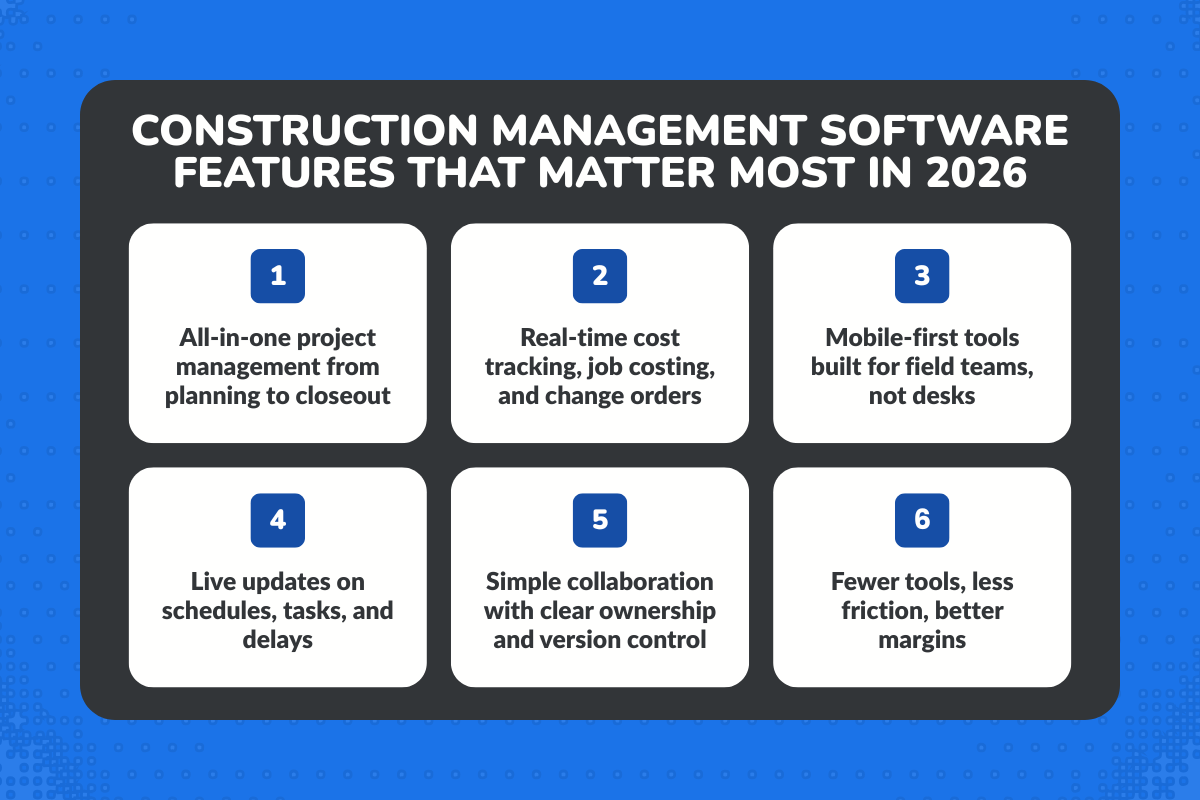
Not every feature advertised in construction software actually helps contractors on the ground. By 2026, priorities are clearer: teams want fewer features that do more, not bloated systems that slow them down.
1. End-to-End Construction Project Management
Mid-sized contractors don’t want to stitch together workflows anymore. From the moment a job is planned to the day it’s closed out, everything should live in one place.
That means project timelines, tasks, documents, and updates are connected. When a schedule changes, the impact is visible across the project.
When a task is delayed, the team sees it immediately. End-to-end project management isn’t about control, it’s about clarity.
2. Financial Control Across Construction Projects
Margins in construction are tight. Without live cost visibility, small overruns turn into big surprises.
Modern construction management software connects financial management directly to project activity. Job costing, change orders, and real-time budget tracking allow contractors to see where money is going while there’s still time to act.
This level of cost control helps protect margins, not just on one job, but across all active projects.
3. Field-First Construction Software
Field teams are closest to the work, yet they’re often the last to update systems. If software is slow, complicated, or desktop-only, it simply doesn’t get used.
In 2026, construction software must work where the work happens, which is on the construction site. Mobile access allows field teams to update progress, track time, submit daily reports, and manage punch lists without friction. When field data is timely and accurate, the entire project runs more smoothly.
4. Collaboration Built for Construction Teams
Construction projects succeed or fail based on coordination. When tasks aren’t clearly assigned, or documents aren’t easy to find, mistakes happen.
Good collaboration tools don’t feel like “software.” They quietly support how teams already work, sharing documents, assigning tasks, and keeping everyone aligned.
Clear ownership, version control, and simple communication help project teams move faster with fewer misunderstandings.
Take a deeper look at: Construction Management Software Feature Checklist 2026: What the Best Tools Have
Best Construction Management Software Capabilities Supporting Growth in 2026
As firms grow, their software must grow with them, without becoming heavier or harder to use.
1. Automation That Reduces Errors and Rework
Repetitive manual work is where most errors start. Automation removes that risk. By automating routine processes, like task updates, reporting, and approvals, contractors reduce mistakes and free up time for higher-value work. Less rework means better schedules, lower costs, and calmer teams.
2. Scalable Systems for Mid-Sized Construction Firms
Scalability doesn’t mean “enterprise-grade complexity.” It means software that handles more projects, more users, and larger jobs without slowing down.
The right construction management software supports both small teams and large projects, allowing firms to grow steadily instead of constantly switching systems.
3. Integration With Core Construction Tools
Construction firms don’t operate in isolation. Accounting, scheduling, and reporting tools must work together.
When systems integrate smoothly, data flows naturally. Teams stop re-entering information. Reports become more reliable. And leaders gain a clearer view of the business as a whole.
How to Tell If Your Construction Firm Needs a Software Upgrade in 2026?
Wondering if your construction firm is ready for a software upgrade in 2026? Here’s how to spot the signs and make sure your tools can keep up with growing projects, teams, and budgets.
1. Clear Signs Your Construction Management Software Is Outdated
- Too many disconnected tools
- No real-time reporting
- Heavy reliance on manual updates
2. Questions Contractors Should Ask Before Upgrading
- Will this software support more projects next year?
- Can it help manage labor, jobs, and budgets better?
- Will field teams actually use it?
Why ConstructionBase Fits the Way Mid-Sized Contractors Work in 2026: The Top 10 Reasons

1. Centralized Project & Job Management to Handle More Work Without Chaos
Mid-sized contractors typically manage multiple construction projects at once, often across different sites. What breaks first is visibility, who’s doing what, where each job stands, and what’s falling behind.
ConstructionBase provides centralized project and job management, allowing teams to manage jobs, assign tasks, track progress, and update project timelines from one place instead of juggling spreadsheets and external tools.
2. Task Creation, Assignment, and Tracking Built for Construction Teams
As teams grow, verbal instructions and follow-ups stop working. Missed tasks quickly turn into delays.
ConstructionBase allows project managers and senior PMs to create tasks, assign tasks to individuals or crews, set priorities, and track completion in real time, keeping project teams accountable without constant calls or messages.
3. Real-Time Budget Tracking and Job Costing to Protect Margins
For mid-sized contractors, profitability depends on catching issues early, not after a job is complete.
ConstructionBase includes real-time budget tracking, cost management, and job costing, giving contractors visibility into labor, materials, and overall project costs while work is still underway, supporting better cost control and decision making.
4. Time Tracking and Labor Management That Feeds Directly Into Costs
Labor is one of the biggest expenses on any construction site, yet it’s often tracked manually. ConstructionBase lets field teams track time directly in the system, connecting labor hours to jobs and budgets.
This helps contractors manage labor more accurately, reduce manual errors, and understand where time and money are actually being spent.
5. Document Management That Keeps Everyone Working From the Same Plans
Outdated drawings and misplaced documents are a common cause of rework. ConstructionBase provides centralized document management, ensuring plans, site documents, and updates are always accessible to both office and field teams. Version control keeps everyone working from the same information, reducing costly mistakes.
6. Daily Reports, Punch Lists, and Site Updates Designed for Field Use
Field teams need tools that work quickly on-site, not systems designed only for office staff. ConstructionBase includes mobile-friendly daily reports, punch lists, and site updates that allow supervisors to log progress, issues, and completions directly from the construction site, keeping records accurate without extra admin work.
7. Cloud-Based Access That Keeps Teams Connected Across Locations
Mid-sized firms often operate across multiple sites at once. ConstructionBase’s cloud version allows project teams, general contractors, and leadership to stay connected in real time, whether they’re in the office or on-site, ensuring faster updates and fewer communication gaps.
8. Built-In Collaboration Without Relying on External Tools
Using separate tools for chat, documents, and project tracking creates confusion and lost information.
ConstructionBase reduces dependence on external tools by keeping communication, task updates, and documents within the same platform, helping construction teams stay aligned and focused on execution.
9. Scalable Features That Support Growth Without Replacing Software
Many mid-sized contractors upgrade software only to outgrow it quickly. ConstructionBase is built to scale, supporting small teams today and large projects tomorrow, allowing users to adopt new features as they grow without needing to switch systems again.
10. Enterprise-Level Capabilities Without Enterprise Complexity
Platforms like Autodesk Construction Cloud offer extensive features, but often more than mid-sized firms need.
ConstructionBase delivers the core construction project management functionality contractors expect: project tracking, cost control, document management, and collaboration, without long onboarding, heavy configuration, or enterprise pricing.
What Would Be The ROI of Upgrading Construction Project Management Software?
Upgrading construction project management software delivers measurable ROI by saving time, controlling costs, and improving client relationships. Here’s how these benefits show up across daily operations, budgets, and project delivery.
1. Time Savings Across Construction Projects
Delays in complex builds usually come from slow approvals and scattered information, not site work. Modern construction project management software keeps tasks, documents, and updates in one place, helping small firms move faster across multiple projects with fewer handoffs.
2. Better Budget Control and Reduced Cost Leakage
Cost issues often start small and go unnoticed. The best software provides real-time budget and job cost visibility, allowing teams to spot risks early and protect margins as projects become more complex.
3. Stronger Client Relationships and Repeat Business
Clear timelines and transparent reporting build confidence. Contractors using modern construction management software communicate more consistently, strengthening trust and increasing repeat work as they grow beyond small projects.
Conclusion:
Construction growth requires the right software. In 2026, many mid-sized contractors face limits not from a lack of demand, but from construction management software that has not kept pace with growing project complexity. Manual processes, disconnected tools, and delayed visibility gradually make scaling harder than it needs to be.
The move toward modern construction management software reflects a broader shift in the construction industry: managing projects more clearly, controlling costs earlier, and keeping teams aligned as operations expand.
At this stage, the real question is simple: are your tools supporting growth, or holding it back? In 2026, the right construction management software isn’t optional. It’s the foundation that makes sustainable growth possible.
About ConstructionBase
ConstructionBase is a cloud-based construction management software built for mid-sized contractors who’ve outgrown spreadsheets and disconnected tools. It brings project tracking, task management, budgeting, documents, and team collaboration into one platform, so growing teams can manage more jobs without losing control.
If your projects feel harder to manage than they should, the problem usually isn’t your team; it’s the tools holding them back.
See whether ConstructionBase fits the way your contractors actually work by getting in touch with the ConstructionBase team today.
FAQs
1. How does construction management software help mid-sized contractors manage tasks at scale?
Construction management software helps mid-sized contractors manage tasks by centralizing creation, assignment, and tracking in one system. Instead of spreadsheets or external tools, teams get real-time visibility across jobs, helping them plan ahead, reduce missed follow-ups, and handle more projects without adding admin staff.
2. Why are contractors replacing external tools with a single construction platform in 2026?
Contractors are replacing external tools because disconnected systems slow down decisions and increase errors. A unified, cloud-based construction management platform connects scheduling, costs, documents, and communication, allowing users to manage jobs from one source of truth and respond faster as projects grow.
3. Can construction management software actually help contractors make more money?
Yes. Contractors make more money by tracking time accurately, catching cost overruns early, and reducing rework. Modern construction software improves margin control by linking real-time job data with financials, helping firms price better, control labor costs, and protect profitability across construction projects.
4. What do real user reviews reveal about the best construction management software?
Real user reviews consistently highlight ease of use, reliability of the cloud version, and how quickly teams adopt the tool. For mid-sized contractors, reviews mentioning faster task management, fewer external tools, and responsive support matter more than long enterprise feature lists.
5. Is cloud-based construction management software reliable for daily field operations?
Yes. In 2026, cloud-based construction software is built for daily site use, offering stable performance, offline access, and secure data syncing. Allowing users to update tasks, track time, and share documents from the field improves accuracy without relying on delayed office reporting.
6. Which features matter most when choosing construction management software for growth?
The most important features include task automation, real-time cost tracking, mobile access, and scalable reporting. New features should simplify workflows, not add complexity. A great tool supports growth by helping teams manage more jobs with the same resources as the business scales.
7. How do mid-sized contractors know when it’s time to upgrade their construction software?
It’s time to upgrade when teams rely on spreadsheets, struggle to track costs in real time, or need extra staff just to manage admin work. Modern construction management software removes these bottlenecks and supports growth without operational chaos.
Have questions or need personalized advice?
Talk to an Expert Today and let our construction specialists guide you to success.
Related Posts
Building Construction Project Software: Key Integration Points You’re Missing





