

The purpose of software engineering is to control complexity, not to create it: Dr. Pamela Zave
It truly fits the construction industry, where complex software only hinders productivity and does not help to maximize efficiency!
Most construction management software implementations fail not because of missing features, but because the tools are too complex to use.
Contractors no longer need platforms cluttered with unused feature icons. What truly matters is the usability of the tools, which must be intuitive, easy to adopt, and built to deliver results.
Therefore, this blog walks you through the best construction software in 2026, focusing on solutions designed to streamline operations, reduce friction, and help your team work smarter and not harder.
Construction Software Buyer’s Guide 2026: Must-Have Features To Drive Efficiency and Growth
The construction industry is rapidly evolving, and choosing the right software with essential features is crucial to scale your business and drive growth through automation that maximizes efficiency.
Construction teams need tools that streamline operations and offer modern features such as dynamic scheduling and dispatch, real-time updates, budget tracking, automated invoice processing, document management, and lead capture, all from a single platform.
This buyer’s guide highlights non-negotiable features that are critical in 2026, helping businesses make informed decisions.
Key Takeaways
- The construction industry has evolved, and customers now expect faster and more transparent services.
- Choosing the right construction business software is essential to improve efficiency and boost profits.
- The software should include scheduling, dispatch, invoice processing, document management, lead capture, and budget tracking to enhance efficiency, accuracy, and revenue.
- By selecting the right software, you can ensure your team operates smoothly and delivers exceptional services every time.
Looking for construction industry software that’s ready for the future?
Choose a non-clunky, lightweight, and pocket-friendly solution with ConstructionBase! Schedule a Personalized Demo today and pick the right software with confidence.
What Is Construction Software - and What Non-Negotiable Features Must It Have to Stay Ahead in 2026?
Construction software is a unified, cloud-based platform designed to streamline project management, control budgets, schedule tasks, automate and improve processes, and boost efficiency on job sites.
But here is the twist! In 2026 and beyond, simple features cannot streamline your construction projects. You need advanced features that bring maximum value to stay competitive. Let us check them out!
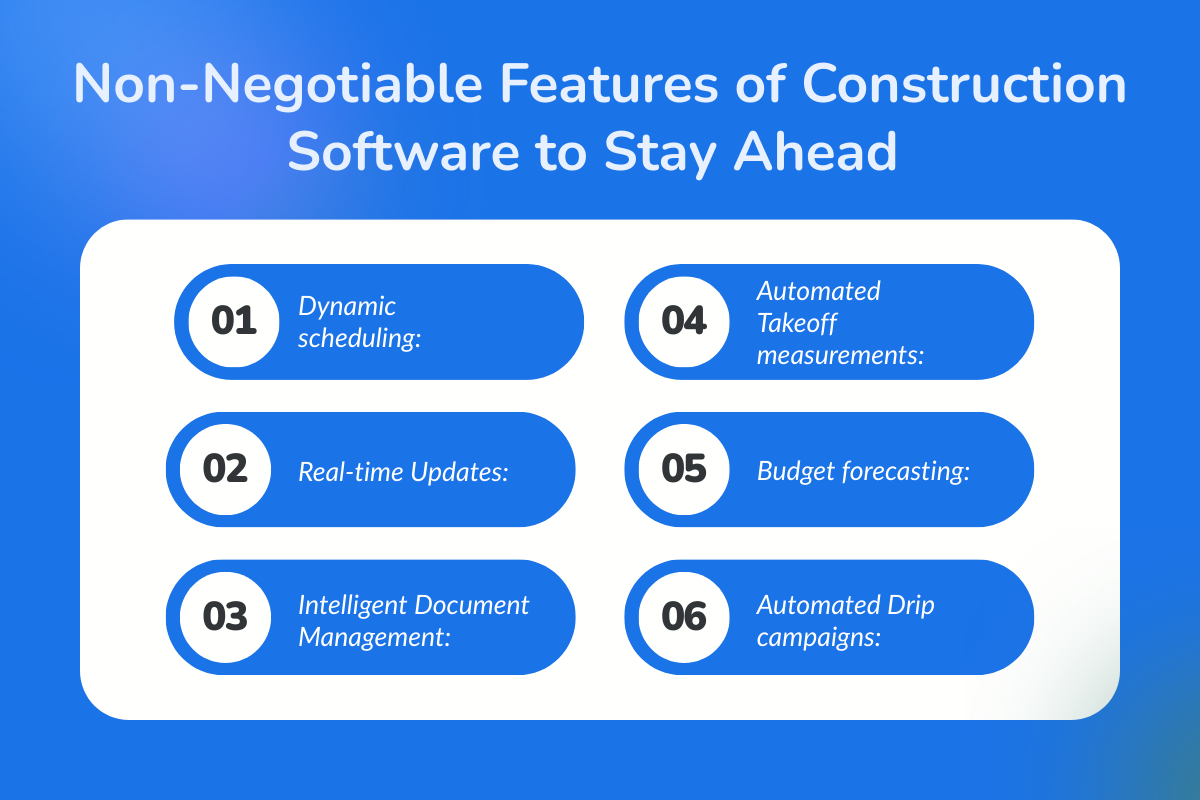
- Dynamic scheduling: AI-powered tools predict delays and optimize resource usage.
- Real-time Updates: Mobile-first app keeps field crews and office staff on the same page for a fully collaborative workflow.
- Intelligent Document Management: Quick search using natural language queries to access necessary information and documents instantly.
- Automated Takeoff measurements: Generate accurate bids from digital blueprints, flag design or estimate errors, and proactively manage risks.
- Budget forecasting: Track actual vs. projected performance to manage payments and maintain healthy cash flow.
- Automated Drip campaigns: Capture warm leads and generate reminders and notifications without manual input. Buildertrend allows teams to capture and manage all leads in one place, providing a real-world example of effective lead management.
Know more about Construction Management Software Feature Checklist 2026: What the Best Tools Have
Why Buying Construction Software Feels Harder Than Building a Project Management System?
Buying construction software often feels more complicated than managing a project itself. With countless platforms promising to “do it all,” overlapping features, confusing pricing models, and demos that rarely reflect real job-site workflows, decision-making quickly becomes overwhelming.
Now, let's look at the other reasons why buying construction software is challenging:
1. Choosing the Wrong Construction Software Vendor
Software vendors should act as tech partners, providing support and solutions that make your job easier and not more challenging.
Without proper implementation support from vendors, the adoption process can stall, leaving construction teams struggling to use the tools effectively.
Ultimately, the business risks ending up with clunky, unusable software that slows workflows and delays project timelines.
2. Feature-Rich ≠ Usable Software
Did you know? 80% of the average software features are never used!
Low-cost and feature-packed software may seem complete, but for general contractors, it wastes time, money, and effort on features that do not add any value to real construction projects.
Bad design or a clunky interface is a major hiccup, but features that technically work yet add no real value are not worth the investment.
Increase efficiency across your entire business with construction software built to meet real industry needs. Discover the core features of the Construction Project Management Software.
3. ROI on Construction Software Is Hard to Predict
The challenge has always been to quantify the actual ROI of your software investment. The real value comes from faster project closeouts, smoother workflows, reduced budget overruns, optimized resource usage, and improved operational efficiency.
Construction management software enables data-driven decision-making by providing real-time insights and analytics that improve efficiency and profitability. It can save thousands of dollars in time and improve project delivery.
When these benefits translate into stronger client trust, healthier cash flow, and higher profit margins, that’s when software delivers real value.
4. Aligning Software with Workflow and Project Visibility
Without real-time visibility, job progress suffers, resources are misused, and communication gaps break workflow continuity.
Choosing general project management software over customized workflows built for construction teams can create these serious pitfalls. You need to pick the software that fits your business size, workflow, and goals.
5. Challenges Integrating with Existing Tools
As Patrick Lencioni says: "Great teams are built on shared visibility and trust.”
Disconnected tools break this visibility and create disconnected teams and fragmented workflows. Choose construction software and focus on how the tools talk to each other to keep everyone working in sync.
6. Specialty Contractors Struggle with Pricing and Hidden Costs
Purchasing software that blinds you into spending more on add-on features, extended training, and complex integrations forces teams to waste energy and dollars just trying to use the technology that ultimately reduces overall productivity.
Software purchases should not be a burden; they should be a catalyst that helps construction owners move the business forward.
These challenges explain why buying construction software often feels riskier than managing project workflows internally with tools teams already understand.
If you are thinking about building your project management software, then read more: Building Project Management Software: Choosing for Your Workflow, Not Just Features
The 2026 Construction Software Reality Check
1. Why “All-in-One” doesn’t always mean “All-You-Need”
The era of adjusting your workflow to fit the tool is long gone. Modern construction software must adapt to the workflows of contractors and owners to get real work done with simplicity and speed.
2. Feature Overload vs. Workflow Fit
Overloaded features often fail to align with core user needs, wasting resources and creating frustration. Whereas modern construction software succeeds by focusing on essentials—tools that fit the industry and move real work forward.
3. Software Sprawl: How too many tools slow teams down
Unintegrated tools create data silos, constant app switching, and miscommunication. Construction software must combat these challenges with a unified platform.
Must-Have Construction Software Features for 2026
1. Centralized Project Management
With this feature, you gain full visibility of timelines, schedules, workflows, and job progress from a single dashboard without chasing stacks of paperwork, charts, or confusing colour-coded spreadsheets.
2. Smart Scheduling Tools
Tools with a smart scheduling feature offer drag-and-drop task scheduling and real-time notifications. It ensures no leads are missed and no appointments are skipped.
3. Secured and Centralized Document Management
The software ensures all essential workflow documents are stored centrally with secured access to team members.
4. Mobile-first functionality
The software that you'll choose should provide mobile-first access to sales reps and techs in the field to update daily logs and update job progress on the go from their devices.
5. Real-Time Insights and Alerts
Your team members get access to up-to-date information on job progress, inventory levels, and budget usage with alerts to notify any hiccups in the workflow.
6. Integrated Financial Tools
Software must have seamless syncing with accounting software, enabling precise quotations and budget tracking, while automating key financial processes such as supplier payments, invoices, and payroll management for unified financial transactions.
7. Tailored Analytical Reports for Actionable Insights
The tool needs to provide personalized actionable insights on the dashboard for every project for monthly, quarterly, and annual reports on project performance to identify trends to mitigate risks, to safeguard future performance.
8. Pre-Built Templates and Proposals
The tool should create proposals instantly using pre-defined templates that look professional to impress clients. They help generate professional proposals quickly, maintain consistency across projects, and reduce errors that come from manual formatting.
9. Lead Management
Leads from multiple sources are captured automatically, tracked in one place, and followed up with through reminders and notifications. This helps teams stay responsive and turn more enquiries into actual work.
9. Seamless Integration with APIs
The software should connect easily with other tools your business already uses. Integration with third-party tools facilitates easy sharing of data from different applications, eliminating manual data entry to streamline workflow.
10. Collaboration and Communication
A consolidated in-app platform with real-time notifications, a shared updates portal, and file-sharing capabilities helps keep every team member in sync. When updates, messages, and files live in one shared space, teams avoid miscommunication and delays caused by scattered emails or missed calls.
Who Benefits the Most From Construction Software?
Small contractors: Construction management software centralizes workflow activities, automating them to reduce errors and boost productivity.
Mid-sized firms: Helps managers gain centralized control with automated notifications to every team member on critical tasks, boosting efficiency for teams from field staff to office executives.
Large enterprises, owners, and developers: Helps manage complex, large-scale workflows across multiple locations and a large volume of team members.
Steps to Choose the Right Construction Software
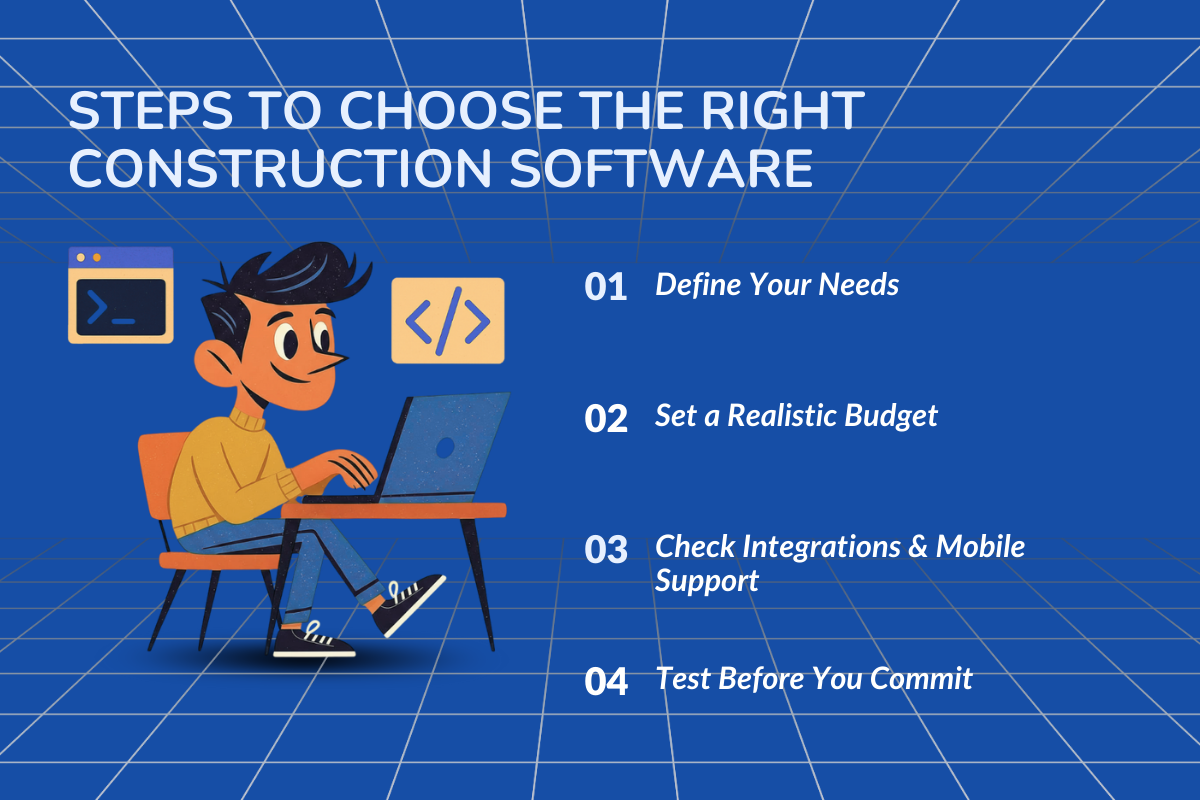
1. Define Your Needs
You need to identify your business size, key pain points, and workflow requirements to choose software that truly fits your needs.
2. Set a Realistic Budget
Choose software that offers true value for money. Consider licensing fees, subscription costs, installation expenses, training, and consultation fees to ensure you stay within budget.
3. Check Integrations & Mobile Support
Ensure the software integrates seamlessly with your existing tools and offers strong mobile support for field teams, enabling a smooth transition and maximum usability.
4. Test Before You Commit
Compare different software solutions based on functionality, usability, integrations, and reviews to identify the best option. Request demos or free trials from software vendors to test the product before making a final commitment.
Comparing Top Construction Software: Quick Guide to get your Ideal Fit
1. ConstructionBase
What is it? An all-in-one cloud-based software that automates construction-specific activities, combining CRM, project management, and communications. It has real-time insights and manages multiple projects across varied locations.
Core Features:
- Centralized Document Storage: Secured access to construction drawings, compliance documents, RFIs (Requests for Information), inspection reports, blueprints, and other essential files in one centralized location.
- Cloud-Based Insights: Real-time updates on job progress, inventory, purchase orders, upcoming tasks, and deadlines, allowing you to track, approve, and manage work while keeping budgets and schedules under control.
- Lead Tracking & Client Communication: Manage your lead pipeline from multiple sources through an integrated real-time communication portal that makes communication with customers and trade contractors more seamless.
- Professional Proposals: Generate proposals instantly with pre-made templates, competitive bids, and e-signature support to speed up approvals and close deals faster.
- Mobile App Functionality: Keep field teams and office staff in sync with daily logs, progress reports, and change orders, all accessible directly from their devices on the go.
- Collaboration Tools: In-app messaging and notifications for upcoming jobs and lead appointments with built-in photo apps to upload photos and videos for seamless team collaboration.
- Finance Management: Automated billing, payroll management, and payment processing, with estimates based on real-time job costing. Timely payment reminders help maintain healthy cash flow, all seamlessly integrated with accounting and BIM tools.
- Performance Analytics Dashboard: Gain insights on lead conversion rates, team performance, job progress, and closed deals to identify bottlenecks and implement strategies that maximize efficiency.
Integration: Integrates effortlessly with BIM workflows, QuickBooks, Google Calendar, scheduling, and communication platforms.
2. Buildertrend
What is it? Cloud-based software providing a complete suite of tools for specialty construction contractors to streamline project management, finances, sales, communications, and inventory.
Core Features:
- Drag-and-Drop Scheduling: Links task dependencies and automatically adjusts schedules based on urgent needs and real-time conditions.
- Client Communication Portal: Customers can submit and approve change orders or select materials for projects with quick online payment processing.
- Daily Logs & Progress Tracking: Upload photos, documents, and videos to provide managers with visibility on job progress and completions.
- Seamless Integrations: Sync with QuickBooks, payroll, and construction tools to streamline sales, finances, and operations.
- Automated Marketing & Proposals: Nurture leads with automated emails, generate instant proposals, and use e-signatures for faster approvals.
- Customizable Reports: Analyze job health and budgets to implement strategic performance improvements and boost business efficiency.
- Mobile App Access: Supports both Android and iOS devices for on-the-go project management.
Integration: Integrates with multiple tools, including QuickBooks, Gusto, HubSpot, and procurement platforms.
3. Procore
What is it? Cloud-based construction management software for large contractors that handles complex projects across multiple projects for designing, project management, and field operations.
Core Features:
- Centralized Project Management: Manage tasks, workflows, schedules, and communications from a single platform, with smart scheduling that automatically adjusts for urgent needs and external conditions.
- Centralized Document Storage: Secure and easy access to documents for compliance audits and project information.
- Real-Time Updates: Monitor job progress, lead status, field technician performance, and budget consumption instantly.
- Mobile-First Design: Field technicians can stay connected by uploading images and documents from job sites, even offline, with automatic syncing once online.
- Budget Tracking & AI Cost Forecasting: Real-time budget monitoring and AI-enabled cost forecasting for efficient financial management.
- Custom Dashboards & Insights: Data-driven dashboards provide insights into company activities, resource usage, costs, and client updates to forecast performance.
- Unified App Ecosystem: Integrates multiple apps into one unified platform, syncing costing, communication, and job scheduling seamlessly.
Integration: Integrates seamlessly with accounting, scheduling, and developer API ecosystems.
4. Fieldwire
What is it? Fieldwire is a construction software specifically designed to streamline projects, from task tracking and scheduling to team collaboration, with a mobile-first design.
Core Features:
- Centralized Document Management: Real-time access and updates to photos, videos, and documents, ensuring compliance and smooth project management.
- Task & Schedule Management: Create, assign, and track tasks aligned with project timelines and priorities.
- Customizable Reporting: Generate downloadable reports to monitor job progress, identify issues early, and implement better strategies for maximum efficiency.
- Real-Time Notifications & Alerts: Stay informed with instant alerts on change orders, job updates, budget tracking, and other critical project information.
Integration: Integrates with Dropbox, OneDrive, SharePoint, and Hilti to synchronize project documents and enable seamless team collaboration.
5. Contractor Foreman
What is it? All-in-one construction business software for scheduling, job tracking, task management, budgeting, job costing, and invoicing.
Core Features:
- Drag-and-Drop Scheduling: Easily set up tasks with reminders to ensure projects stay on track and meet timelines.
- Mobile Field Reporting: Field teams can use the mobile app to record daily activities through photo uploads and activity notes.
- Estimates & Bidding: Create estimates using customizable templates and track bid status with detailed cost breakdowns.
- Inventory & Change Tracking: Track inventory orders and change requests to keep budgets and stock under control without manual entries.
- Professional Proposals: Generate professional bid templates that clearly outline project scope and cost details.
- Online Payments: Collects payments securely through online gateways to speed up payment processing.
- GPS Crew Tracking & Communication: Track field crews via GPS with instant communication tools for better coordination.
- Centralized Document Storage: Securely store blueprints, compliance documents, photos, contracts, and other files with role-based access control.
- Accounting & Payroll Integration: Integrates with accounting and payroll systems to manage invoicing, payments, and job costing efficiently.
Integration: Seamlessly integrates with third-party tools like QuickBooks and Zapier.
| Software | Best For | Why You’ll Love It | Price Tag | Pros | Cons |
|---|---|---|---|---|---|
| ConstructionBase | Small and mid-size contractors | Accuracy in estimations and real-time project tracking | Free Demo to know more. | Comprehensive single platform, intuitive interface, and lightweight | Seamless integrations to third-party tools |
| Procore | Large enterprises | Centralized project visibility | Connect to know about pricing plans | Powerful and scalable | Expensive |
| Buildertrend | Mid-sized firms | Scheduling, budgeting, and client management | Offer custom pricing. Schedule a demo to explore more | All-in-one platform with instant online payments | Steep Learning curve |
| Contractor Forearm | Small to mid-sized teams | Comprehensive suite of tools with real-time insights | Monthly plans start at Basic $49 Standard: $105 Plus: $166 Pro: $221 Unlimited plan: $332 | Cost-effective real-time project tracking and customer portal. | Limited customization and integration |
| Fieldwire | Field teams & Site Supervisors | Mobile first, simplified interface, and centralized document control | Plans start at Basic: $39/user/month Pro: $39 Business: $64 Business Plan: $89 | Mobile app with real-time updates. | Limited financial and estimating features |
6-Step GOLDEN Framework to Compare Construction Software
The framework assesses whether the software has the capabilities to meet the evolving needs of growing construction firms or not. Let us explore the key questions you must ask before making your final decision:
Step 1: Growth (G)
Can the software scale with your business?
The software should easily scale to accommodate additional users and locations as the business expands.
Step 2: Operational (O)
How usable and reliable is the software in real-world applications?
The software must have a minimal learning curve and an intuitive interface to speed up the work process and boost productive output.
Step 3: Legal (L)
Can the software support compliance requirements?
The software must help the business maintain compliance with industry regulations and standards.
Step 4: Documentation (D)
Does the software provide secure document storage with easy accessibility for authorized users?
The software must have centralized storage and document control that provides secure and easy access.
Step 5: Extensibility (E)
Can the Software Integrate with other tools and adapt to future needs?
The software should support customization to align with company-specific tasks and remain flexible to adapt to new changes through API integrations.
Step 6: Niche (N)
Does the software fit the specific needs of your industry and the size of your business?
The software you'll choose should ensure that the features align with the construction business workflow.
Which software is best for you?
There’s no single construction software that works perfectly for everyone. The right choice depends on your team size, project complexity, budget, and how much flexibility you need in day-to-day operations.
- If you’re a large enterprise managing complex, multi-region projects, platforms like Procore are well-suited for deep reporting, compliance, and large-scale coordination—though they often come with higher costs and longer onboarding cycles.
- If you’re a mid-sized contractor focused on scheduling, client communication, and budgeting, tools like Buildertrend offer strong project and customer-facing features, especially for residential and specialty contractors.
- If your priority is field execution and on-site coordination, Fieldwire is a solid choice with its mobile-first task management and document control, particularly for supervisors and site teams.
- If you’re a small to mid-sized contractor looking for an all-in-one system without enterprise complexity, platforms like ConstructionBase stand out by combining project management, CRM, financial workflows, and real-time insights in a lightweight, easy-to-adopt solution.
For growing teams that need visibility, flexibility, and fast adoption—without paying for features they’ll never use—choosing software that balances capability with usability is often the smartest move.
If you’re planning to grow without losing control, this guide explains how construction software supports scaling a contracting business.
Conclusion
It is essential to ensure that your construction software checks all the boxes for key features that streamline operations and boost productivity.
By using a structured evaluation approach like the GOLDEN framework, construction businesses can cut through marketing noise and focus on what truly matters: usability, scalability, compliance, and long-term value.
The goal isn’t just to buy software—it’s to invest in a system that works with your business, not against it.
ConstructionBase could be the right choice in 2026. It is an all-in-one software solution designed specifically for the construction industry to streamline operations and drive project success.
It comes with built-in core features to plan, execute, and track projects by managing schedules, budgets, documents, resources, and communications, all on a single platform with real-time insights.
Want to see it in action? Skip the talk, see it live. 15 minutes with ConstructionBase is all you need.
Book a Free Demo today and experience the software firsthand.
Frequently Asked Questions
1. Is All-In-One Construction Software Better than Using Multiple Tools?
Yes, all-in-one construction management software is more effective than using multiple tools. It centralizes all documents in one place, improves team collaboration through real-time visibility, and streamlines workflows, reducing costs and increasing productivity.
2. What Features Should Construction Software Have in 2026?
The construction software needs to have tools that streamline workflows and enhance efficiency. The cloud-based platform must have AI integration, mobile-first access with offline mode, real-time project tracking, seamless integration to third-party tools, centralized document storage, and sustainability tracking.
3. How Much Does Construction Software Typically Cost?
Construction software pricing can vary widely depending on the subscription plan and provider. Basic plans typically start around $40 per month, with costs increasing based on features, user count, and the specific needs of the company.
4. How do I Measure ROI after Buying Construction Software?
To measure the ROI of construction software, track key metrics such as hours spent on closing deals and generating proposals, bid win rates, labour hours saved on projects, and improvements in cash flow. These indicators help quantify efficiency, cost savings, and productivity gains from your investment.
Have questions or need personalized advice?
Talk to an Expert Today and let our construction specialists guide you to success.
Related Posts
Building Construction Project Software: Key Integration Points You’re Missing





