

A site supervisor stands in front of a half-built wall, holding a phone full of WhatsApp updates, scrolling through last week’s Excel sheets, and flipping through scattered PDFs for the latest design revision. Deadlines tighten, vendors call, and construction teams wait for direction. One missing update becomes the cause of rework, delays, and miscommunication.
Questions echo across the site:
- “Why isn’t the slab poured yet?”
- “Where is the updated BOQ?”
- “Who approved this drawing, and when?”
This is the everyday reality for many construction projects using disconnected tools. Project data is spread across chats, drives, and spreadsheets. Document management lacks structure, project tracking depends on manual updates, and office and field teams operate on different versions of the same project documents.
It’s not a lack of effort. It’s a lack of integration.
What Does True Integration Look Like in Building Construction Project Software?
According to EC&M, even 10% rework can trigger nearly 300% productivity loss because teams end up doing, undoing, and redoing tasks, almost always caused by poor integration between project management systems.
But true integration in building construction project software isn’t about adding yet another tool or adopting complex platforms with steep learning curves like Zoho Projects or Autodesk Construction Cloud.
What construction teams actually need is one connected platform that brings the entire project lifecycle into a single workflow, where design updates, procurement data, resource planning, field reports, project budgets, task management, document control, and all approvals move in sync.
When every part of the project talks to each other, project managers finally get real-time visibility, enabling informed decisions instead of relying on outdated or incomplete information.
This reduces duplicate entries, keeps documents clean and controlled, strengthens collaboration between office and field teams, and brings predictability even to large-scale and complex projects.
The sections ahead break down each of these integration gaps, why they matter, and how connecting them transforms project performance.
Key Takeaways
- Disconnected tools quietly increase project costs, causing rework, delays, and data gaps across the entire construction workflow.
- Integrating design, CRM, ERP, procurement, and field tracking gives teams clearer visibility and stronger document control.
- Real-time data flow keeps everyone aligned, reducing task dependencies and preventing outdated drawings from reaching the site.
- Modern construction software should centralize documents, automate syncing, and track actual costs, with easy mobile access for field teams.
- A connected platform like ConstructionBase becomes a major advantage, cutting duplicate entry, preventing budget leaks, and making large-scale projects easier to manage.
Ready to eliminate rework, delays, and data chaos across your projects?
See how a single connected construction platform can bring your designs, documents, teams, and finances into sync. Book a demo and experience what true project integration feels like.
What Exactly Is “Building Construction Project Software” Today?
Modern building construction project software isn’t a single tool anymore; it’s an ecosystem. Instead of jumping between disconnected apps, construction teams now rely on a unified platform that brings together:
- Document management
- Field tracking & site updates
- Design coordination
- Procurement workflows
- CRM functions
- ERP-style financial and resource management
This connected approach is becoming the new standard across the construction industry. Leading platforms like Autodesk Construction Cloud have already proven how powerful integrated workflows can be for office and field teams working on large-scale construction projects.
In the same direction, emerging solutions such as ConstructionBase focus on delivering this ecosystem experience in a simpler, more accessible way, especially for businesses that want robust features without the enterprise-level complexity.
And the need for this shift is real: McKinsey reports that poor project data and collaboration account for up to 35% productivity losses in construction.
That’s why modern construction management software is built to help project managers, site supervisors, and entire teams stay aligned, track progress, control
documents, and make informed decisions, without juggling multiple tools.
Also read: Top 10 Features to Look for in Construction Project Management Software
Why Disconnected Tools Cost More Than You Think
Most construction businesses don’t feel the pain of disconnected tools immediately. It shows up slowly: missed updates, repeated work, delays, and scattered project data that disrupt the entire construction project lifecycle.
Even with modern construction management software available, many teams still rely on Excel sheets, WhatsApp messages, emails, and outdated standalone tools that don’t speak to each other.
Here’s how these gaps quietly raise costs and reduce efficiency:
1. The Hidden Cost of Duplicate Entry
A single quantity often gets entered into the ERP, updated again in Excel, and shared on WhatsApp. This creates inconsistent project documents, mismatched resource data, and confusion in tracking project progress.
Project managers and site supervisors end up reconciling spreadsheets instead of focusing on task management, project tracking, or financial data, time lost that should be spent moving the project forward.
2. The Delay Domino Effect
One missed drawing update can delay procurement, push approvals, trigger rework, and stretch construction timelines. On large-scale or complex projects, this “small slip” becomes a chain reaction.
Without automated workflows, real-time project plans, or a unified platform, teams work with outdated information, leading to wrong BOQs, mismatched quantities, and costly corrections.
3. The Visibility Gap Between Design, Procurement & Site Teams
When design updates, procurement details, and site reports live in different systems, visibility collapses. Teams can’t monitor job costs, track progress, or make informed decisions.
General contractors, site teams, and office managers struggle to stay aligned without centralized document control or collaboration tools. This makes project completion reactive instead of predictable.
Disconnected tools don’t just slow down management; they weaken financial control, hide real costs, and complicate project goals.
To understand how teams avoid duplicate entry and rework with a single system, you can explore the Project Management features used by modern construction teams.
What are some Integration Points Most Construction Businesses Overlook
Even well-managed construction teams struggle when their systems don’t communicate. The issue isn’t lack of effort; it’s the silent friction between tools that were never built to work together.
Design revisions sit in email threads, procurement updates live in spreadsheets, field reports go to WhatsApp, and financials stay locked inside ERP systems.
Individually, each tool works. Together, they create blind spots that derail timelines, inflate job costs, and weaken financial control.
Most construction businesses don’t realize they have an integration problem until a delay, dispute, or cost escalation forces them to pay attention. The following are the integration points where things quietly go wrong:
1. Linking Design Tools and Construction Management Software
In most companies, design teams and field teams don’t move in sync. A drawing updated at 10 AM may still not reach the site by the next day. By then, work may have already progressed based on an outdated version.
This disconnect creates a chain reaction: rework → delays → friction → financial impact.
Why this integration matters:
- Maintains strict document control across the project
- Ensures revisions reach the field instantly, not days later
- Keeps contractors, consultants, and site teams aligned
- Reduces task delays caused by outdated or missing plans
- A single drawing mismatch can disrupt structural works, MEP sequencing, and inspection approvals.
Data Insight: Coordinated BIM workflows can reduce rework by up to 25%.
2. CRM + Construction Project Management: A Critical Link
Most companies treat CRM as a standalone “sales tool.” But in construction, the CRM holds essential details: project scope, client requirements, promised timelines, budget expectations, add-ons, constraints, and communication history.
When CRM doesn’t integrate with the project management platform, all this context is lost the moment the contract is signed.
Why this matters:
- Ensures project teams receive the full story of the client
- Prevents mistakes during task allocation for new jobs
- Keeps all approvals, emails, and commitments traceable
- Enables accurate forecasting for resources and cash flow
The flow is simple but crucial:
Lead → Estimate → Proposal → Contract → Execution
If even one of these stages isn’t connected, the whole lifecycle weakens.
3. ERP Integration: The Financial Backbone Most Teams Ignore
ERP is supposed to be the single source of financial truth. But when it doesn’t sync with your construction software, different teams begin operating on different numbers.
- Your site team may show 300 bags of cement used.
- Your ERP may show 200.
- Your procurement sheet may still have the last update from last month.
This is how budget leaks become invisible until it’s too late.
Why ERP + construction software must connect
- Enables accurate financial reporting without manual entry
- Keeps committed, actual, and invoiced costs aligned
- Helps prevent overruns with real-time cost visibility
- Eliminates the “finance vs site team” data gap
In large-scale projects, a small mismatch today becomes a major discrepancy by month-end.
4. Field Tracking + Document Management: The Most Critical Bridge
The field is where construction happens, yet it’s often the least connected part of the workflow. Daily logs get written later, photos stay on phones, RFIs wait for replies, and approvals are delayed.
When field data doesn’t instantly integrate into document management, decision-making slows down and issues slip through the cracks.
Data Insight: Real-time field tracking helps teams deliver projects 14% faster (Dodge Data).
Why this matters:
- Ensures site realities match official documents
- Improves the accuracy of work progress and billing
- Cuts down manual reporting time
- Keeps all teams informed without constant follow-ups
The real advantage? Problems are caught early, before they turn into disputes or rework.
5. Procurement + Inventory + Project Schedules:
The Triangle That Prevents Delays. Procurement is one of the biggest sources of project delays, but the problem usually isn’t late purchasing; it’s late information.
If procurement doesn’t know tomorrow’s task schedule, they can’t plan materials. If inventory isn’t updated, they can’t track shortages. If schedules are outdated, wrong deliveries get ordered. A fully connected workflow changes this.
A streamlined integration ensures:
- Zero last-minute material shortages
- Predictable pricing for items with fluctuating costs
- Accurate visibility of deliveries and stock levels
- Better coordination for inspections and dependent tasks
Smooth procurement isn’t luck; it’s the right integration.
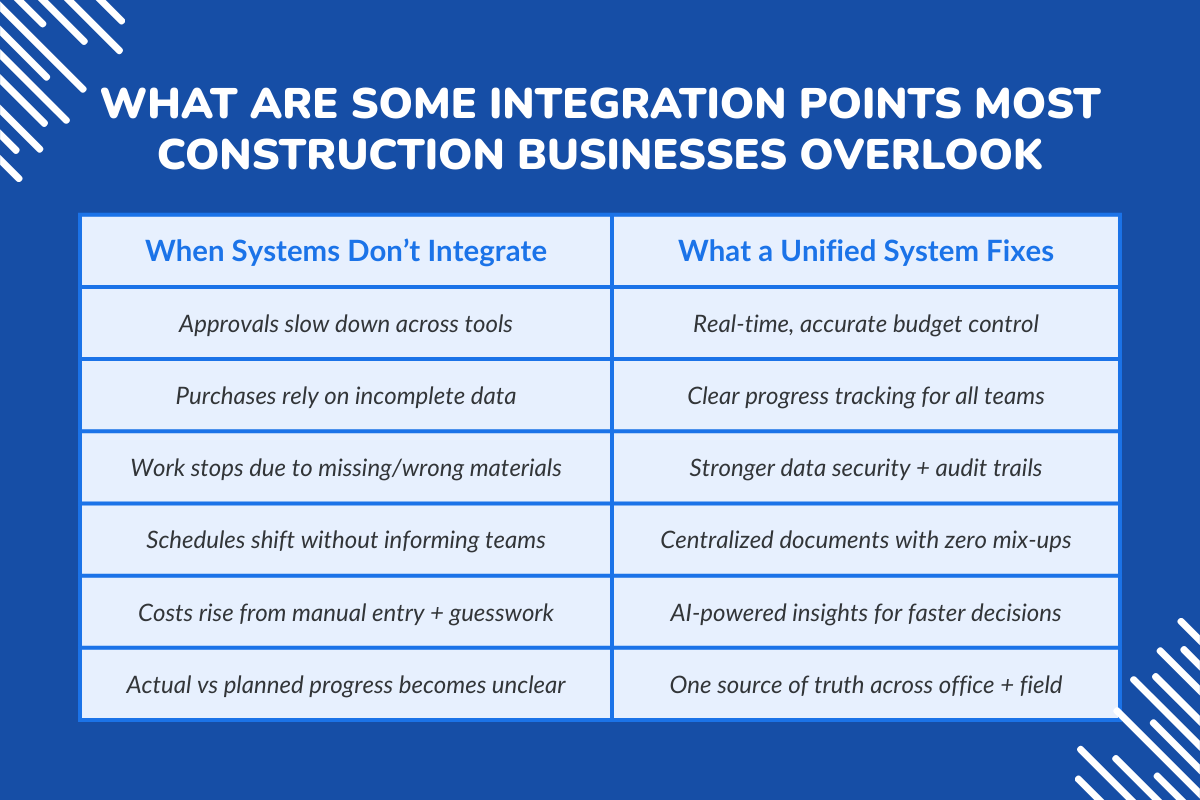
What Happens When These Systems Don’t Talk to Each Other?
When tools work in silos, small issues compound into major setbacks:
- Approval cycles slow down
- Purchases are based on incomplete information
- Work halts due to missing or wrong materials
- Schedules shift without notice
- Costs climb due to guesswork and manual errors
- Actual vs planned progress becomes impossible to track
These issues don’t appear dramatic at first; they accumulate quietly until the project hits a breaking point.
Whereas a unified system offers:
- Accurate budget tracking
- Reliable project tracking
- Strong data security
- Real-time analytics and AI-powered capabilities
- Centralized document management
- Better alignment across the entire team
When one project runs on one platform, managing construction projects becomes faster, clearer, and far more predictable.
Data Insight: Construction companies lose $177 billion every year due to poor data and disconnected workflows (Autodesk + FMI Report).
Take a deeper look at: 5 Strategies to Prevent Construction Project Delays
How Modern Construction Management Software Creates a Unified Data Ecosystem
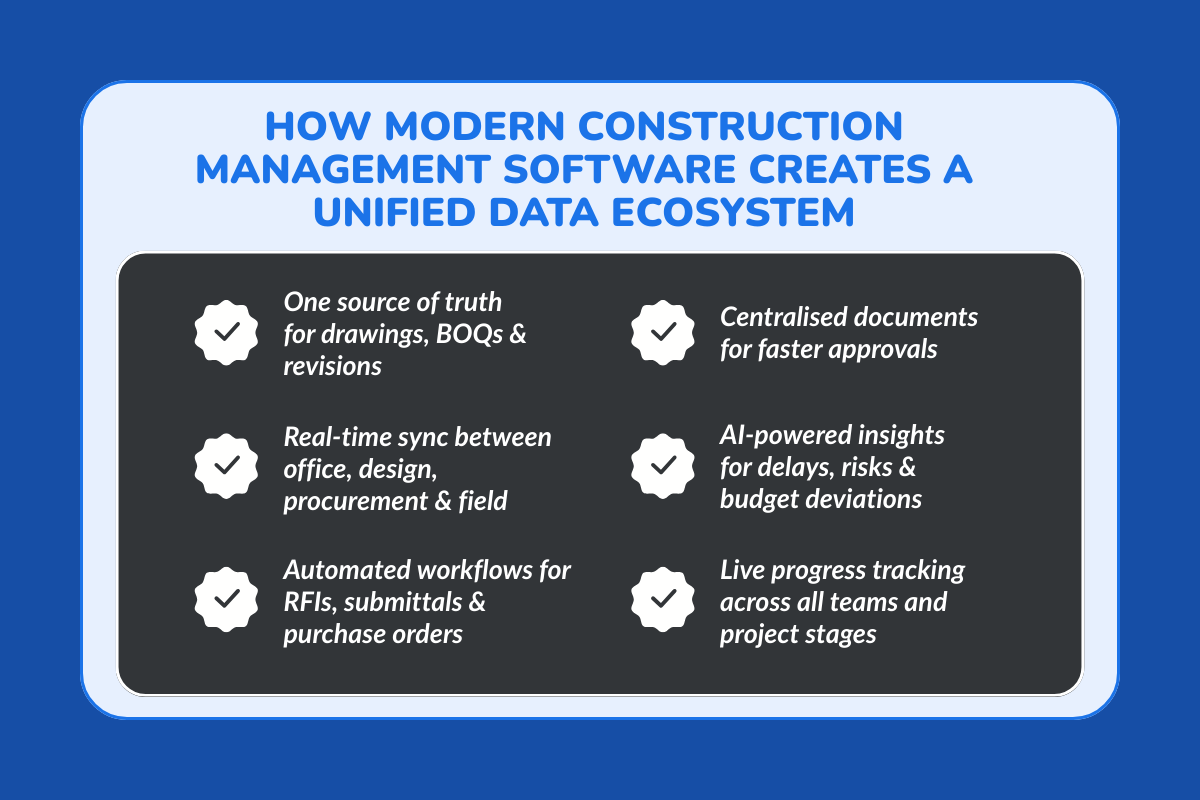
Modern construction software doesn’t just digitize tasks; it connects every stakeholder, every document, and every update into one platform. This unified ecosystem is what keeps project teams aligned, reduces errors, and ensures all departments work on the same page throughout the entire project lifecycle.
Below is how a connected system transforms construction workflows and decision-making.
1. One Source of Truth for Documents & Revisions
When drawings, BOQs, contracts, and revisions live in one centralized system, project managers no longer struggle with scattered PDFs, WhatsApp messages, or outdated inbox threads.
Key features that make this powerful:
- Complete document control with clear version history
- Reduced disputes because everyone works with verified revisions
- Faster approvals for specific project stages
- Smooth handovers across teams with minimal effort
Major advantage: Teams can assign tasks confidently because they know the underlying documents are accurate and updated.
2. Real-Time Sync Between Office and Field Teams
Instant information flow is the backbone of modern project management features. When updates move automatically through the system, delays caused by manual communication disappear.
Here’s how the sync flows across construction workflows:
Design → Procurement → Site Execution → Reporting
This real-time movement helps:
- Monitor progress more accurately
- Ensure task dependencies are clear
- Allocate tasks based on live project status
- Speed up decision-making for new projects
Whether it’s a design change or a material update, everyone responds without waiting for manual follow-ups.
3. Automated Workflows That Remove Manual Work
Automation handles routine and repetitive processes, which are the ones that slow teams down.
Automated workflows commonly include:
- RFI routing between teams
- Submittal reviews and approvals
- Purchase order creation and tracking
- Labor logs and attendance
- Material movement + cost tracking
These automations allow teams to:
- Save hours that were previously wasted on admin work
- Assign tasks based on verified updates
- Avoid costly errors caused by missed communication
4. AI-Powered Capabilities That Drive Informed Decisions
AI strengthens the ability of construction businesses to act early, avoid errors, and optimize resource planning.
AI can:
- Predict delays based on previous patterns
- Identify clashes before work begins
- Classify and organize documents instantly
- Flag risks using detailed analytics
- Highlight deviations in actual costs vs planned budgets
AI helps project teams handle complex construction workflows with confidence, even when managing multiple new projects at once. Young project managers get intelligent support, reducing pressure and improving overall performance.
Tired of messy spreadsheets and lost updates? See how ConstructionBase- a single platform connects your documents, clients, and project workflows.
What Features Matter Most When Choosing Building Construction Project Software
When evaluating construction software, focus on features that actually improve day-to-day workflow, reduce manual effort, and keep every stakeholder aligned.
The essentials include:
- Smart Document Management: Centralized drawings, contracts, RFIs, and revisions that are always up to date.
- Automated Data Syncing: So information moves instantly across design, procurement, and site teams.
- Real-Time Field Updates: Photos, progress logs, issues, and checklists captured directly on site.
- Procurement & Inventory Tracking: Clear visibility into material requests, deliveries, and usage.
- ERP & CRM Connectivity: Integrations that tie project data to finance, billing, and client communication.
- Reliable Mobile Access: Field teams can work from any location without delays.
- AI-Powered Insights: Predict delays, flag clashes, and surface risks early.
- User-Friendly Interface: Teams adopt it quickly without long training cycles.
- Performance Built for Scale: Handles large projects, complex drawings, and heavy data loads smoothly.
How ConstructionBase Helps Construction Teams Build a Connected Workflow
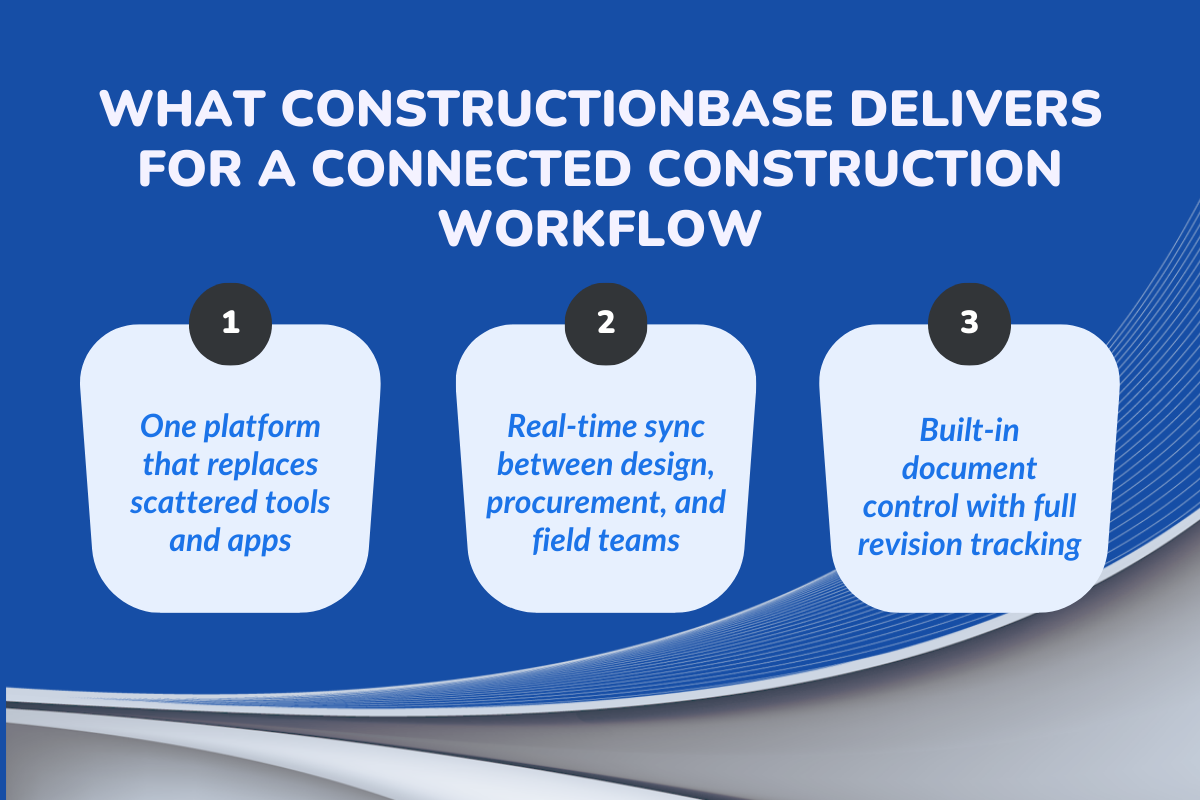
1. Replaces Disconnected Tools With One Platform
ConstructionBase brings drawings, daily logs, procurement data, approvals, and financials into one platform, so teams no longer jump between spreadsheets, PDFs, WhatsApp updates, and scattered software.
With everything organized in one place, project teams gain clearer visibility, fewer errors, and smoother construction workflows across both new projects and ongoing execution.
2. Real-Time Sync Across Design, Procurement & Field
Every update, whether it's a revised drawing, BOQ change, or schedule adjustment, syncs instantly.
This keeps project managers, general contractors, and field teams on the same page, reduces rework, and makes it easier to assign tasks and monitor progress with confidence on every specific project.
3. Built-In Document Control With Complete Revision Tracking
RFIs, submittals, drawings, and contracts stay organized with proper revision history, so teams always know they’re working with the right version.
This strengthens accountability, prevents disputes, and helps maintain accurate job costs and financial control, all without adding extra manual work.
Practical Checklist: Are You Missing These Integration Points?
A quick self-audit construction teams can use to see if their workflow is actually connected, or silently leaking time and money.
Ask yourself:
- Are design updates reaching the field instantly, or do teams rely on forwards and screenshots?
- Do CRM leads, estimates, and contracts flow into your project plans automatically?
- Are ERP quantities, POs, and actual costs always matching what’s happening on-site?
- Can procurement timelines, inventory levels, and schedules be viewed together?
- Are daily logs, RFIs, and site photos feeding into your reporting dashboards in real time?
- Do project managers and field teams use the same platform or different tools for the same project?
If even one answer feels uncertain, you’re likely operating in silos that slow down project timelines and inflate job costs without you realizing it.
Step-by-Step: Building a Unified Workflow in 2026
1. Map your workflow: lead → estimation → procurement → execution → billing.
2. Identify silos: design vs procurement, procurement vs site, site vs finance.
3. Choose tools with native integrations or open APIs.
4. Start with one high-impact integration:
- Design + Field
- ERP + Project Management
- CRM + Document Control
5. Train teams using real project scenarios, not manuals.
Conclusion
Disconnected tools don’t just create technical inefficiencies; They create daily stress, miscommunication, and avoidable risks for your entire team.
Project managers end up firefighting. Site teams depend on outdated information. Finance works with mismatched numbers. And leaders lose visibility over the actual health of a project.
A unified workflow replaces all of this with clarity, accountability, and confidence. Every update is in sync. Every decision is informed. Every team stays aligned. Because, at the end of the day:
Your teams don’t need more tools; they need one connected system where every piece finally fits together.
About ConstructionBase
ConstructionBase is built for teams who feel their projects slow down simply because information lives in too many places. It is an all-in-one software that brings drawings, documents, field updates, and approvals into one connected workspace, so everyone works from the same source without chasing files or updates.
It’s simple, clear, and built to make coordination feel effortless. If you’ve ever thought, “There has to be an easier way to manage projects”. The ConstructionBase demo is definitely worth testing out today.
FAQs
1. What features matter most in construction project software?
Teams need strong document control, automated syncing, procurement visibility, mobile access, CRM/ERP connectivity, cost tracking, task management, and simple workflows. The software should reduce manual effort and help teams stay aligned.
2. How long does it take for a construction team to get used to software?
Most teams adapt within a few days when the system is simple. Platforms like ConstructionBase are built for fast onboarding, even for field teams with minimal technical experience.
3. Is it useful for small contractors or only big companies?
It helps both. Small teams benefit from organized workflows, fewer mistakes, and faster approvals. Larger firms rely on it for scale, structure, and control.
4. Can we track actual costs vs. estimated costs?
Yes. Modern tools record material, labor, procurement, and change orders in one place, giving teams a clear view of real costs at every stage.
5. How does ERP integration improve construction budgets?
ERP integration ensures quantities, POs, invoices, and job costs match automatically. This prevents budget leaks caused by mismatched numbers. Both finance and site teams work with the same live data, improving forecasting and financial control.
Have questions or need personalized advice?
Talk to an Expert Today and let our construction specialists guide you to success.
Related Posts
Building Construction Project Software: Key Integration Points You’re Missing





